Best AI Transcription Tools for Podcasters in 2026

On this page5 sections
- Quick Comparison at a Glance
- The Best AI Transcription Tools for Podcasters — Our Picks
- 1. Descript — Best for Podcast Editing
- 2. Otter.ai — Best Free Option
- 3. Fireflies.ai — Best for Show Notes and Repurposing
- 4. Notta — Best for Multilingual Podcasts
- How to Choose the Best AI Transcription Tool for Podcasters
- Frequently Asked Questions
- Final Verdict
Descript is the best AI transcription tool for podcasters who edit every episode — it turns your transcript into the actual editing timeline. Otter.ai is the best free option for live-recorded interviews. Fireflies.ai is the pick if you want AI-drafted show notes alongside the transcript. Notta wins for multilingual shows with 58-language support.
- Descript is the only tool here where editing the text actually edits the audio — delete a sentence, the clip disappears
- Otter.ai's 300 free minutes a month easily covers a weekly 45-minute episode with room to spare
- Notta's free tier caps each file at 3 minutes, so it's not usable for a full episode until you upgrade — despite 120 free minutes overall
- Speaker-label accuracy drops on all four tools once cross-talk or three-plus speakers overlap
- Fireflies.ai's free tier offers unlimited transcription, just capped storage — different trade-off than a monthly minute cap
Best AI Transcription Tools for Podcasters in 2026
Search "best AI transcription tools for podcasters" and nearly every result is written by the tool it's reviewing. Sonix ranks Sonix first. WhisperTranscribe ranks WhisperTranscribe first.
HappyScribe's own content lead wrote the piece that names HappyScribe the winner. None of that makes those tools bad — it just means you haven't gotten an honest comparison yet.
Here's the short version: if you edit every episode, Descript is worth the subscription because it turns your transcript into the actual edit timeline. If you just want a free, accurate transcript from a live interview, Otter.ai covers a weekly show without costing anything. Below is a real, tool-by-tool breakdown with current pricing, what each one actually costs you per episode, and — if transcription turns out to be the wrong fit — a link to the full AI Audio and Voice category for everything else we've vetted.
Quick Comparison at a Glance
| Tool | Best For | Free Plan | Price (USD/mo) | Rating |
|---|---|---|---|---|
| Descript | Editing your podcast by editing text | Yes — 60 min/mo | $16-65 | 4.6/5 |
| Otter.ai | Free transcription for live recording | Yes — 300 min/mo | $0-30 | 4.3/5 |
| Fireflies.ai | Auto-generated show notes | Yes — unlimited transcription, capped storage | $0-29 | 4.4/5 |
| Notta | Multilingual podcasts (58 languages) | Yes — 120 min/mo, 3-min per file | $0-27.99 | 4.2/5 |
Descript's pricing jumps fastest once you need real editing minutes, so see the full breakdown below before you commit to a tier.
The Best AI Transcription Tools for Podcasters — Our Picks
1. Descript — Best for Podcast Editing
Descript transcribes your recording, then lets you edit the audio by editing the text — delete a sentence from the transcript, and the matching audio clip disappears automatically. That single feature changes how you edit a podcast entirely.

Beyond the text-based editing, Descript's Studio Sound cleanup fixes room echo and background noise in a couple of clicks, and its filler-word removal strips "ums" and "likes" without you scrubbing the waveform by hand. For a show you edit weekly, this collapses two or three separate editing steps into one pass. Its voice cloning feature can even patch a flubbed line without a re-record — the same underlying technique covered in our guide to cloning your voice for free with ElevenLabs.
- Text-based audio editing
- Studio Sound noise cleanup
- Automatic filler-word removal
- Speaker labeling
- AI voice cloning for punch-in fixes
Pricing: Free (60 min/mo) | Hobbyist $16-24/mo (600 min) | Creator $24-35/mo (1,800 min) | Business $50-65/mo (2,400 min)
Best for: podcasters who edit every episode and want the transcript to double as the edit timeline.
Not ideal for: someone who only wants a raw transcript with no editing — Descript's official pricing page [OPEN IN NEW TAB] confirms the free tier caps out at just 60 minutes a month, well under what a single 45-minute weekly episode needs, and you'll pay more than Otter.ai for a feature you won't use.
2. Otter.ai — Best Free Option
Otter.ai converts live or uploaded audio into a searchable, speaker-labeled transcript, and its free tier is the most generous of the four tools here. Otter.ai's official pricing page [OPEN IN NEW TAB] confirms 300 free minutes a month, which comfortably covers a weekly 45-minute episode — roughly 180 minutes a month — with over 100 minutes to spare.

Real-time transcription is the other advantage: if you co-host or interview guests over a call, Otter.ai can transcribe the conversation as it happens, which is handy for pulling quotes or checking names right after recording instead of waiting on a batch export.
- Real-time transcription
- Automatic speaker identification
- Searchable transcript archive
- Collaborative highlights and comments
- Mobile recording app
Pricing: Free (300 min/mo) | Pro $8.33-16.99/user/mo (1,200 min) | Business $19.99-30/user/mo (6,000 min imported, unlimited in-app)
Best for: podcasters on a tight budget who record live interviews and mainly need a clean, searchable transcript.
Not ideal for: shows with heavy cross-talk — accuracy noticeably drops once three or more speakers overlap, which is a common pattern in panel-style episodes.
3. Fireflies.ai — Best for Show Notes and Repurposing
Fireflies.ai transcribes your episode and then goes a step further, auto-generating a summary you can lean on for show notes instead of writing them from scratch. For a solo podcaster who dreads the post-production admin, that's real time saved every single week.

Its free tier is structured differently than the others: transcription itself is unlimited, but stored minutes are capped at 400 per team. That's a fine trade-off if you export and archive transcripts elsewhere, but worth knowing before you plan around it.
- Auto-generated episode summaries
- Searchable transcript archive
- Speaker breakdown
- Integrations with common publishing and CRM tools
- Keyword and topic tracking
Pricing: Free (unlimited transcription, 400 min storage/team) | Pro $10-18/mo (8,000 min storage/seat) | Business $19-29/mo (unlimited storage)
Best for: solo or small-team podcasters who want the transcript plus a drafted summary to speed up show-notes writing.
Not ideal for: precision audio editing — Fireflies.ai transcribes and summarizes well, but it doesn't let you cut the episode from the text the way Descript does.
4. Notta — Best for Multilingual Podcasts
Notta supports 58 languages, which is the widest coverage of the four tools here and matters directly if your show isn't recorded in English or if you're translating episodes for a second audience. Pricing also tends to undercut Descript and Otter.ai at comparable minute volumes on the Pro tier.
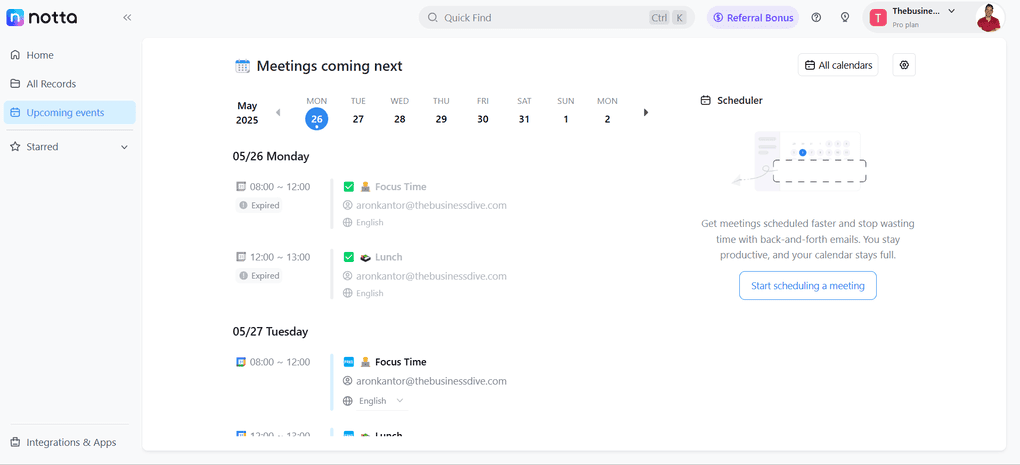
There's one catch worth flagging clearly: Notta's free tier gives you 120 minutes a month, but caps each individual file at 3 minutes. A 45-minute episode won't fit on the free tier at all — you'd need the Pro plan to transcribe a full episode in one file, which none of the other three tools require at their free tier.
- 58-language transcription
- Screen recording capture
- AI-generated summaries
- Speaker labeling
- Export to common formats
Pricing: Free (120 min/mo, 3-min cap per file) | Pro $8.17-13.99/mo (1,800 min) | Business $16.67-27.99/seat/mo (unlimited)
Best for: podcasters recording in a non-English language or running a multilingual show.
Not ideal for: English-only shows chasing the longest editing-workflow track record — Descript and Otter.ai have more mileage there, and Notta's free tier isn't usable for a full-length episode.
How to Choose the Best AI Transcription Tool for Podcasters
If you edit every episode heavily, get Descript — the transcript-as-timeline workflow pays for itself in saved editing time. If you just want a free, accurate transcript from a live interview and don't need editing, start with Otter.ai.
If writing show notes is the part you dread, Fireflies.ai's auto-summaries do that work for you. And if your show isn't in English, Notta's 58-language support is the only real fit on this list — just budget for the Pro tier, since the free tier can't hold a full episode in one file.
Frequently Asked Questions
Is Otter.ai good for podcast transcription? Yes, especially for single-speaker or clean two-mic audio, and its 300 free minutes a month easily covers a weekly episode. Accuracy drops on episodes with heavy cross-talk compared to Descript.
What is the most accurate AI transcription tool for podcasts? Descript tests highest on clean studio audio, with accuracy for all four tools dropping once background noise, accents, or overlapping speakers enter the recording.
Can I edit my podcast by editing the transcript? Yes — this is Descript's core feature. Delete a sentence from the text, and the corresponding audio clip is removed from the episode automatically.
Is there a free AI transcription tool for podcasters? Otter.ai (300 min/mo) and Fireflies.ai (unlimited transcription, capped storage) both have free tiers that work for a real weekly show. Descript's free tier is capped at 60 minutes a month, and Notta's free tier can't hold a full episode in one file.
Do AI transcription tools label different speakers automatically? Most modern tools — Descript, Otter.ai, Fireflies.ai, and Notta — include automatic speaker diarization, but accuracy on it varies with audio quality and how many speakers overlap.
Final Verdict
If you had to pick just one: get Descript if editing is the part of podcasting you actually want to speed up, and get Otter.ai if you just need a free, reliable transcript without touching the audio. Both cover a weekly show comfortably on their entry-level tiers — the difference is whether you want the transcript to be the finish line or the starting point.
Looking for the opposite problem — generating a voice instead of transcribing one, for intros, ads, or a synthetic co-host segment? See our full AI voice generator comparison for that side of podcast production.