
5 Best Free Keyword Research Tools for Bloggers (2026)

On this page6 sections
- 5 Best Free Keyword Research Tools for Bloggers in 2026
- Quick Comparison at a Glance
- The 5 Best Free Keyword Research Tools for Bloggers
- 1. Google Search Console — Best for Blogs That Already Have Content
- 2. Ahrefs Free Keyword Generator — Best for Topic Discovery The Hidden Gem
- 3. Ubersuggest — Best Free All-Rounder for Keyword Analysis
- 4. AnswerThePublic — Best for Finding Blog Post Angles from Real Questions
- 5. Google Keyword Planner — Best for Confirming Search Volume Before You Write
- How to Choose the Right Free Tool for Your Blog
- Frequently Asked Questions
- Final Verdict
- Winner for blogs with content: Google Search Console — shows exactly what you already rank for, free forever
- Best for topic discovery: Ahrefs Free Keyword Generator — 100 keyword ideas per search, no login required
- Best all-rounder: Ubersuggest — volume + difficulty + related keywords, 3 searches/day free
- Best for blog post angles: AnswerThePublic — question-format keywords, 3–5 searches/day free
- Best for volume confirmation: Google Keyword Planner — straight from Google, free with an Ads account
- Every tool on this list is genuinely free — no credit card, no bait-and-switch free trial
- Most "best free keyword tools" articles include $29–99/month paid tools without labeling the paywall — this one doesn't
- Ahrefs' free public keyword generator returns 100 keyword ideas with difficulty scores and no login — the most underrated free tool available in 2026
- The best free stack for bloggers: Google Search Console + Ahrefs Free Keyword Generator + AnswerThePublic
- When you outgrow 3 searches/day limits, Keysearch ($24/month) is the cheapest meaningful paid step-up
5 Best Free Keyword Research Tools for Bloggers in 2026
If you've been searching for the best free keyword research tools for bloggers, you've probably landed on an article titled something like "10 best free keyword research tools" — only to find that half the list is paid tools and the other half has a "free" plan that lets you do exactly three searches before demanding a credit card.
Here's what's actually free in 2026. Five tools, honest limits, no tricks. One of them — Ahrefs' public keyword generator — is so underrated that almost every other article in this space ignores it entirely.
Quick Comparison at a Glance
| Tool | Best For | Searches/Day (Free) | Volume Data | No Login Required? |
|---|---|---|---|---|
| Google Search Console | Existing content optimization | Unlimited | Real clicks/impressions | No (domain verify) |
| Ahrefs Free Keyword Generator | Topic discovery | ~10 searches | Yes (ranges + KD) | Yes |
| Ubersuggest | Keyword analysis | 3 | Yes (estimates) | No (free account) |
| AnswerThePublic | Question-based content ideas | 3–5 | Partial (2 branches free) | No (free account) |
| Google Keyword Planner | Volume confirmation | Unlimited | Yes (ranges) | No (Google Ads account) |
Ready to compare the full range of AI SEO tools for bloggers? Browse ratings, free-plan filters, and user reviews in one place.
The 5 Best Free Keyword Research Tools for Bloggers
1. Google Search Console — Best for Blogs That Already Have Content
Google Search Console [OPEN IN NEW TAB] is the most powerful free keyword tool available — if you already have published posts. It's built by Google, shows the real queries bringing visitors to your site, and has zero usage limits or paywalls.
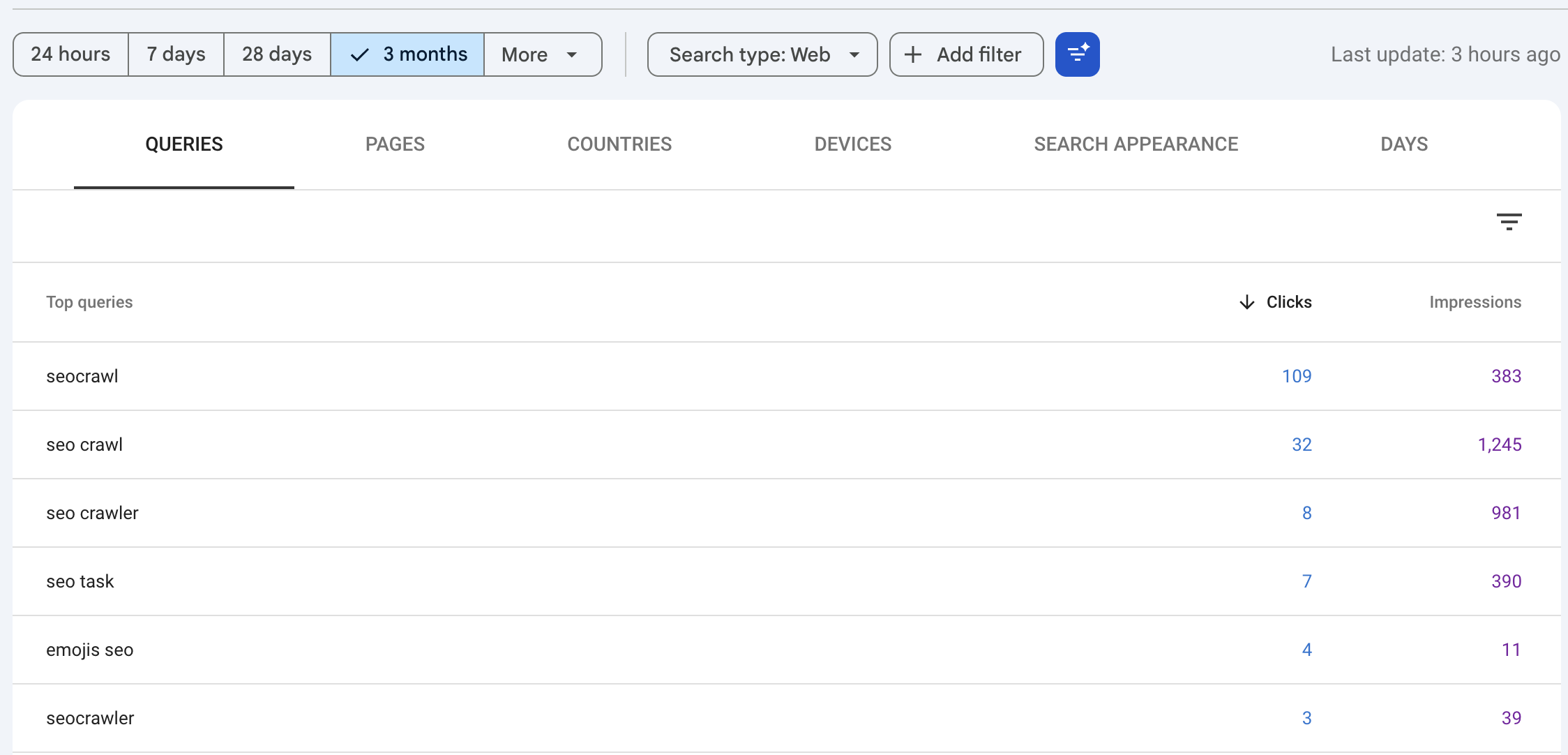
What makes it different from other tools: it doesn't estimate search volume. It shows you actual clicks, impressions, and average position for every query your blog has ever appeared in search results for. That's real data, not a model's guess.
The practical blogger use: filter your queries by "Position 5–20," sort by impressions, and you have a prioritized list of posts that are close to page 1 and just need a content update to rank higher. No other free tool gives you this.
Key features:
- Exact queries users searched to reach your posts
- Click and impression data per keyword
- Average ranking position tracked over time
- All published URLs covered
- No usage limits, no account tiers
Pricing: Free forever
Best for: Bloggers with at least a handful of published posts who want to optimize what's already ranking
Not ideal for: Bloggers with no content yet — there's nothing to track until Google has crawled your pages
Explore: Browse AI SEO Tools on YourAiFinder
2. Ahrefs Free Keyword Generator — Best for Topic Discovery (The Hidden Gem)
This one surprises almost everyone. Ahrefs is best known as a $129/month enterprise SEO platform — but buried on their website is a completely free public tool [OPEN IN NEW TAB] at ahrefs.com/keyword-generator. No login. No credit card. No daily limit pop-up.
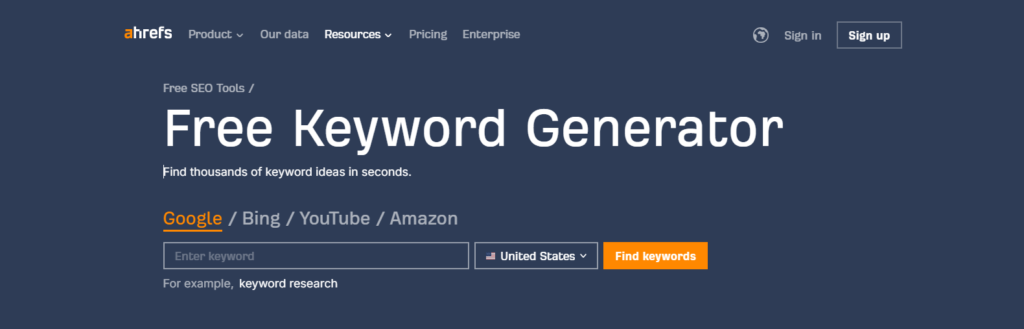
Type in a keyword and get 100 related keyword ideas, each with a monthly search volume estimate and a Keyword Difficulty score. That's the data most tools hide behind a paywall. For a blogger building a content calendar from scratch, this is the starting point.
The catch: you can only research keywords, not competitors. There's no site audit, no backlink data, no position tracking — those live behind Ahrefs' paid plan. But for finding what to write about and whether it's worth writing, the free generator handles it completely.
Key features:
- 100 keyword ideas per search
- Monthly search volume estimates
- Keyword Difficulty score per result
- Works for Google, Bing, YouTube, and Amazon
- No account, no signup, no credit card
Pricing: Free — public URL at ahrefs.com/keyword-generator
Best for: Beginner bloggers researching new topics before publishing their first posts
Not ideal for: Blogger needs competitor rankings or backlink data — those require Ahrefs' paid plans
Explore: Browse AI SEO Tools on YourAiFinder
3. Ubersuggest — Best Free All-Rounder for Keyword Analysis
Ubersuggest by Neil Patel is the most balanced free keyword tool: it gives you volume, difficulty, CPC estimates, and 50+ related keyword suggestions in one search. The free tier caps at 3 searches per day, which sounds limiting — but for a blogger researching 1–3 topics at a time, it's workable.
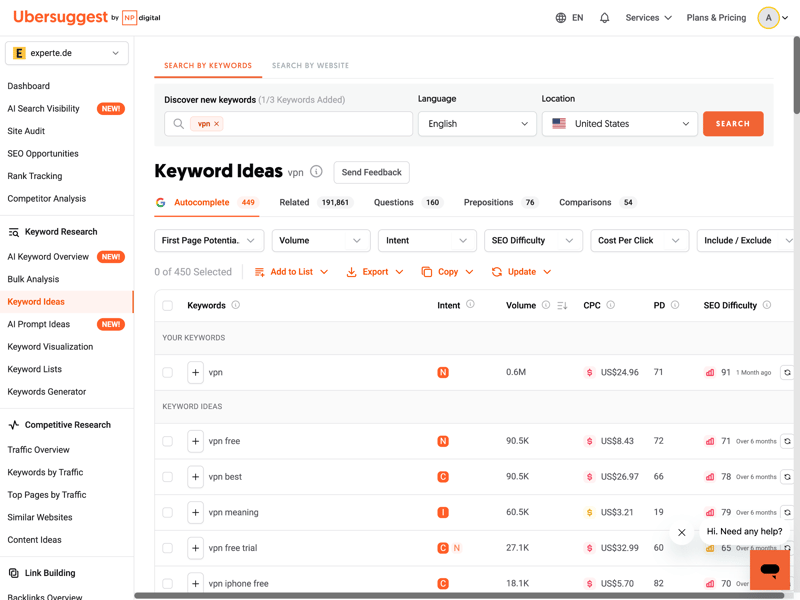
The underrated bonus: Ubersuggest's free Chrome extension overlays keyword data directly on Google search results pages. This doesn't count against your 3-search daily cap, giving you unlimited basic volume and difficulty lookups as you browse search results.
The limit that actually bites: if you're trying to research a full content calendar of 15 topics in one session, 3 searches won't cut it. That's when you either schedule your research across multiple days or consider a paid upgrade. When you're ready to decide between Ubersuggest paid vs Mangools, our Mangools vs Ubersuggest comparison for bloggers breaks down whether the lifetime deal math makes Ubersuggest the smarter buy.
Key features:
- Monthly search volume per keyword
- SEO difficulty score (0–100)
- 50+ related keyword suggestions per search
- Google Trends integration
- Free Chrome extension with basic data overlay on Google SERPs
Pricing: Free — 3 searches/day, no credit card; paid plans from $29/month
Best for: Bloggers researching 1–3 topics per day who want volume + difficulty in one view
Not ideal for: High-volume keyword research sessions — the 3-search cap becomes a real constraint
Explore: Browse AI SEO Tools on YourAiFinder
4. AnswerThePublic — Best for Finding Blog Post Angles from Real Questions
AnswerThePublic doesn't just find keywords — it surfaces the questions your future readers are actually typing. Every result is a question, a preposition phrase, or a comparison that someone searched on Google or Bing.
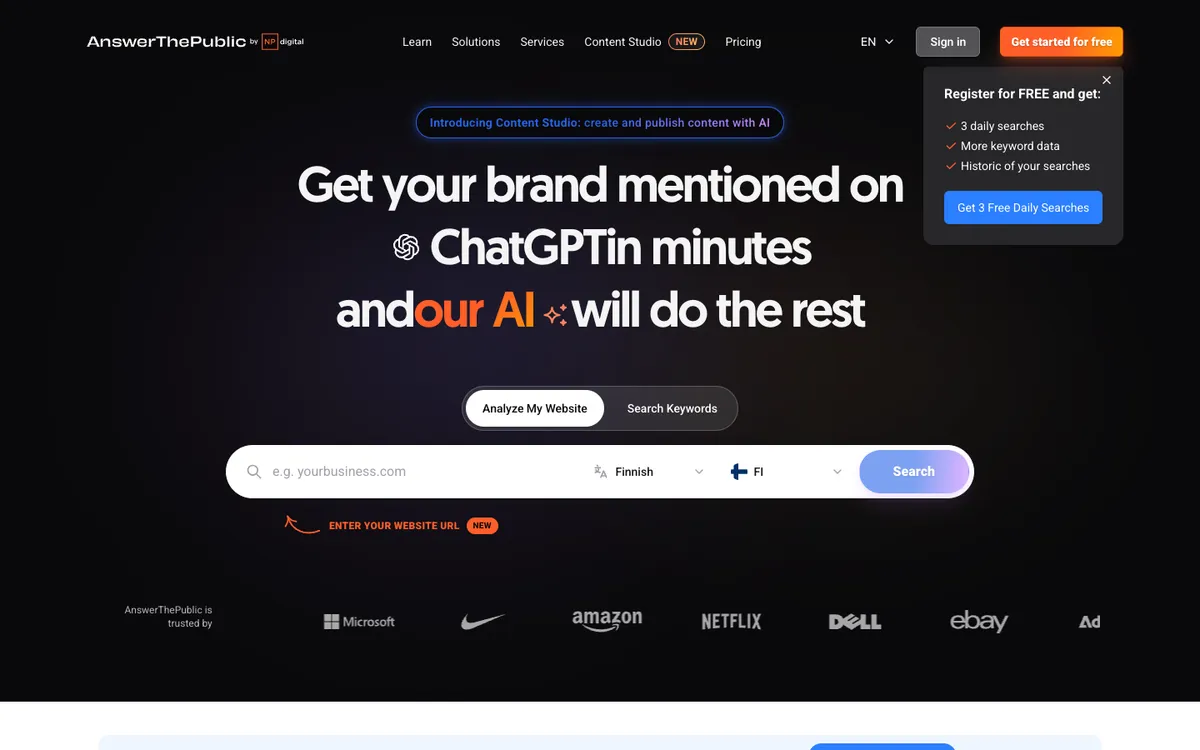
This matters more in 2026 than it did two years ago. Google AI Overviews, ChatGPT search, and Perplexity all favor content that directly answers questions. Targeting question-format keywords gives your posts a better shot at appearing in both traditional search results and AI-generated answers.
AnswerThePublic surfaces these angles automatically.
The free tier gives you 3 searches per day without an account, 5 per day with a free account. Search volume data is only available for 2 branches per report on the free plan — enough for blog post planning, but not for deep validation.
Key features:
- Question-format keywords ("how to", "why does", "what is")
- Preposition keywords ("without", "for beginners", "with")
- Comparison terms ("vs", "or", "like")
- Data pulled from Google and Bing autocomplete
- Visual keyword wheel for topic brainstorming
Pricing: Free — 3 searches/day without account, 5/day with free account; paid from $11/month
Best for: Bloggers planning content around questions people actually ask — especially useful for H2 headings and FAQ sections
Not ideal for: Volume validation (search volume restricted to 2 branches per search on the free plan)
Explore: Browse AI SEO Tools on YourAiFinder
5. Google Keyword Planner — Best for Confirming Search Volume Before You Write
Google Keyword Planner is built for Google Ads, but it's useful for any blogger who wants search volume data from the source that actually owns the data. The limitation: it shows volume ranges (like "1K–10K") rather than exact monthly figures.
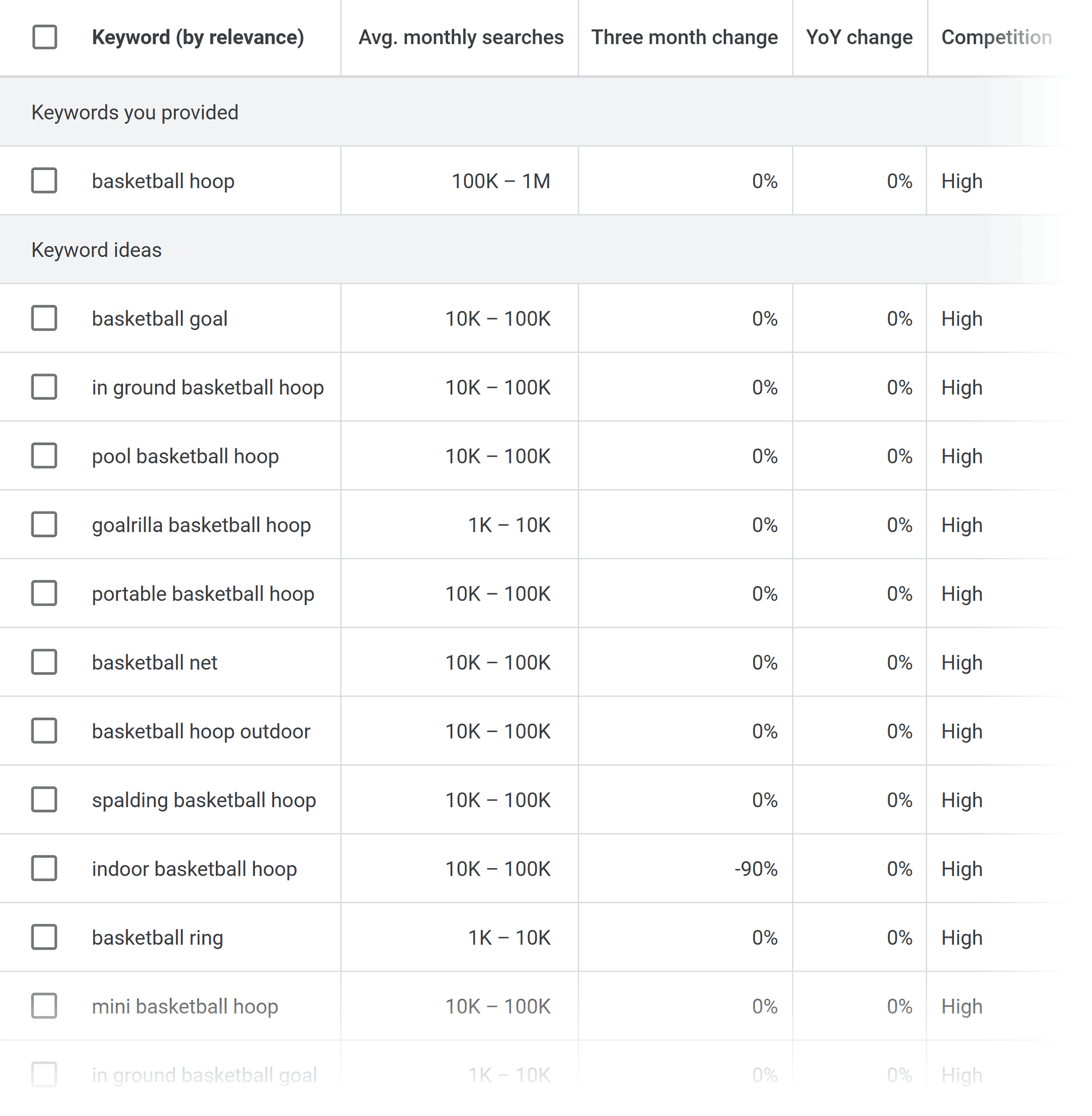
For a blogger deciding whether a topic is worth writing about, a range is usually enough. If a keyword shows "100–1K" searches per month, it's in the right zone for a new blog targeting long-tail keywords. If it shows "10–100," it might be too niche.
The ranges tell you what you need to know.
The setup friction is real: you need to create a Google Ads account. You don't need to run ads or enter payment details to access the keyword tool, but you do need to click through a few setup screens. Once it's set up, the tool itself has no limits and no cost.
Key features:
- Keyword volume shown as ranges (sourced directly from Google)
- Related keyword suggestions for any seed term
- Competition level indicator (Low/Medium/High)
- Trend graphs over 12 months
- Unlimited use once account is created
Pricing: Free — requires a Google Ads account (no ad spend required)
Best for: Bloggers who want volume confirmation from Google's own data before committing to a topic
Not ideal for: Quick research sessions — the Google Ads account setup adds friction; no keyword difficulty score for organic SEO
Explore: Browse AI SEO Tools on YourAiFinder
How to Choose the Right Free Tool for Your Blog
The right tool depends on where your blog is right now.
If you have published content: Start with Google Search Console. Find the keywords where you're ranking between positions 5–20, then update those posts to push them to page 1. This is faster than writing new content.
If you're starting from scratch: Use Ahrefs Free Keyword Generator to find topics with demand. Then use AnswerThePublic to find question-format angles within those topics.
For daily keyword research with volume and difficulty: Ubersuggest (3 searches/day) handles 1–3 topics per day. If you need to research more than that regularly, it's worth the $29/month upgrade — or try Keysearch at $24/month.
Recommended free stack: Google Search Console + Ahrefs Free Keyword Generator + AnswerThePublic. These three together cover blog post discovery, demand validation, and question-angle research with zero spend. If you want to see how keyword research connects to the rest of SEO — competitor analysis, on-page scoring, technical audits, rank tracking — our guide on the complete free SEO workflow for bloggers covers every step.
When you're ready to go beyond free tools, our breakdown of affordable AI SEO tools for bloggers covers the paid picks worth considering — including which options are genuinely worth the upgrade at each budget level.
Frequently Asked Questions
Is Google Keyword Planner actually free for bloggers?
Yes. You need a Google Ads account to access it, but you don't need to run ads or add payment details. Once the account is set up, the keyword tool itself has no cost and no usage limits. The main limitation: volumes appear as ranges ("1K–10K") rather than exact numbers. For topic selection, ranges are usually sufficient.
How many searches can I do with Ubersuggest for free?
The free tier caps at 3 searches per day. Each search returns search volume, keyword difficulty, CPC estimates, and 50+ related keyword suggestions. The free Chrome extension adds basic volume data overlay on Google search pages without counting against your daily limit — a useful workaround for quick lookups.
What does AnswerThePublic's free plan include?
Without an account: 3 searches per day. With a free account: 5 searches per day. Each search shows question-format keywords, preposition phrases, and comparison terms. Search volume data is available for only 2 branches per report on the free plan — enough for blog content planning, not sufficient for bulk keyword validation.
What's the best free keyword research stack for a blogger with no budget?
Three tools cover the full workflow: Google Search Console (track what you already rank for — or install it now and start collecting data), Ahrefs Free Keyword Generator (discover topics with volume and difficulty data, no login required), and AnswerThePublic (find question angles for blog posts). Together they replace 80% of what a $100/month paid platform provides, at zero cost.
Final Verdict
Honestly, the Ahrefs Free Keyword Generator is the tool most bloggers aren't using — and should be. The fact that it returns 100 keyword ideas with volume and difficulty data without requiring a login is remarkable, and it's genuinely surprising that every major "best free keyword tools" article misses it.
My recommended starting point: open Google Search Console and connect your domain (even if you haven't published yet — start collecting data now). Then use Ahrefs' free generator to find 10–15 topic ideas with real demand. Add AnswerThePublic to sharpen each topic into a question-format angle your readers are actually searching for.
You can run a real keyword research workflow on that stack indefinitely. You can also pair any of these tools with our free ChatGPT keyword research workflow — use ChatGPT to brainstorm and cluster keyword ideas first, then validate the best ones with the free tools above. Only start paying when you consistently need more than 3–5 searches per day — and when that day comes, Keysearch at $24/month is the most sensible first paid upgrade.