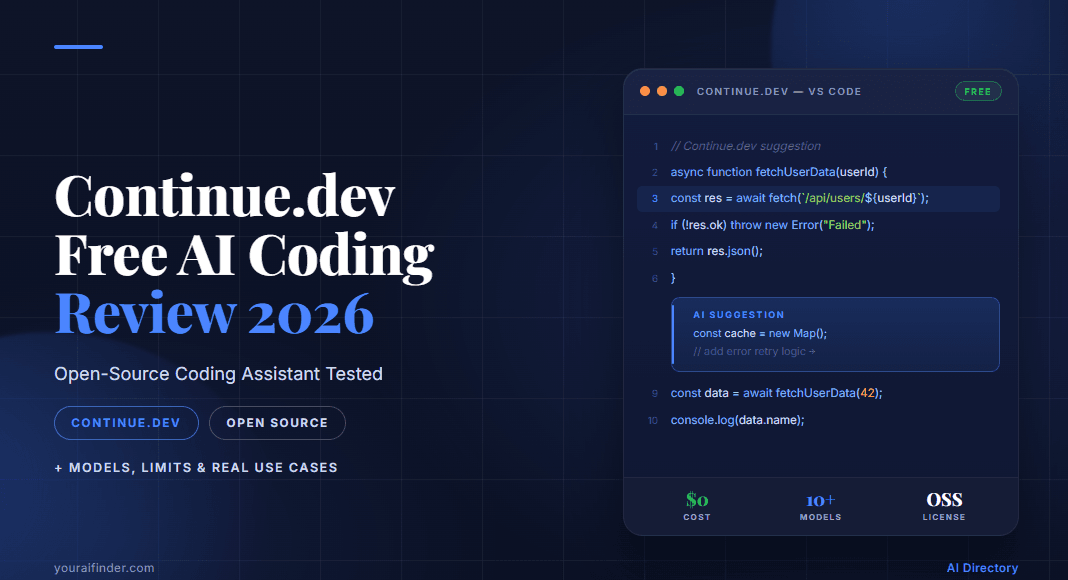
Continue.dev Review 2026: Free AI Coding Tool Tested

On this page9 sections
- Continue.dev vs. The Competition: Head-to-Head
- What Is Continue.dev in 2026?
- Feature-by-Feature Breakdown
- True Cost — Free Extension vs. Real API Spend
- Model Flexibility and Privacy
- Setup and Out-of-the-Box Experience
- JetBrains Support — Critical Warning
- Pricing Breakdown
- Who Should Choose Continue.dev
- Who Should Choose a Paid Alternative
- Continue.dev in India — The Zero-Cost Path
- Frequently Asked Questions
- Our Verdict
Continue.dev Review 2026: The Only Truly Free AI Coding Assistant (Tested)
| Winner overall | Continue.dev — only tool with a genuine ₹0/month path via Ollama |
| Winner for budget | Continue.dev (free extension + free local models) |
| Winner for beginners | Windsurf — zero-config, works out of the box |
| JetBrains warning | JetBrains plugin is now community-maintained; use the Continue CLI instead |
- Continue.dev the IDE extension is free (MIT license) — but cloud model API costs add ₹400–1,200/month at average developer usage
- The 100% free path: Continue + Ollama local models (works on 8GB RAM, no API key, no credit card required)
- In mid-2025, Continue.dev expanded to a "Continuous AI" platform with PR agents running in CI — a strategic pivot almost every current review has missed
- The JetBrains plugin is now community-maintained; the Continue team officially recommends the CLI for JetBrains users
- Against Cursor ($20/mo), GitHub Copilot ($10/mo), and Windsurf (free tier) — Continue wins on cost and privacy, loses on out-of-the-box polish
Continue.dev is a free VS Code/JetBrains extension that connects to your choice of AI model — it is not a new editor like Cursor. You bring the model; Continue brings the interface inside your existing IDE.
This review is for developers evaluating whether Continue.dev is worth the setup effort versus paying $20/month for Cursor or $10/month for GitHub Copilot. For solo developers, students, and anyone who needs zero-cost AI coding assistance with no international payment required — Continue.dev with Ollama is the answer. For teams wanting zero configuration — Cursor or Windsurf wins.
Continue.dev vs. The Competition: Head-to-Head
| Criteria | Continue.dev | Cursor | GitHub Copilot | Windsurf |
|---|---|---|---|---|
| Monthly cost | Free (+ optional API) | $20/mo | $10/mo | Free tier + $15/mo |
| Permanent free plan | Yes — full features | No (trial only) | Very limited | Yes |
| Setup effort | Medium (manual config) | Very low | Very low | Low |
| Model choice | 100+ incl. local | Limited | GPT-4o only | Limited |
| Local/offline model | Yes (Ollama) | No | No | No |
| JetBrains support | Community plugin / CLI | No (VS Code fork) | Yes (official) | No |
See the full feature list and verified pricing on the Continue.dev tool page.
Compare all options in the AI coding tools category, sorted by price and setup complexity.
What Is Continue.dev in 2026?
Continue.dev is a free, open-source IDE extension (MIT license on GitHub) for VS Code and JetBrains that acts as a model-agnostic AI coding layer. You connect your chosen model — cloud or local — and Continue handles autocomplete, chat, and inline edits directly inside your editor. The extension is MIT-licensed: no subscription, no trial period, no paywalled features.
The part most current reviews miss: in mid-2025, Continue expanded beyond the IDE extension by launching an open-source CLI that runs async AI agents on pull requests in CI pipelines. These agents enforce team coding rules, catch bugs, and suggest fixes automatically before merge.
For solo developers, the IDE extension remains the entire product — the CI/PR agent feature is additive and team-focused.
Feature-by-Feature Breakdown
True Cost — Free Extension vs. Real API Spend
This is the question every developer actually has, and almost no review answers it honestly.
If you use cloud models: The extension is free, but API costs go directly to your provider. Connect Anthropic Claude Sonnet, and at average developer usage (autocomplete plus ~20 chat queries per day), expect approximately ₹400–1,200/month in API charges billed by Anthropic — not by Continue.
If you use Cursor Pro: Flat $20/month (~₹1,680). Claude Sonnet is included with rate limits — no surprise bills, predictable budgeting.
The zero-cost path: Continue + Ollama local model = ₹0/month total. Requires 8GB RAM minimum (Qwen2.5-Coder 1.5B for autocomplete); 16GB RAM for chat (Llama3.1 8B or DeepSeek-Coder 7B).
Verdict: Continue wins on cost only when you use Ollama. Cursor wins on billing predictability for developers who code 6+ hours daily and prefer a flat monthly fee.
Model Flexibility and Privacy
Continue.dev connects to 100+ models — OpenAI GPT-4o, Anthropic Claude, Google Gemini, xAI Grok, Amazon Bedrock, Azure OpenAI, and any Ollama local model. With Ollama, air-gapped deployment is possible: your code never leaves your machine.
Cursor is cloud-only with a limited model selection. Code is processed via Cursor's servers.
For enterprise air-gapped deployment without the local model setup complexity, Tabnine offers a managed air-gapped option worth comparing.
Verdict: Continue.dev wins decisively for privacy — ideal for enterprise compliance requirements, sensitive codebases, and developers in regulated industries.
Setup and Out-of-the-Box Experience
Continue.dev requires manual configuration through a config.yaml file, provider selection, and either API key entry or Ollama installation. Expect 30 minutes for a solid initial setup. Honest limitations to know before you start: approximately half of listed provider integrations reportedly don't function reliably [VERIFY: current provider reliability rate], first-use lag of 5–10 seconds is common on initial load, and inline edits can produce non-integrable code on complex multi-file tasks.
Cursor: install the app, sign in, start coding. Windsurf's free tier is similar — low setup, generous free plan, works immediately.
Verdict: Cursor and Windsurf win on ease — for a direct comparison, see how Windsurf and GitHub Copilot free plans differ to pick the right zero-setup option. Continue wins for developers willing to invest 30 minutes of setup in exchange for full model control.
JetBrains Support — Critical Warning
The CLI works — functionality is comparable to the VS Code extension — but update cadence and support response time will differ.
Cursor has no JetBrains support at all; it's a VS Code fork only. GitHub Copilot has a fully official, actively maintained JetBrains plugin.
Verdict: JetBrains users should use the Continue CLI (functional but less polished) or consider GitHub Copilot for full official plugin support.
Pricing Breakdown
| Plan | Continue.dev | Cursor | GitHub Copilot |
|---|---|---|---|
| Free tier | Solo — full features, permanent | Limited trial | Minimal (60 completions/mo) |
| Paid entry | Team — $10/dev/mo (~₹840) | Pro — $20/mo (~₹1,680) | Individual — $10/mo (~₹840) |
| Enterprise | Custom pricing, self-hosted | Business — $40/mo | Enterprise — $21/mo |
| AI compute costs | Separate (your provider account) | Included in plan | Included in plan |
| Local model option | ₹0 via Ollama | Not available | Not available |
The Team plan ($10/dev/month) adds centralized config, shared agents, and secure secret management — worth evaluating for teams of 3–10 developers who want to share model configurations and enforce coding standards via CI. At the same price point, Augment Code is a direct comparison worth running. Solo developers and students should stay on the free Solo plan — there's no meaningful feature difference for individual use.
Who Should Choose Continue.dev
- Solo developers and freelancers who want maximum model flexibility without a recurring subscription
- Students — the Solo plan is permanently free with full features, no credit card required, no trial expiry
- Indian developers — the Ollama path requires no international payment method, no VPN, no API account; runs on 8GB RAM
- Privacy-conscious teams — the only AI coding tool in this comparison supporting fully air-gapped, on-premises deployment
- VS Code developers who want to experiment with emerging or self-hosted models (Grok, custom fine-tunes, Bedrock models)
Who Should Choose a Paid Alternative
- Teams needing zero configuration — Cursor or Windsurf are ready within minutes; Continue.dev requires setup investment
- JetBrains power users — GitHub Copilot provides the most stable, officially-supported JetBrains plugin in 2026
- High-usage developers who want predictable billing — Cursor's flat $20/month pricing beats variable API charges for developers coding 6+ hours daily
- Teams already on GitHub Enterprise — GitHub Copilot integrates natively with GitHub code review and PR workflows
- Developers wanting a free Cursor-equivalent with zero setup — TRAE AI (ByteDance's free AI IDE — see our TRAE AI vs GitHub Copilot free comparison 2026 before deciding) and Kiro are both worth evaluating
Continue.dev in India — The Zero-Cost Path
Both Continue.dev and Ollama are open-source tools installed locally. No geo-restrictions apply.
| Hardware | RAM | What Runs | Use Case |
|---|---|---|---|
| Budget laptop | 8GB | Qwen2.5-Coder 1.5B | Autocomplete only |
| Mid-range laptop | 16GB | Llama3.1 8B | Autocomplete + chat |
| With dedicated GPU | Any | DeepSeek-Coder 7B+ | Faster inference on all tasks |
For students: the Solo plan is permanently free; the VS Code extension installs in under 2 minutes. Indian college students should also check whether they qualify for GitHub Copilot free via the Student Developer Pack — no international card and no .edu email required.
Payment reality: Team and Enterprise plans require international payment. The free Solo plan and Ollama path have no payment requirement at all.
Latency advantage: Local Ollama models have zero network latency for autocomplete — faster response than cloud API calls even on a budget machine.
Frequently Asked Questions
Is Continue.dev completely free to use?
The IDE extension itself is free (MIT license, no subscription, no trial). If you connect cloud AI models such as Claude or GPT-4o, you pay API costs directly to that provider — roughly ₹400–1,200/month at typical developer usage. With Ollama local models configured as the provider, Continue.dev is 100% free including inference costs.
What is the difference between Continue.dev and Cursor AI?
Cursor is a full AI-native code editor (a VS Code fork) at $20/month — it works immediately with no configuration and includes model access in the subscription price. Continue is a free extension you install into your existing VS Code or JetBrains IDE that routes to your choice of model. Cursor is more polished out of the box; Continue is more flexible, cheaper at scale, and the only option that supports fully private local-model usage.
Does Continue.dev work with JetBrains IDEs?
Yes, but with an important caveat: the official JetBrains plugin is now community-maintained, not directly supported by the Continue team. Their own recommendation is to use the Continue CLI for JetBrains instead. Core functionality is comparable, but support response times and update cadence will differ from the VS Code extension. JetBrains users who need a fully supported plugin should consider GitHub Copilot.
How do I use Continue.dev completely free without any API key?
Install the Continue VS Code extension → install Ollama → run ollama pull qwen2.5-coder:1.5b for autocomplete and ollama pull llama3.1:8b for chat → open Continue settings and set the provider to Ollama at localhost:11434. Total cost: ₹0. Minimum hardware: 8GB RAM for autocomplete only; 16GB RAM recommended for both autocomplete and chat.
Our Verdict
Continue.dev is the right answer for a specific developer profile: someone who values model freedom and privacy over convenience, or who genuinely can't spend $10–20/month on a subscription. The setup barrier is real — expect 30 minutes to get it configured well, and go in knowing that some provider integrations won't work on first attempt. Once set up with Ollama, it's the only AI coding tool in this review that costs absolutely nothing and keeps all code on your machine.
For developers who want AI coding help without that configuration overhead: our best free AI coding tools for beginners with no credit card covers every zero-setup option — Windsurf and GitHub Copilot both work within minutes.
For Indian developers, CS students, freelancers on tight budgets, and anyone who needs genuine zero-cost AI coding assistance with no international payment required: Continue.dev + Ollama is the only complete answer in 2026.