Gemini Code Assist Free Review 2026: 180K Completions

On this page9 sections
- Gemini Code Assist vs. GitHub Copilot Free: At a Glance
- What Is Gemini Code Assist? And What "180K Completions" Actually Means
- Feature-by-Feature: Where Gemini Wins and Where It Doesn't
- Completion Volume and Context Window
- Speed and Code Quality
- Privacy and Data Training
- The June 18 Sunset — What It Means and How to Migrate to Antigravity
- Setting Up in India — Gmail Only, No Credit Card, No VPN
- Who Should Keep Using Gemini Code Assist Right Now
- Who Should Switch to an Alternative Right Now
- Frequently Asked Questions
- Our Verdict
| Winner overall | Gemini Code Assist — most generous free completions in AI coding right now (180K/month, no credit card required) |
| Winner for budget after June 18 | Windsurf — unlimited Tab completions, free forever, unaffected by shutdown |
| Winner for beginners | Gemini Code Assist — VS Code setup in under 5 minutes, no payment details required |
| ⚠ Urgent caveat | Individual free tier ends June 18, 2026 — migrate to Antigravity CLI before the deadline |
- Gemini Code Assist's free tier is real: 180,000 completions/month, no credit card, available in India with a Gmail account only
- The "180K" headline is misleading — practical daily limits are 6,000 code requests and 240 chat sessions per day
- Google will retire the individual plan on June 18, 2026; affected users must migrate to Antigravity CLI
- On the free tier, Google may use your code and prompts to train its models — Enterprise users have a no-training clause
- For raw completion volume, Gemini beats GitHub Copilot Free (180K vs. 2K), but loses on speed (8–12s vs. 1–2s) and privacy
Gemini Code Assist Free Review 2026: 180K Completions, Honest Verdict + What Happens After June 18
Gemini Code Assist's free tier has 180,000 completions per month, no credit card required, and works from India with just a Gmail account — and in 29 days, on June 18, 2026, it shuts down for individual users. The question isn't just "is it good?" — it's "is it worth adopting before it changes?"
This article gives you an honest verdict on what the free tier actually delivers, a head-to-head against GitHub Copilot Free, the full story on the June 18 sunset and how to migrate to Antigravity, India-specific setup details, and a straight answer on who should switch to an alternative right now.
Gemini Code Assist vs. GitHub Copilot Free: At a Glance
| Criteria | Gemini Code Assist Free | GitHub Copilot Free | Windsurf Free | Amazon Q Free |
|---|---|---|---|---|
| Monthly completions | 180,000 | 2,000 | Unlimited (Tab) | Unlimited |
| Credit card required | No | No | No | No (AWS account) |
| Code used for training | Yes (free tier) | Configurable opt-out | No | No |
| Avg. response time | 8–12 seconds | 1–2 seconds | 1–3 seconds | 1–3 seconds |
| Agent mode (free) | Limited (1,000 req/day) | No | No | Basic |
| Still active after June 18? | No (individual plan ends) | Yes | Yes | Yes |
Gemini leads on volume and context window but trails on speed, privacy, and has a hard shutdown deadline — the full breakdown is below.
What Is Gemini Code Assist? (And What "180K Completions" Actually Means)
Gemini Code Assist is Google's AI coding assistant, integrated directly into VS Code and JetBrains via extension and powered by Gemini 2.5 (upgraded from Gemini 2.0 in May 2026). It's been free for individual developers since February 2026 — no credit card, no trial period, just a Google account.
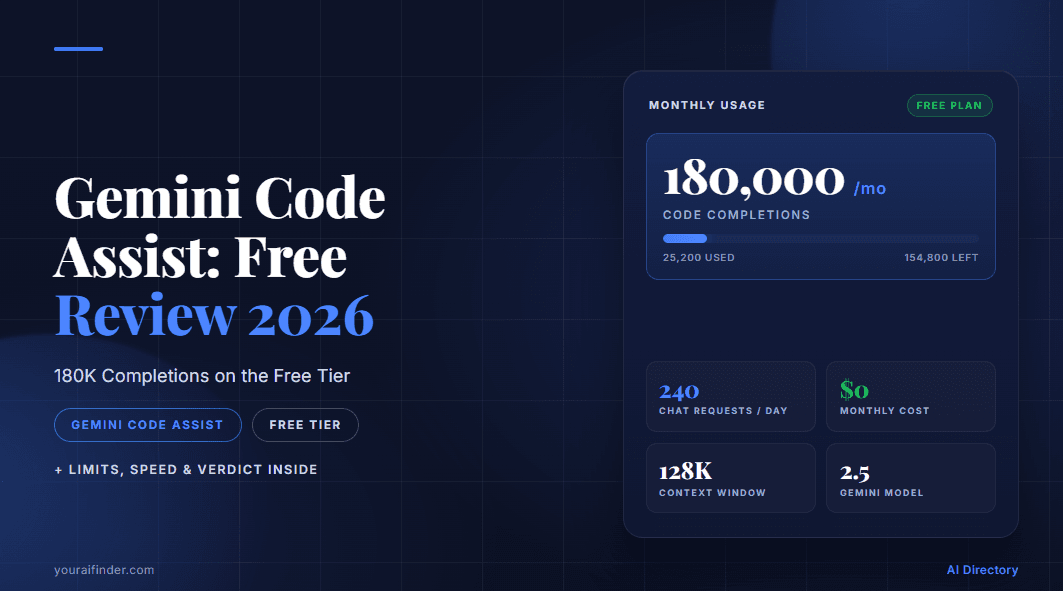
The 180,000 completions headline is what gets attention, but here's what that actually breaks down to:
- 6,000 code-related requests per day — this is the real ceiling for any active developer
- 240 chat sessions per day
- 1,000 agent mode requests per day, shared across Gemini CLI
- The 180K monthly figure assumes lightweight inline autocomplete only — heavy daily users will hit the 6K daily cap long before exhausting the monthly number
Pricing at a glance:
| Plan | Monthly Cost | India (incl. 18% GST) | Payment Required |
|---|---|---|---|
| Free (Individual) | $0 | ₹0 | Gmail account only |
| Standard | $22.80 | ~₹2,260 | Credit/debit card via Google Cloud |
| Enterprise | $54 | ~₹5,352 | Google Cloud billing |
Feature-by-Feature: Where Gemini Wins and Where It Doesn't
Completion Volume and Context Window
Gemini Code Assist's 180K monthly completions vs. GitHub Copilot Free's 2,000 — per GitHub's official Copilot page — is not a close comparison. If you write code daily and have ever paused because you've exhausted Copilot's monthly quota, Gemini's volume advantage is immediately felt. Beyond the raw number, Gemini's 1M+ token context window means it understands large, multi-file codebases better than almost any other free tool — it can hold your entire project in context and make suggestions that account for code defined in files you haven't opened.
Verdict: Gemini wins. The volume and context window are genuine advantages, not marketing noise. For projects with large codebases, the 1M-token context is a meaningful edge over Copilot.
Speed and Code Quality
This is where Gemini's free tier falls short in daily use. Responses on complex queries take 8–12 seconds — long enough to break flow state during rapid iteration or debugging loops. Gemini 2.5 is accurate on Python, JavaScript, and TypeScript, and its multi-file suggestions are genuinely good, but that latency cost is real.
GitHub Copilot Free, running on GPT-4o, returns completions in 1–2 seconds. For developers who work in short, fast autocomplete loops — completing lines, filling function signatures, cycling through suggestions — Copilot's speed wins every time.
Verdict: GitHub Copilot wins on speed. For quick autocomplete cycles, Gemini's latency is a dealbreaker. For complex, multi-file tasks where you're willing to wait, Gemini's quality often justifies it.
For a full breakdown of how Copilot and Windsurf compare as the leading free alternatives, see our Windsurf vs GitHub Copilot free plan comparison.
Privacy and Data Training
This is the most important thing to understand before you adopt Gemini Code Assist's free tier for serious work. On the free plan, Google reserves the right to use your prompts, code snippets, and generated output to improve their models — human reviewers may read and annotate submissions. You can partially opt out in VS Code settings by disabling telemetry, but this does not remove the model training clause for free users.
GitHub Copilot Free gives you configurable data privacy settings — developers can disable training data use without upgrading. Enterprise users on both platforms have no-training agreements.
Verdict: GitHub Copilot wins for privacy. Free-tier Gemini Code Assist is appropriate only for non-proprietary, open-source, or personal projects. For proprietary or client code, look at Continue (open-source, self-hosted, no data sent to any vendor) or Tabnine (local model option, zero cloud dependency).
The June 18 Sunset — What It Means and How to Migrate to Antigravity
Google is sunsetting Gemini Code Assist IDE extensions and Gemini CLI for individual users on June 18, 2026. Team and Enterprise users are entirely unaffected and keep their current setup. Individual free users will find that the extension stops serving requests for their accounts on that date — no grace period has been announced.
What Antigravity is: Google's replacement for individual developers is Antigravity — an agent-first development platform (Antigravity CLI) that launched in May 2026 preview. Key Gemini Code Assist features carry over: Agent Skills, Hooks, Subagents, Extensions as plugins. What doesn't carry over: Antigravity lacks 1:1 feature parity with IDE extensions at launch, so test your workflow before June 18, not on June 18.
Migration steps:
- Confirm your account type — go to codeassist.google and check whether your login is on the Individual/free tier (if yes, you're affected)
- Install Antigravity CLI using the official Google setup guide — requires a Google account; available globally including India
- Replicate your current Gemini Code Assist workflow in Antigravity CLI before June 18 to identify any feature gaps
- Set up a backup IDE tool — Windsurf (unlimited Tab completions) or Continue (open-source, free) — for any gaps that surface
- On or before June 18: uninstall the Gemini Code Assist VS Code/JetBrains extension and confirm Antigravity CLI is working for your daily tasks
Setting Up in India — Gmail Only, No Credit Card, No VPN
Gemini Code Assist is fully available in India — India is listed under available Asia locations with no restrictions. The free tier setup requires only a Gmail or Google Workspace account, no credit card, no VPN, no workarounds.
- Directly accessible from BSNL, JIO, Airtel, and other major Indian ISPs
- The Google Developer Program (developers.google.com) is accessible from India and is the recommended signup entry point
- No international payment method is needed for the free tier
INR pricing for paid plans:
| Plan | USD/month | INR/month (incl. 18% GST) |
|---|---|---|
| Free | $0 | ₹0 |
| Standard | $22.80 | ~₹2,260 |
| Enterprise | $54 | ~₹5,352 |
June 18 impact for Indian developers: Individual Indian developers are affected equally — the IDE extension stops working June 18 regardless of location. The Antigravity CLI migration path is the same globally. Before the deadline, set up Windsurf or Continue as a stable backup.
Indian students can also apply for free Copilot Pro access — see our GitHub Copilot Student Pack India 2026 guide for the exact documents and verification steps.
Who Should Keep Using Gemini Code Assist Right Now
- Students and beginners who need maximum free completions with zero payment setup — this is the easiest free AI coding tool to get running
- Open-source and personal project developers who aren't bothered by the model training clause (your code is already public)
- Indian developers who want a completely friction-free free tier — Gmail account, no VPN, no credit card, fully accessible from all major ISPs
- Developers curious about agent mode who want to test it before migrating to Antigravity
- Teams evaluating the Standard plan ($22.80/month) who want to pressure-test Gemini's quality before committing to an upgrade
Who Should Switch to an Alternative Right Now
- Developers with proprietary or client code — the free tier training clause makes this non-negotiable → use Continue (self-hosted, truly $0 with your own API key) or Tabnine (local model, no cloud dependency)
- Developers who need fast completions — 8–12s latency breaks flow state for rapid iteration → GitHub Copilot Free (1–2s) or Windsurf (unlimited Tab completions, 1–3s, no shutdown risk)
- Developers who rely on agent mode — the free tier cap of 1,000 requests/day fills up fast for serious agent workflows → Augment Code (strong multi-file context awareness, freemium) or Workik (free plan, full-stack and API focus)
- Anyone setting up a new AI coding stack after June 18 — skip Gemini Code Assist entirely and go straight to Antigravity CLI or TRAE (free IDE with Claude 3.7 Sonnet + GPT-4o, 5,000 completions/month — see our TRAE AI vs GitHub Copilot free comparison 2026)
Frequently Asked Questions
Is Gemini Code Assist really free?
Yes, until June 18, 2026 for individual developers. After that, the individual free tier migrates to Antigravity. A Google account (Gmail) is all that's required — no credit card, no trial period, no catch.
What is the limit on Gemini Code Assist's free tier?
The "180,000 completions/month" headline is technically accurate but misleading. The practical daily limits are 6,000 code-related requests and 240 chat sessions per day. Agent mode is additionally capped at 1,000 model requests/day, shared across Gemini CLI. Heavy daily users will reach the 6K code-request cap well before exhausting the 180K monthly figure.
Does Gemini Code Assist use my code for training?
On the free tier, yes. Google reserves the right to use your prompts, code snippets, and generated output to improve their models, and human reviewers may read and annotate submissions. You can partially opt out in VS Code settings by disabling telemetry, but this does not remove the model training clause for free users. Enterprise tier includes a full no-training-data agreement.
What is happening to Gemini Code Assist on June 18, 2026?
Google is sunsetting Gemini Code Assist IDE extensions and Gemini CLI for individual users on June 18, 2026. The replacement platform is Antigravity — Google's new agent-first development tool. Team and Enterprise users keep their current setup with no changes. Individual free users need to migrate to Antigravity CLI before the June 18 deadline or their IDE extension will stop serving requests.
Our Verdict
Gemini Code Assist's free tier is the best deal in AI coding on raw volume right now — 180K completions, no credit card, Gemini 2.5 access, fully available in India, and a 1M-token context window that genuinely outperforms Copilot Free on large codebases. If you're a student, freelancer, or open-source developer in May 2026, it's absolutely worth setting up — Gemini Code Assist is the clear leader in our ranking of free AI coding tools with no credit card required. Browse the full AI coding tools directory to compare all options.
The honest caveat: the 8–12 second latency is real and disruptive, the free tier privacy clause means Google may train on your code, and June 18 is close enough that adopting it as your long-term workflow tool doesn't make sense without a migration plan already in place.
The recommendation: Set up Gemini Code Assist now, use it for the next few weeks, and actively migrate your workflow to Antigravity CLI before June 18. Keep Windsurf or Continue installed as a backup — Antigravity won't have 1:1 feature parity at launch, and you don't want to hit a gap on June 19 with no fallback.