Novel Writing Software: 2026 Guide (AI + Traditional)

On this page9 sections
- Novel Writing Software Compared at a Glance
- Planning and Outlining
- Scrivener — Best for Visual Structure
- Novelcrafter — Best for Structured AI Planning
- Drafting and Writing Prose
- Sudowrite — Best AI Co-Writer
- NovelAI — Best for Literary-Quality AI Prose
- Ulysses — Best Distraction-Free Traditional Option
- Toolsaday — Best Budget AI-Native Option
- Revising and Editing
- ProWritingAid — Best for Manuscript-Level Revision
- Grammarly — Best for a Quick Line-Level Pass
- Formatting and Publishing
- Atticus — Best for Self-Publishing Formatting
- Where AI Genuinely Helps a Novelist and Where It Doesn't
- How to Choose the Right Novel Writing Software for Your Stage
- Frequently Asked Questions
- Final Verdict
No single tool covers the whole novel-writing process well — the right setup pairs one structure tool with one AI-native tool, not one app that claims to do everything.
- Best overall structure tool: Scrivener — full manuscript organization, no AI required
- Best AI co-writer: Sudowrite — story memory, consistency checks, and help past the blank page
- Best free option: Reedsy Studio or Google Docs — fine until you're past ~30,000 words
- Best for self-publishing formatting: Atticus — one-time purchase, print-ready export
- Novel writing software splits into two camps — structure tools (Scrivener, Ulysses, Atticus) and AI-native drafting partners (Sudowrite, Novelcrafter, NovelAI) — and most novelists end up needing one from each, not one tool that does both
- AI genuinely helps with story memory and beating writer's block, but leaning on it for full prose generation flattens your own voice — the honest use case is targeted assistance, not delegation
- Past roughly 30,000 words, a plain document editor starts costing you time on chapter organization and character tracking that dedicated software gets back
- Pricing splits the same way tools do: one-time purchases (Scrivener, Atticus) versus monthly subscriptions (Sudowrite, NovelAI, Novelcrafter) — which wins depends on how long you'll actually use it
- No tool available today reliably writes a complete, voice-consistent novel unsupervised — every AI-native tool here is built as a collaborator, not an autopilot
Most "best novel writing software" roundups are a flat list of ten tools with no logic behind the order. That's backwards. Planning a plot, drafting a scene, and formatting a manuscript for KDP are three completely different jobs, and the tool that's great at one is often mediocre at another.
This guide is organized by where you actually are in the process — planning, drafting, revising, and formatting — and at each stage it puts traditional tools (Scrivener, Ulysses, Atticus) next to AI-native ones (Sudowrite, Novelcrafter, NovelAI) so you can see the real trade-off instead of a popularity ranking. It also gets honest about where AI genuinely helps a novelist and where it quietly gets in the way of your own voice — a distinction most of these roundups skip entirely.
Novel Writing Software Compared at a Glance
| Tool | Type | Best Stage | Free Plan | Price | Best For |
|---|---|---|---|---|---|
| Scrivener | Traditional | Planning | No (free trial) | ~$60 one-time | Plotters who think in structure |
| Novelcrafter | AI-native | Planning | No (free trial) | $4-$20/mo + AI provider cost | Highly organized, technical writers |
| Sudowrite | AI-native | Drafting | No | $10-$59/mo | Active AI co-writing partner |
| NovelAI | AI-native | Drafting | No (free trial) | $10-$25/mo | Literary-quality prose, deep lore tracking |
| Ulysses | Traditional | Drafting | No | ~$50/yr | Distraction-free writing, Mac/iOS only |
| Toolsaday | AI-native | Drafting | Yes | Freemium, from $7.99/mo | Budget test of AI-assisted drafting |
| ProWritingAid | Traditional (AI-assisted) | Revising | Yes | Freemium, $399 lifetime option | Full manuscript self-edit pass |
| Grammarly | Traditional (AI-assisted) | Revising | Yes | Freemium | Quick line-level pass |
| Atticus | Traditional | Formatting | No | $147 one-time | Self-publishing print/ebook export |
That's a lot of tools to hold in your head at once — the breakdowns below go deeper on each, organized by the stage where it actually earns its place.
Planning and Outlining
Scrivener — Best for Visual Structure
Scrivener is a binder-and-corkboard app that lets you break a manuscript into movable chapters, scenes, and research files instead of one giant document.

What makes it stand out is the corkboard view — you can see your whole novel as index cards, drag scenes around to fix pacing, and keep character notes and research sitting right next to the manuscript instead of in a separate app. It's been the default choice for serious novelists for over a decade for a reason.
Key features:
- Binder for chapter/scene organization
- Corkboard and outliner views
- Compile to EPUB, MOBI, PDF, and Word
- Built-in distraction-free composition mode
- Project targets and word-count tracking
Pricing: roughly $60 one-time (Mac/Windows), no subscription Best for: plotters who want to see their whole manuscript's structure at once Not ideal for: writers who want AI assistance built in — Scrivener has none natively
Novelcrafter — Best for Structured AI Planning
Novelcrafter is an AI-assisted planning suite built around a persistent story bible, with Story Board, Grid, Matrix, and Outline views for mapping plot and character arcs before you write a single scene.
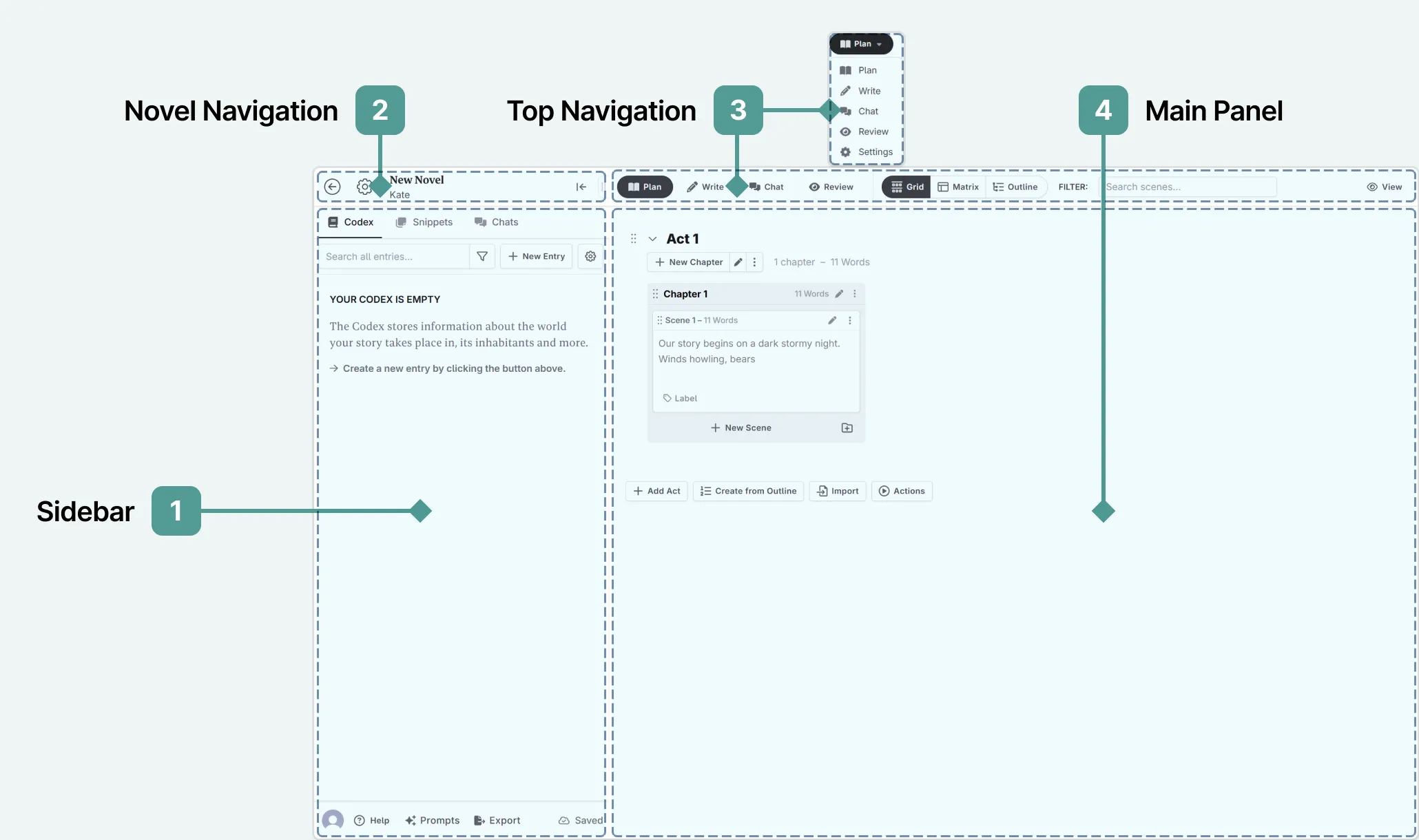
It's genuinely powerful for writers who want AI help with consistency rather than prose — the trade-off is a real learning curve. Users regularly describe it as "the Photoshop of AI writing tools": deep, but not something you pick up in an afternoon.
Key features:
- Persistent story bible referenced across all AI generations
- Multiple planning views (board, grid, matrix, outline)
- Bring-your-own AI model (OpenAI, Claude, and others)
- Scene-level drafting tied back to your outline
Pricing: $4-$20/month plus your own AI provider's usage bill Best for: highly organized writers already comfortable with structured planning tools Not ideal for: writers who want to open a blank page and start drafting immediately
Drafting and Writing Prose
Sudowrite — Best AI Co-Writer
Sudowrite is the most established AI-native tool built specifically for fiction, with a Story Bible that tracks characters and plot across chapters and a Canvas for laying out scenes visually before generating prose for each one.
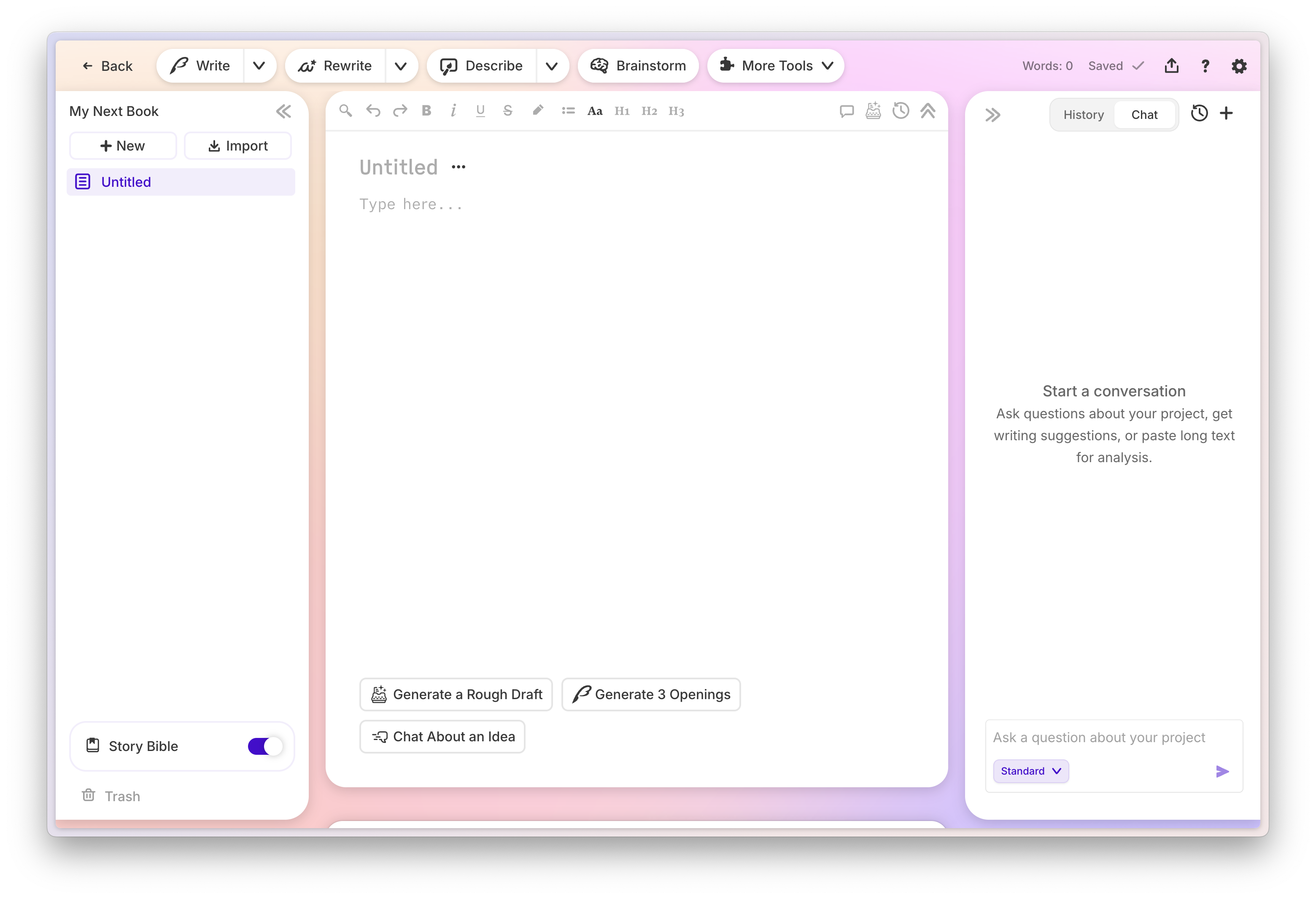
What makes it stand out is that it's built around discrete writing tasks — brainstorm, outline, describe, rewrite — rather than one generic "write my novel" button. That structure is what keeps its output feeling like assistance rather than autopilot, if you use it that way.
Key features:
- Story Bible for character and plot consistency
- Canvas for visual scene planning
- Targeted tools: Describe, Brainstorm, Rewrite, Expand
- Chapter-length generation with your established voice as context
Pricing: $10-$44/month on annual billing, $19-$59/month monthly Best for: writers who want an active collaborator for brainstorming, description, and pushing past blank-page paralysis Not ideal for: writers who want zero AI involvement in their actual prose
NovelAI — Best for Literary-Quality AI Prose
NovelAI runs fine-tuned fiction models alongside a Lorebook system built for deep worldbuilding and consistency management across long series, not just a single book.

Independent comparisons consistently note that NovelAI's prose reads more literary than general-purpose AI output, and its Lorebook goes well beyond Sudowrite's Story Bible for writers managing a sprawling cast or a multi-book series.
Key features:
- Fiction-tuned language models
- Lorebook for deep worldbuilding and lore consistency
- Multi-modal tools including visual generation
- Fine-grained control over generation length and style
Pricing: $10-$25/month Best for: writers leaning on AI more heavily who need consistent lore across a long series Not ideal for: a single standalone novel — NovelAI's depth is more setup than most one-book projects need
Ulysses — Best Distraction-Free Traditional Option
Ulysses is a clean, minimalist writing app popular with novelists who find Scrivener's feature set overwhelming and just want a fast, distraction-free place to write.
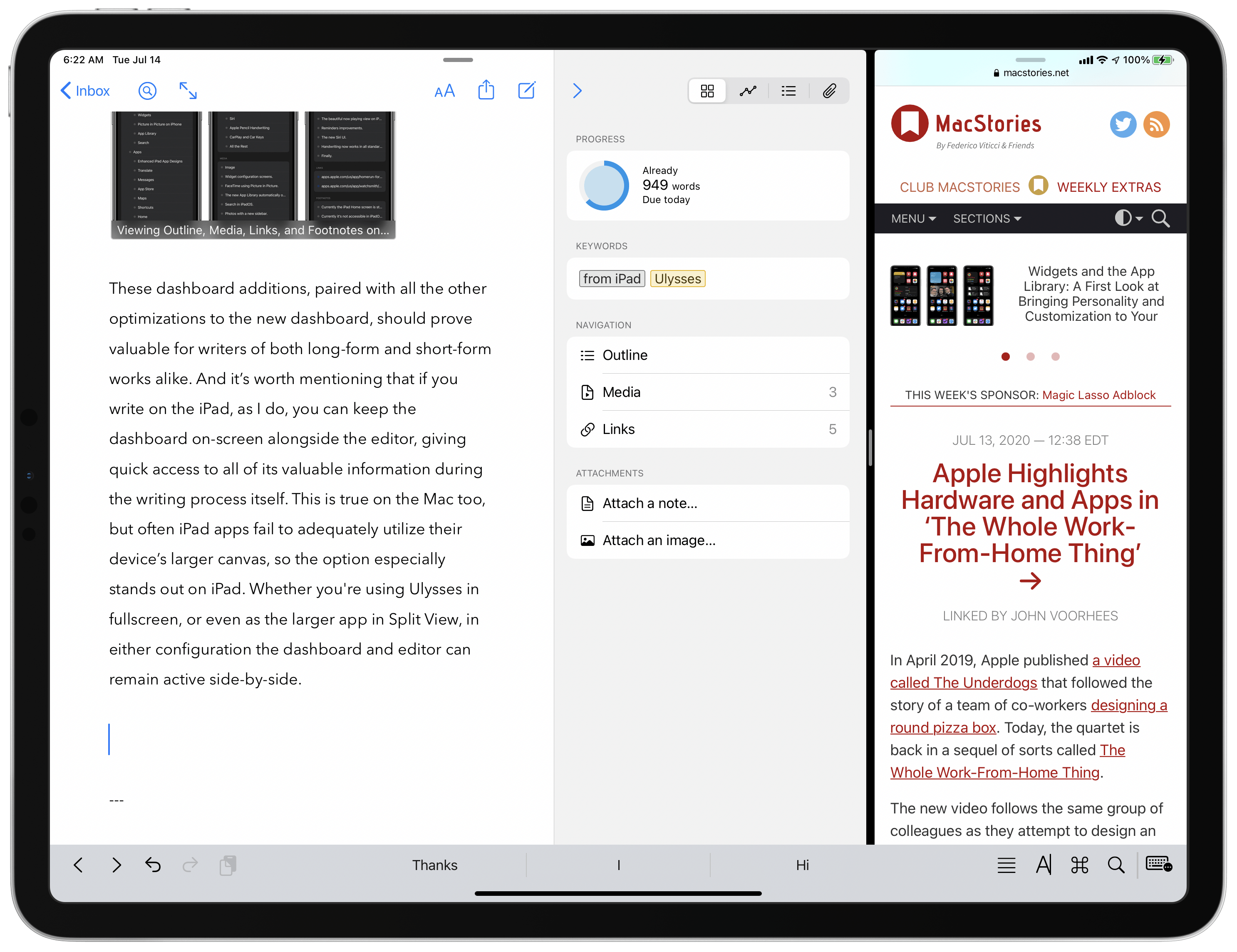
It trades some of Scrivener's organizational depth for speed and a genuinely pleasant writing experience — sheets and groups instead of a full binder, sync across Apple devices, and a much shorter learning curve.
Key features:
- Sheet-based organization (lighter than Scrivener's binder)
- Full iCloud sync across Mac and iOS
- Export to EPUB, PDF, Word, and Markdown
- Built-in goal tracking and writing statistics
Pricing: roughly $50/year subscription, Mac and iOS only Best for: writers who want structure without Scrivener's learning curve Not ideal for: Windows users — Ulysses has no Windows version
Toolsaday — Best Budget AI-Native Option
Toolsaday is a broader AI writing suite that includes a dedicated Novel Studio feature, making it a far cheaper entry point than Sudowrite or NovelAI for testing whether AI-assisted fiction drafting suits you at all.
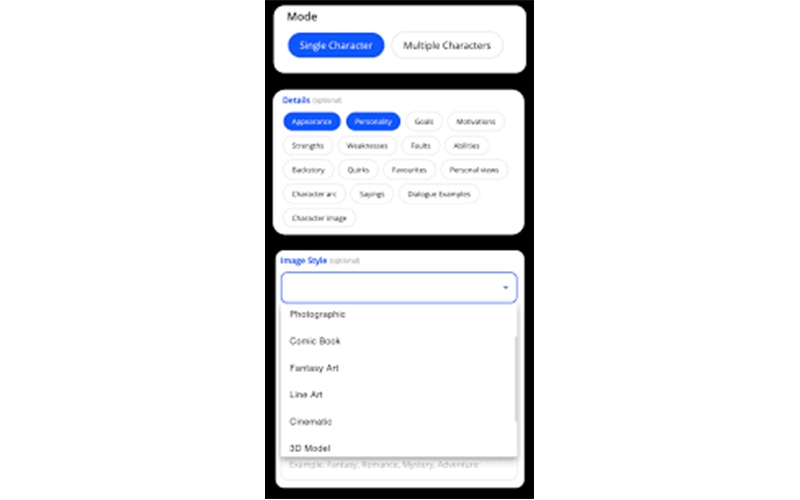
It won't match Sudowrite or NovelAI on story memory across a full manuscript, but as a low-commitment way to see if AI-assisted drafting fits your process before paying for a fiction-specific tool, it's a reasonable starting point.
Key features:
- Novel Studio story generator
- AI humanizer for smoothing generated prose
- Broader writing toolkit (email, paraphrasing, text-to-speech) bundled in
- Free tier available
Pricing: free plan available; paid plans start at $7.99/month on Toolsaday's writing pricing page Best for: beginners testing AI-assisted drafting before committing to a premium fiction tool Not ideal for: writers who've outgrown general-purpose tools and need Sudowrite- or NovelAI-level story memory
Revising and Editing
ProWritingAid — Best for Manuscript-Level Revision
ProWritingAid is built for book-length revision specifically, with 25+ writing reports, direct Scrivener integration, and a Chapter Critique feature designed for manuscripts rather than single documents.
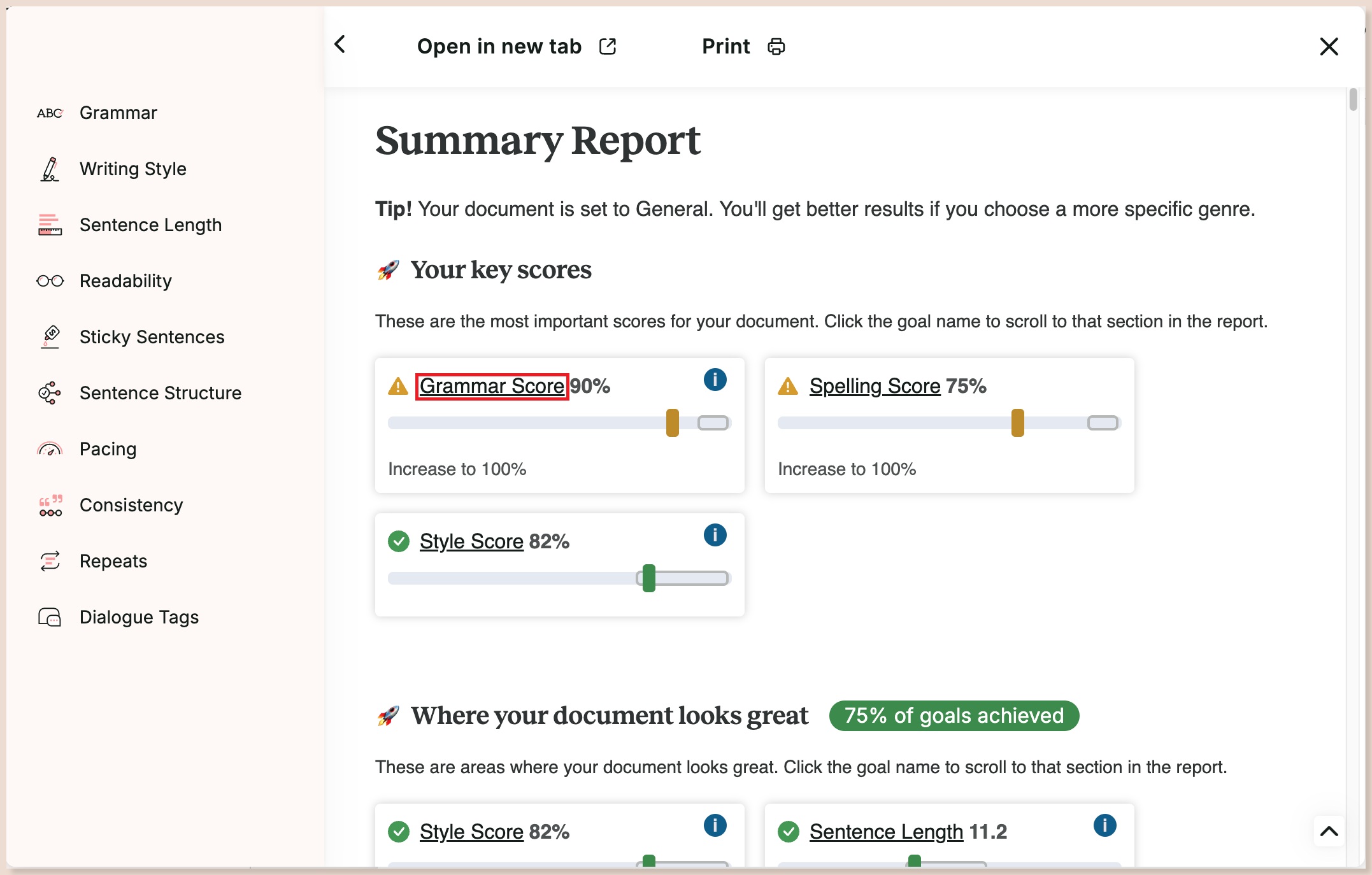
The manuscript-level analysis is the real differentiator here — it'll flag pacing issues by chapter, overused words across an 80,000-word draft, and passive-voice patterns that a sentence-by-sentence checker like Grammarly simply isn't built to catch at that scale.
Key features:
- 25+ in-depth writing reports (pacing, style, overused words)
- Direct Scrivener integration
- Chapter Critique for structural feedback
- Full manuscript analysis, not just single-document checks
Pricing: free plan available; Premium runs monthly or annually, or $399 as a one-time lifetime purchase per ProWritingAid's pricing page Best for: novelists doing a full self-edit pass before sending a manuscript to a human editor Not ideal for: writers who just want a quick grammar pass — this is deeper, and slower, than that
Grammarly — Best for a Quick Line-Level Pass
Grammarly is the line-level editor most writers already have installed, and it's genuinely useful for a fast final pass — it's just not built for manuscript-level structure or pacing the way ProWritingAid is.
Use it for what it's good at: catching typos, awkward phrasing, and grammar slips in the last pass before you consider a chapter done. Don't expect it to tell you your act two is sagging.
Key features:
- Real-time grammar and clarity checking
- Works across browser, desktop, and most writing apps
- Tone detection
- Free tier covers core grammar and spelling checks
Pricing: free plan available; paid plans roughly $12/month billed annually Best for: a fast final line-edit pass most novelists already have installed Not ideal for: structural or pacing feedback — that's not what it's built for
Formatting and Publishing
Atticus — Best for Self-Publishing Formatting
Atticus is book formatting and typesetting software built for the step most drafting tools handle badly: turning a finished manuscript into print-ready and ebook-ready files.
It's cross-platform (unlike Vellum, its closest competitor, which is Mac-only) and a one-time purchase rather than a subscription — which matters if you only format a book once or twice a year.
Key features:
- Print and ebook export (EPUB, MOBI, PDF)
- Built-in formatting templates
- Cross-platform: Windows, Mac, and browser-based
- Direct KDP-ready output
Pricing: $147 one-time Best for: self-publishing novelists who need print and ebook-ready files without hiring a formatter Not ideal for: writers still in the drafting stage — this is a finishing tool, not a drafting one
Where AI Genuinely Helps a Novelist (and Where It Doesn't)
Here's the honest version, not the sales pitch. AI tools genuinely help with three things: beating blank-page paralysis when you know what happens next but can't find the words, tracking character and plot details across a manuscript too long to hold entirely in your head, and generating alternate directions for a scene when your first instinct isn't working.
Where it gets in the way is prose generation at scale. Lean on an AI tool to write large stretches of a novel and the result reliably reads smoother but flatter — your sentence rhythm, your specific word choices, the things that make your voice yours, get averaged out toward whatever the model considers "good writing" in general. Every AI-native tool covered here is built and marketed as a collaborator, not an autopilot.
That's not just marketing caution — no tool available in 2026 reliably produces a complete, voice-consistent novel without heavy human editing. The writers getting real value from these tools are the ones using them for targeted assistance on a stuck scene, not full delegation of the draft.
How to Choose the Right Novel Writing Software for Your Stage
If you're just starting and don't know if you'll finish, don't buy anything yet — write in Google Docs or Reedsy Studio until you're past roughly 30,000 words. If you're a heavy plotter who thinks in structure, get Scrivener or Novelcrafter before you draft a single chapter. If you want an active AI collaborator for the actual drafting, Sudowrite and NovelAI are the two worth trying first.
And if you're self-publishing and staring down formatting, Atticus is a one-time cost that pays for itself the first time you'd otherwise have hired a formatter.
For the full directory of AI writing tools beyond just fiction — copywriting, editing, and content tools included — browse every AI writing tool on YourAiFinder.
Frequently Asked Questions
What is the best software for writing a novel? It depends on your stage and style: Scrivener for structure-heavy plotters, Sudowrite or NovelAI for writers who want AI assistance with prose and story memory, Google Docs or Reedsy Studio for writers who want zero learning curve and zero cost.
Is Scrivener still worth it in 2026? Yes — its organizational features (binder, corkboard, compile-to-any-format) haven't been matched by any single competitor. It just has no built-in AI assistance, so writers who want that pair it with a separate tool or pick an AI-native alternative instead.
What is the best free novel writing software? Reedsy Studio and Google Docs are the strongest genuinely free options. Most AI-native tools — Sudowrite, NovelAI, Novelcrafter — offer only a limited trial rather than an ongoing free tier.
Can AI write a whole novel for me? Not reliably. Current AI-native tools are built as collaborators — brainstorming, scene drafting, consistency-checking — rather than autonomous novel generators. Unsupervised output over tens of thousands of words tends to read as repetitive and loses voice consistency.
Do I need special software to write a novel, or is Word/Google Docs enough? A general editor is enough for a first draft under about 30,000 words. Past that, most writers feel the lack of chapter-level organization, character and plot tracking, and compile-to-format tools that dedicated novel writing software provides.
Final Verdict
Stop looking for one tool that does everything — pair a structure tool with an AI-native one instead, because that's how the tools are actually built to be used. In my experience, the combination that covers the most ground for the least money is Scrivener for planning and structure plus Sudowrite for the moments you're stuck mid-scene, with ProWritingAid brought in for the manuscript-level revision pass once a draft exists. Add Atticus only when you're actually ready to publish — buying formatting software before you have a finished manuscript is a very common way novelists spend money on the wrong stage of the process.