Best AI Video Generator for Beginners 2026 (No Experience)

On this page7 sections
- Best AI Video Generator for Beginners 2026 No Experience
- Quick Comparison: Best AI Video Tools for Beginners
- The Best AI Video Generators for Beginners — Our Picks
- 1. InVideo AI — Best Overall for Beginners
- 2. Pika — Best for Pure Generative Text-to-Video
- 3. CapCut — Best Free Video Editor with AI Features
- 4. Hailuo AI — Best for Free Cinematic Clips
- 5. ImagineArt — Best for Experimenting with Multiple Models
- How to Make Your First AI Video in 5 Minutes
- Using These Tools in India
- Frequently Asked Questions
- Our Recommendation
- Best overall for beginners: InVideo AI — type a script, get a finished video with voiceover and subtitles in under 2 minutes. Free plan, no credit card, INR pricing available.
- Best for cinematic free clips: Hailuo AI — 3–5 watermark-free cinematic videos per day at zero cost.
- Best free editor: CapCut — completely free, no watermark, commercial use allowed, works on mobile.
- Best for experimenting: ImagineArt — 100 credits/day free across 11+ AI video models.
- Best for pure generative video: Pika — 80 credits/month free, simplest generative interface on this list (watermark on free tier; watermark-free and commercial use from $8/month).
- You don't need editing skills, a camera, or a credit card to make your first AI video today.
- InVideo AI is the best starting point: describe your video, choose a template, and export — takes under 2 minutes on the free plan.
- All 5 tools on this list have free plans that require only an email or Google login — no credit card, no international payment details.
- India-specific pick: InVideo AI is the only tool here with confirmed INR pricing and UPI support for paid upgrades.
Best AI Video Generator for Beginners 2026 (No Experience)
Every article about AI video tools says the same thing: "AI makes video creation easy." What none of them tell you is which tool to actually open first, what to type into it, or what you'll realistically get on a free plan.
The best AI video generator for beginners in 2026 is InVideo AI — not because it has the flashiest output, but because it's the one you can use in the next five minutes without editing knowledge, a credit card, or a paid subscription. If you're in India, it's the only tool on this list with INR pricing and UPI support for paid plans.
Below: five tools that are actually beginner-accessible, all tested on their free tiers, all working without a credit card or USD payment.
Quick Comparison: Best AI Video Tools for Beginners
| Tool | Best For | Free Plan | Watermark-Free | Credit Card Required | India-Friendly |
|---|---|---|---|---|---|
| InVideo AI | Beginners overall | ✅ | ❌ (free tier) | ❌ | ✅ INR + UPI |
| Pika | Pure generative video | ✅ | ❌ (free tier) | ❌ | ✅ (free only) |
| CapCut | Free editing + AI | ✅ | ✅ | ❌ (ever) | ✅ |
| Hailuo AI | Cinematic quality free | ✅ | ✅ | ❌ | ✅ |
| ImagineArt | Multi-model experimenting | ✅ | ✅ | ❌ | ✅ |
The Best AI Video Generators for Beginners — Our Picks
1. InVideo AI — Best Overall for Beginners
InVideo AI is a text-to-video platform that turns a script or plain-English description into a finished video — complete with AI voiceover, stock footage, background music, and auto-subtitles. There's no timeline to edit, no clips to hunt for, and no audio equipment needed.
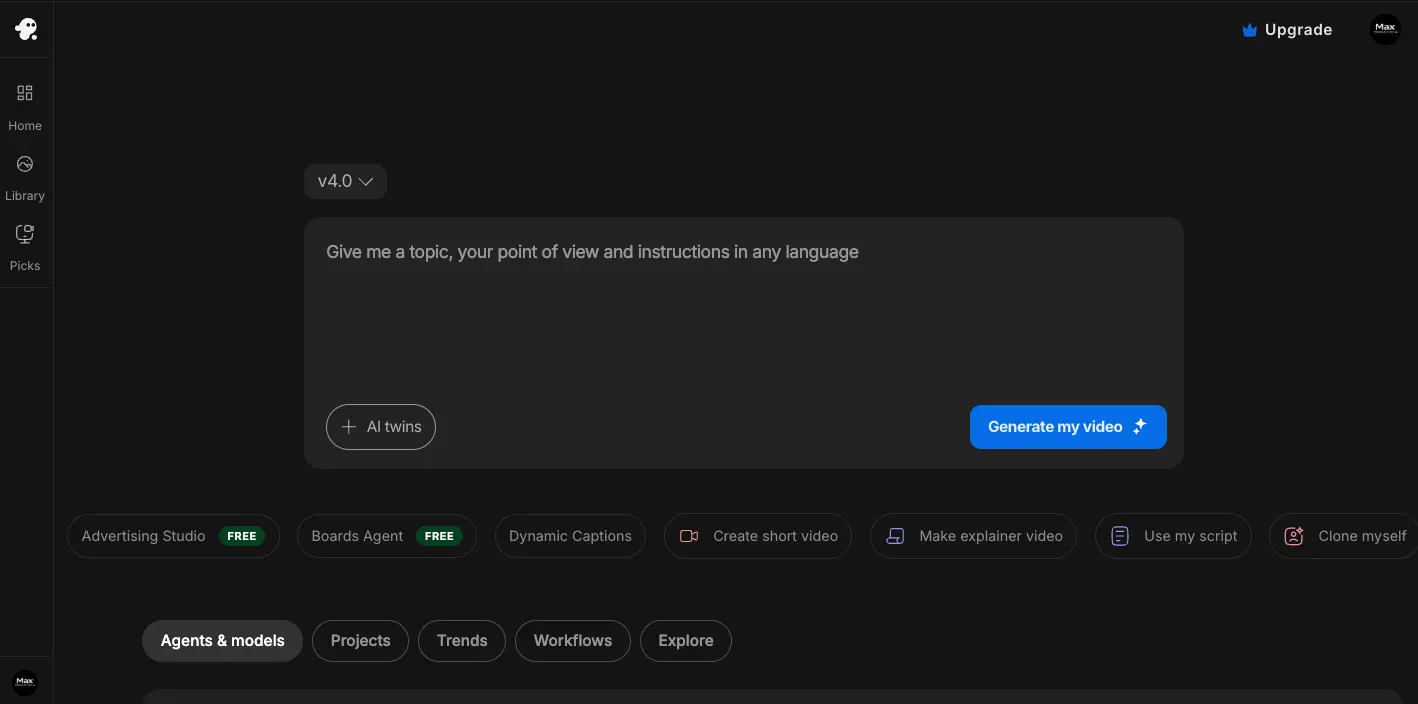
What makes it the top pick for beginners is the complete absence of friction: sign up with your email, type your video idea, pick a layout (YouTube landscape, Reels vertical, square), and the tool assembles the video for you. The whole process takes under two minutes for a standard 30–60 second clip.
The free plan limits exports and adds a watermark, but it's genuinely usable for testing and learning — see our detailed breakdown of InVideo AI's free plan limits in India for exact credit numbers. For Indian creators, the Plus plan (~₹900–₹1,200/month on annual billing) is the most affordable paid upgrade on this list with verified INR pricing and UPI support.
Key features:
- Text-to-video from prompt or full script in under 2 minutes
- 4,000+ templates for YouTube, Instagram, Reels, and ads
- AI voiceover in 50+ languages including Hindi
- Free plan: email-only signup, no credit card
- Guided interface — no video editing knowledge needed
Pricing: Free (limited exports, watermark) | Plus ~₹900–₹1,200/month | Max ~₹2,500/month
Best for: Indian creators, YouTube channel starters, business owners making their first explainer video.
Not ideal for: Photorealistic cinematic clips — InVideo AI uses templates and stock footage, not pure generative AI. For that, see Pika or Hailuo AI below.
2. Pika — Best for Pure Generative Text-to-Video
Pika is as close to "magic" as beginner AI video gets. Type one descriptive sentence — "A red panda typing on a laptop in a cosy library, soft warm lighting, 8 seconds" — and Pika renders it as a short cinematic clip in under 60 seconds.

The free plan gives 80 credits/month (roughly 8–10 short clips), resets every month, and requires only a Google or Discord login. The catch: free tier exports include a watermark and don't include commercial use rights — both are unlocked from the Standard plan at $8/month [OPEN IN NEW TAB]. For experimenting with AI video as a beginner, though, neither of those limitations matters much.
The tradeoff: Pika doesn't do templates, voiceovers, or long-form video. It's a creative generation tool, not a publish-ready video maker. Think of it as the best way to experience what generative AI video actually looks and feels like before committing to anything.
Key features:
- 80 free credits/month, monthly reset (watermark on free; watermark-free from $8/month)
- Prompt-to-video in under 60 seconds
- Realistic, animated, cinematic, and sketch style options
- Google or Discord login only — no card, no form
- 3–10 second clips from a single text description
Pricing: Free 80 credits/month | Standard ~$8/month | Pro ~$28/month (USD; paid plans require an international card)
Best for: Beginners making their first generative AI video; social media micro-clips; experimenting with creative prompts.
Not ideal for: Watermark-free output on the free plan (requires $8/month paid); INR/UPI payment; long-form video; voiceover-driven content.
3. CapCut — Best Free Video Editor with AI Features
CapCut is what 700 million people use to edit short-form video — and in 2026, it added AI video generation from text prompts. It's the rare free tool where "free" actually means free: no watermark, no credit cap, no payment information needed at any point, and commercial use permitted.

For beginners, CapCut works best as the editing layer: generate a raw clip with Pika or Hailuo AI, bring it into CapCut on your phone or desktop, add auto-captions, background music, and colour correction — and export at 1080p with no watermark. That workflow costs exactly ₹0. If you're building a YouTube channel with this setup, our guide to the best free AI video generators for a faceless YouTube channel goes deeper on the full workflow.
The built-in AI generation feature is newer and less powerful than dedicated tools, but for beginners who want everything in one app, it's a capable starting point.
Key features:
- Completely free — no watermark, no credit card, ever
- Commercial use permitted on the free tier
- AI video generation from text prompts (added 2026)
- AI auto-captions, background removal, smart cut
- Mobile (Android/iOS) and desktop versions
Pricing: Free (all core features) | CapCut Pro ~₹600–₹750/month for premium templates (entirely optional)
Best for: Editing AI-generated clips; mobile-first creators; anyone who wants a zero-cost end-to-end workflow.
Not ideal for: Pure text-to-cinematic-clip generation; users who need no editing at all.
4. Hailuo AI — Best for Free Cinematic Clips
Hailuo AI, built by Chinese AI company MiniMax, produces some of the most realistic video output available on a free tier anywhere — 3–5 cinematic clips per day, watermark-free, without requiring a credit card.
[IMAGE NEEDED: hailuo-ai]
The quality genuinely surprises people the first time they use it. Realistic motion physics, smooth camera movement, cinematic lighting — it looks like something that should cost money. For Indian creators, it's fully accessible without a VPN and the free plan requires only an email or Google login.
The catch: the free tier's terms of service restrict commercial use. Use these clips for learning and personal content; for client work or monetised channels, you'll need a paid plan (~₹830/month, international card required). If a watermark-free, no-commercial-restrictions free tier is your top priority, our full comparison of free AI video generators without watermark in India covers every option side by side.
Key features:
- 3–5 free cinematic videos/day, watermark-free, daily reset
- Text-to-video and image-to-video generation
- Realistic motion and cinematic lighting quality
- Accessible from India, no VPN required
- Free plan: email/Google signup, no credit card
Pricing: Free 3–5/day | Paid ~₹830/month (international card required)
Best for: Creators who want the highest quality free clips; cinematic content for Instagram and YouTube Shorts.
Not ideal for: Commercial use on the free tier; long videos over 10 seconds; template-based workflows.
5. ImagineArt — Best for Experimenting with Multiple Models
ImagineArt is the answer to the most common beginner question: "how do I know which AI video tool is right for me?" It gives you 100 free credits per day across 11+ AI video models — Kling, Hailuo, Wan, and others — all in one interface. You can generate the same prompt through multiple models side by side and compare the results before committing to any single tool.
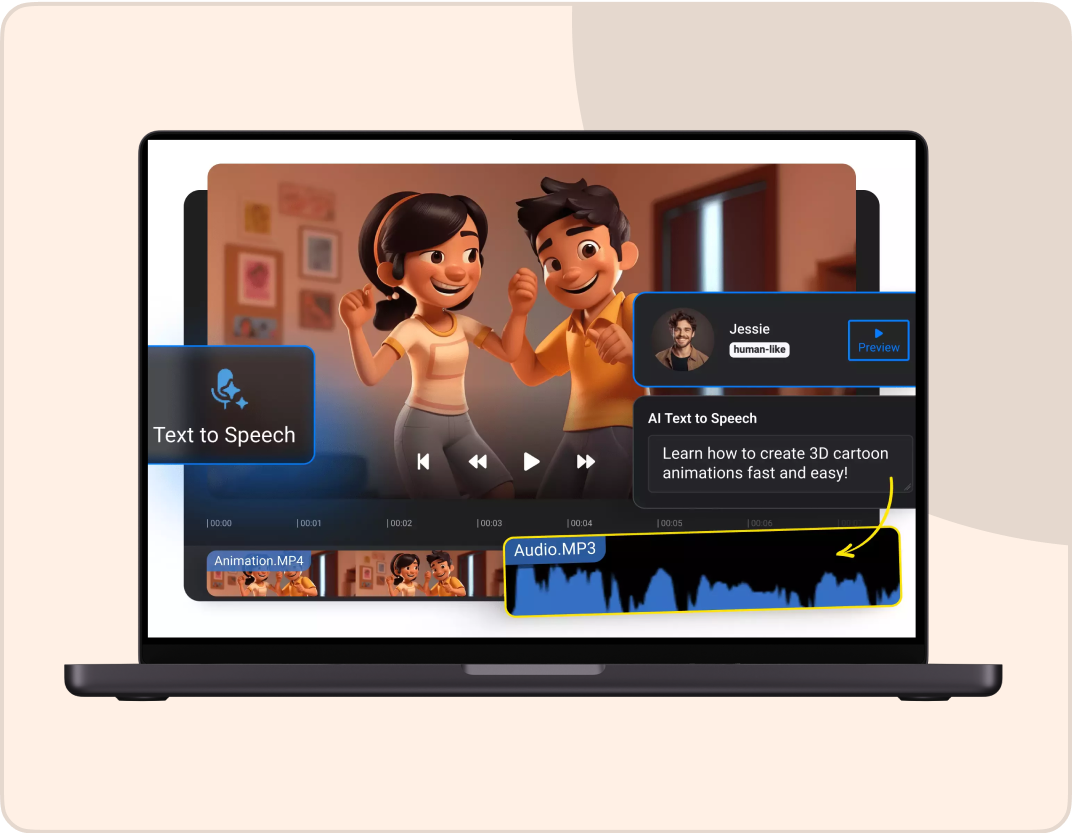
All exports are watermark-free, credits reset daily, and signup needs only an email address. No other platform gives this much model variety at zero cost.
Key features:
- 100 credits/day free, resets daily — the most generous free tier here
- 11+ AI video models in one interface
- Watermark-free exports on the free plan
- Text-to-video and image-to-video supported
- Email-only signup, no credit card
Pricing: Free 100 credits/day | Paid from ~₹420/month
Best for: Beginners comparing AI video styles; anyone who wants to try multiple models before picking a main tool.
Not ideal for: Template-based or guided video workflows; businesses needing INR GST invoicing.
How to Make Your First AI Video in 5 Minutes
Open InVideo AI — it's the fastest path from zero to a finished video. Here's exactly what to do:
- Sign up at invideo.io — click "Sign up free," use your email or Google account. No credit card field appears.
- Click "AI video" and type your idea in plain English. Example: "A 30-second Instagram Reel about 3 morning habits for productivity. Upbeat tone, no face on screen, text overlays."
- Choose a template style — YouTube landscape (16:9), Instagram Reels vertical (9:16), or square (1:1).
- Wait 30–90 seconds. InVideo AI generates the video: voiceover, stock footage, subtitles, and music are added automatically.
- Preview and tweak. Click any clip to swap it. Adjust the voiceover speed or tone if needed.
- Export. Done.
Using These Tools in India
| Tool | Free Plan (No Card) | INR Pricing | UPI Support |
|---|---|---|---|
| InVideo AI | ✅ | ✅ | ✅ (confirmed) |
| Pika | ✅ | ❌ (USD paid) | ❌ |
| CapCut | ✅ (always free) | ✅ Pro optional | ❌ |
| Hailuo AI | ✅ | ❌ (USD paid) | ❌ |
| ImagineArt | ✅ | ✅ | [VERIFY] |
For Indian businesses: Tools billed in USD (Pika, Hailuo AI paid, ImagineArt paid) attract 18% IGST on import of services. InVideo AI, as an Indian company, issues standard GST-compliant invoices — a meaningful advantage if you're billing clients and need clean expense records.
Frequently Asked Questions
Which AI video generator is best for complete beginners with no experience? InVideo AI. It removes every barrier that stops beginners: no editing timeline, no clips to source, no voiceover to record. You type a description, choose a template, and export a finished video in under two minutes — all on the free plan with email-only signup.
Can I make AI videos without any editing skills? Yes. Tools like InVideo AI, Pika, and Hailuo AI require zero editing knowledge. You write a text prompt or paste a script, and the AI generates the video. InVideo AI goes furthest — it adds voiceover, subtitles, and music automatically. The only "skill" required is writing a clear description of what you want.
Do I need a credit card to try AI video tools in India? No. InVideo AI, CapCut, Pika, Hailuo AI, and ImagineArt all have free plans that require only an email or Google login. No credit card details, no international payment method, and no trial-period billing are involved at sign-up. CapCut requires no payment information at any point.
How long does it take to make my first AI video? Between 2 and 5 minutes for a 30–60 second clip. InVideo AI generates a finished video (with voiceover and music) in 30–90 seconds after you submit your prompt. Pika renders a short cinematic clip in under 60 seconds. Your total time from sign-up to first export is usually under 5 minutes.
What should my first AI video prompt look like? Be specific and describe a visual scene, not a feeling. Good: "A young professional sitting at a desk, reviewing documents, natural window light, morning, 8 seconds, realistic style." Bad: "Professional success and productivity vibes." The more concrete the scene, the more useful the output. Start with one clear subject, one setting, one lighting detail, and a duration.
Our Recommendation
If you've never made an AI video before, open InVideo AI first. It's the tool that takes you from "I have no idea where to start" to "I have a finished video" in the shortest time, with the least friction. The guided interface means you'll never stare at a blank timeline — and the INR pricing makes it the most accessible paid option for Indian creators who outgrow the free plan.
Once you've made a few videos with InVideo AI, add Hailuo AI to your toolkit for high-quality cinematic clips, and CapCut for editing and polishing everything together. That zero-cost stack — InVideo AI (generate) + CapCut (edit) + Beatoven.ai (royalty-free music) — handles everything from concept to publish at ₹0.
The best AI video generator for beginners isn't the most powerful one. It's the one you'll actually open, use, and finish something with.