Book Writing Tools 2026: Fiction and Nonfiction Guide

On this page8 sections
- Book Writing Tools at a Glance
- Outlining and Planning Tools
- Scrivener — Best for Structured Long Manuscripts
- Research Management Tools
- Notion — Best for Organizing Research and Sources
- AI-Assisted Drafting Tools
- Sudowrite — Best for Fiction Drafting
- Jasper — Best for Nonfiction Drafting
- Editing and Revision Tools
- ProWritingAid — Best for Manuscript-Level Revision
- Grammarly — Best for Quick Line Edits
- How to Choose the Right Book Writing Tools
- Frequently Asked Questions
- Final Verdict
No single app covers outlining, research, drafting, and editing equally well — pair one structure/research tool with one AI or editing tool instead of hunting for an all-in-one.
- Best overall structure tool: Scrivener — one-time purchase, works for fiction and nonfiction
- Best for AI-assisted drafting: Sudowrite for fiction, Jasper for nonfiction
- Best free option: Notion's free tier or Google Docs
- Best for revision: ProWritingAid
- Book writing tools split into four jobs — outlining/planning, research management, drafting, and editing — and most authors need at least two of them, not one all-in-one app
- Fiction and nonfiction diverge most at the research and planning stage: a novelist needs character and plot tracking, a nonfiction author needs source and citation management
- AI-assisted drafting tools are missing from most "book writing tools" roundups, but they're a real option for a rough first pass on individual sections — not a shortcut to a finished manuscript
- Past a chapter or two, or once research notes pile up, Google Docs starts costing more time than it saves
- Pairing one structure/research tool with one drafting or editing tool is the realistic setup — the tools that try to do all four jobs tend to do each one adequately rather than any one well
Writing a book — fiction or nonfiction — outgrows a plain word processor faster than most people expect. Somewhere around chapter three, or once your research notes stop fitting in your head, a flat document starts working against you instead of for you.
Most "book writing tools" roundups don't say when that happens or what to switch to — they just list ten apps and call it a day. This guide splits the job into four parts instead: outlining and planning, research management, drafting, and editing. Pick by function, and you'll end up with a setup that actually fits how you write — whether that's a novel or a nonfiction manuscript.
Writing fiction specifically? Our novel writing software guide goes deeper on AI-native drafting tools like Sudowrite, Novelcrafter, and NovelAI.
Book Writing Tools at a Glance
| Tool | Best For | Free Plan | Price (USD/mo) | Fiction/Nonfiction |
|---|---|---|---|---|
| Scrivener | Structured long-form outlining | No (trial only) | One-time, ~$49-$60 | Both |
| Notion | Research and source management | Yes | Free–$20 | Both |
| Sudowrite | AI-assisted fiction drafting | No (trial only) | $10-$59 | Fiction |
| Jasper | AI-assisted nonfiction drafting | No (7-day trial only) | $59-$69 | Nonfiction |
| ProWritingAid | Manuscript-level revision | Yes (limited) | Free–$10, or $399 lifetime | Both |
| Grammarly | Quick line edits | Yes | Free–$12+ | Both |
| Google Docs | Free flat-document drafting | Yes | Free | Both |
Research management is the category every general roundup skims past — start there if you're not sure where to begin.
Outlining and Planning Tools
Scrivener — Best for Structured Long Manuscripts
Scrivener is a dedicated long-form writing app built around a binder, a corkboard, and a chapter-level outliner — the closest thing to a purpose-built home for an entire book.
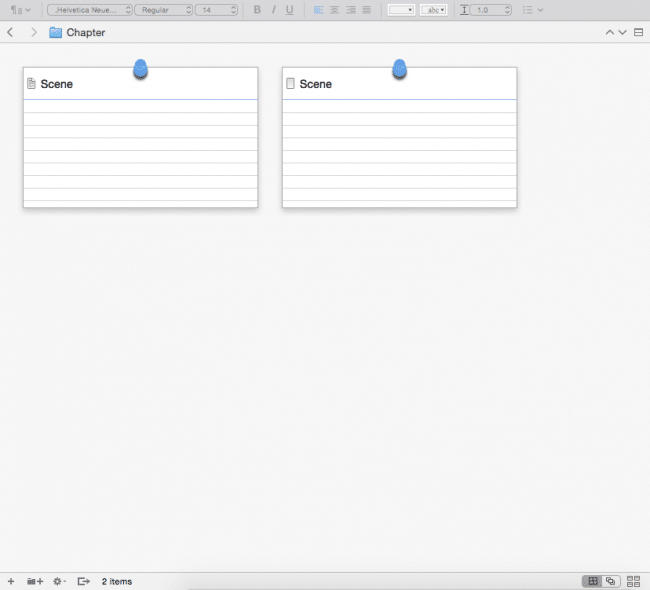
It's a one-time purchase rather than a subscription, and it handles fiction and nonfiction structure equally well: novelists use the corkboard for scene sequencing, nonfiction authors use the same binder for chapter and source organization.
- Binder and corkboard view for chapter/scene structure
- Chapter-level outliner with status and label tracking
- One-time purchase, no subscription
- Built-in research pane for notes, images, and PDFs
- Flexible compile/export to any format
Pricing: one-time purchase, roughly $49-$60 depending on platform Best for: writers who want full manuscript organization without an ongoing subscription Not ideal for: writers who want AI drafting help built in — Scrivener has none
Plottr is worth knowing about too, especially if you're a fiction writer who thinks in timelines and character arcs rather than a binder — it's a visual outlining tool built specifically for plotting, not general-purpose writing.
Research Management Tools
Notion — Best for Organizing Research and Sources
Notion is a flexible workspace that doubles as a research and outlining hub — genuinely useful for nonfiction authors tracking dozens of sources, and just as workable as a worldbuilding bible for a novelist.
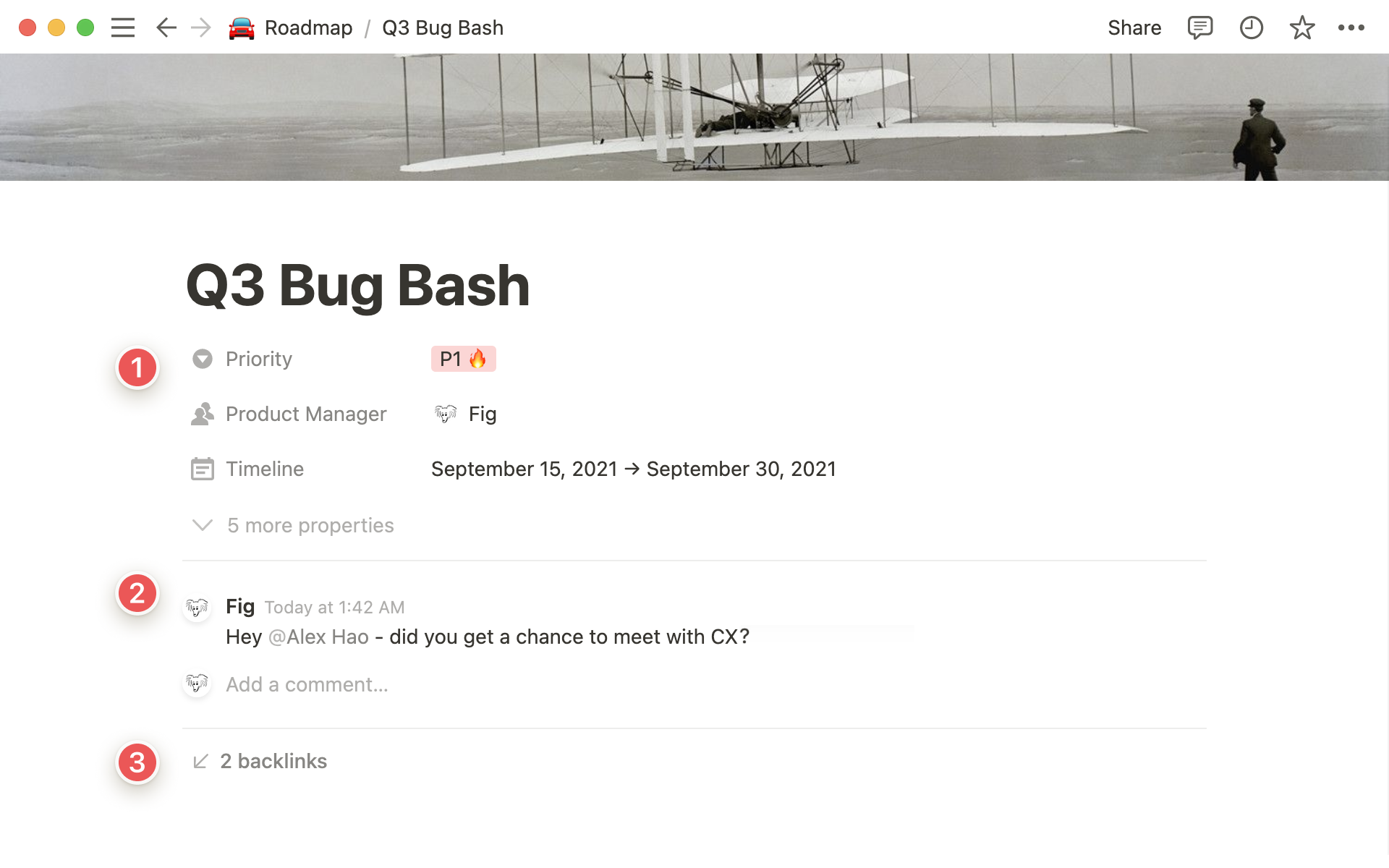
It stands out because the free tier is generous enough for a full book project, its database views let you track chapter status and source lists side by side, and it cross-links notes in a way a flat document can't.
- Linked databases for chapters, sources, or characters
- Web clipping for saving research as you find it
- Genuinely usable free tier
- Custom trackers for chapter or source status
- Cross-linking between notes and chapters
Pricing: according to Notion's official pricing page, the Free plan covers individuals; Plus is $10/member/month and Business is $20/member/month Best for: nonfiction authors tracking sources, or any writer who wants outlining and research in one place Not ideal for: writers who want a dedicated manuscript compile/export feature — Notion isn't built for that
AI-Assisted Drafting Tools
Sudowrite — Best for Fiction Drafting
Sudowrite is an AI writing tool built specifically for fiction, with a Story Bible that tracks characters and plot details across chapters so generated prose stays consistent with what you've already written.
It stands out because it's purpose-built for scene-level drafting and unsticking a stuck scene, not generic AI text — the Story Bible and Canvas planning tool are both designed around how novelists actually work.
- Story Bible for character and plot consistency
- Scene-level drafting assistance
- Canvas for visual scene planning
- Style-matching to your existing voice
- Brainstorming tools for beating writer's block
Pricing: $10-$59/month, no ongoing free tier Best for: novelists who want AI help drafting or unsticking a scene without losing story consistency Not ideal for: nonfiction authors, or anyone who wants a free option to try first
Jasper — Best for Nonfiction Drafting
Jasper is a general-purpose AI writing tool that's a better fit for nonfiction chapters than fiction-specific tools like Sudowrite — it's stronger at turning a structured outline into a full draft than at generating character-driven prose.

It stands out for outline-to-draft workflows and factual, explanatory writing, which is most of what a nonfiction book actually requires chapter by chapter.
- Outline-to-draft generation
- Brand and tone voice settings for consistency across chapters
- Long-form content templates
- Team collaboration features
- Browser extension for research-while-drafting
Pricing: per Jasper's official pricing page, the Pro plan is $59/month billed annually ($69/month billed monthly), with no permanent free plan — just a 7-day trial Best for: nonfiction authors drafting chapters from an outline Not ideal for: fiction writers who need the story-memory features Sudowrite is built for
Editing and Revision Tools
ProWritingAid — Best for Manuscript-Level Revision
ProWritingAid is built for revising full manuscripts, not single documents, with direct Scrivener integration for authors already using it.

It stands out because its 25+ writing reports go past grammar into pacing, repetition, and style — the kind of feedback that actually matters over 80,000 words, not just at the sentence level.
- 25+ writing reports covering style, pacing, and repetition
- Direct Scrivener integration
- Chapter-level analysis
- One-time lifetime pricing option
- Works for both fiction and nonfiction manuscripts
Pricing: Free (limited); Premium around $10/month; lifetime option around $399 Best for: a full self-edit pass on a completed manuscript, fiction or nonfiction Not ideal for: writers who just want a fast line-level pass — it's built for deeper revision
Grammarly — Best for Quick Line Edits
Grammarly is the line-level editor most writers already have installed, and it's genuinely useful for a fast pass before sending a chapter to an editor or beta reader.
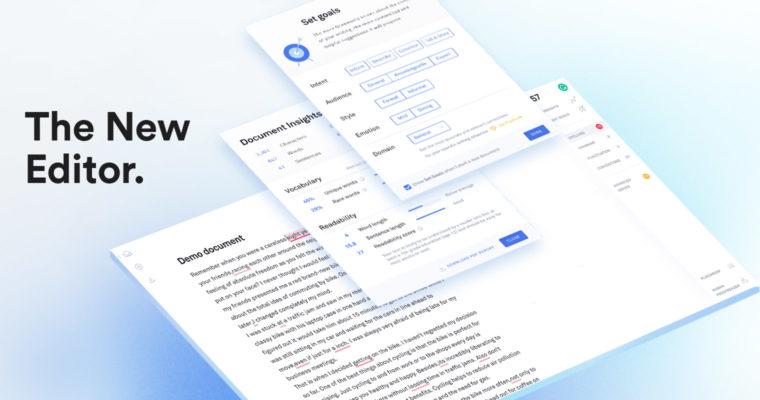
It stands out for being fast and unobtrusive — real-time grammar and clarity checks as you write — but it isn't built for manuscript-level structure the way ProWritingAid is.
- Real-time grammar and clarity checks
- Tone detection
- Browser and desktop apps
- Free tier covers the basics
- Plagiarism check on paid plans
Pricing: Free plan available; Premium starts around $12/month, up to $30/month on higher tiers Best for: a quick final pass before sharing a chapter with someone else Not ideal for: manuscript-level pacing or structural feedback
How to Choose the Right Book Writing Tools
Fiction pairs well with a structure tool like Scrivener plus an AI drafting tool like Sudowrite. Nonfiction pairs better with a research manager like Notion plus a drafting tool like Jasper for turning outlines into chapters.
Graduate from Google Docs once searching for a scene or source starts eating time you'd rather spend writing — usually past chapter two or three, not at a fixed word count.
Editing is genre-agnostic either way: ProWritingAid for a full self-edit pass, Grammarly for a quick check. If none of these quite fit, browse the rest of our AI writing tools directory for more options.
Frequently Asked Questions
What software do most authors use to write a book? Scrivener remains the most common dedicated choice for long manuscripts. Google Docs and Microsoft Word cover most first-time authors until the project outgrows a single flat document.
Is there free software for writing a book? Notion's free tier and Google Docs are the strongest genuinely free options. Most dedicated tools like Scrivener, and AI drafting tools like Sudowrite and Jasper, offer a trial rather than an ongoing free tier.
What is the best software for outlining a nonfiction book? A structured workspace like Notion works better than a flat document once a nonfiction project has more than a handful of chapters or sources to track, since research notes stay attached to the right section.
Do I need different software for fiction versus nonfiction? The drafting and editing layer — Scrivener, ProWritingAid, Grammarly — works for both. The research and planning layer diverges more: a novelist needs character and plot tracking, a nonfiction author needs source and citation management.
Can AI tools actually help write a book? Current AI tools are useful for specific tasks — outlining, drafting a rough chapter, getting editing feedback — rather than producing a finished manuscript unsupervised. Treating them as help on individual sections works better than expecting a complete draft.
Final Verdict
In my experience, if you're starting from nothing, don't go looking for one app that does everything — pair a structure or research tool with one drafting or editing tool instead. That's a more honest match for how a book actually gets written than any single "all-in-one" platform.