What Is a Coding Companion? AI Coding Explained (2026)

On this page8 sections
- What Is a Coding Companion, Exactly?
- The 3 Types of Coding Companions
- Autocomplete Companions
- Agentic IDE Companions
- Terminal & Chat Companions
- Quick Comparison at a Glance
- 5 Coding Companions Worth Knowing
- 1. GitHub Copilot — The Most Well-Known Autocomplete Companion
- 2. Tabnine — Best Privacy-First Autocomplete Companion
- 3. Windsurf — Best Full Agentic IDE Companion
- 4. TRAE — Best Free Agentic Companion for Beginners
- 5. Claude Code — Best Terminal-Based Companion
- Two More Worth a Mention
- How to Choose Your First Coding Companion
- Frequently Asked Questions
- Final Verdict — Where to Go Next
- What it is: an AI tool that helps you write, complete, or refactor code as you work — "coding companion" and "AI pair programmer" mean the same thing
- Best for beginners: TRAE — free tier, agentic, approachable
- Best autocomplete-style pick: Tabnine
- Best full agentic IDE: Windsurf
- "Coding companion" isn't one product — it's an umbrella term covering three different types of tool
- Autocomplete companions predict and complete code as you type
- Agentic IDE companions can plan and execute multi-file changes from a plain-language request
- Terminal and chat companions work from natural-language instructions in a command line, not an editor
- Most companions have a genuine free tier — you don't need to pay to try your first one
What Is a Coding Companion? AI Coding Explained (2026)
If you've seen "coding companion" thrown around in a product ad, a YouTube video, or a Reddit thread and aren't totally sure what it means, you're not missing something obvious. It's marketing shorthand, not a strict technical term.
Here's the short version: a coding companion is any AI tool that works alongside you while you write code. That covers a lot of ground — from a simple autocomplete suggestion to a fully autonomous agent that edits ten files on its own. This guide defines the term properly, breaks it into the three types you'll actually run into, and points you at five real tools worth trying, including free ones.
What Is a Coding Companion, Exactly?
A coding companion is an AI tool that assists you while you're writing code — anything from suggesting the next line to planning and executing a multi-file change with minimal supervision from you. The formal version of this term is "AI pair programmer," which IBM defines the same way [OPEN IN NEW TAB]. Same idea, different label.
The key distinction from a general-purpose chatbot: a coding companion lives inside your editor, terminal, or IDE. You're not copy-pasting code back and forth between a browser tab and your project — it's already looking at your files.
The 3 Types of Coding Companions
Not every coding companion works the same way. Understanding these three categories is the fastest way to know what you're actually looking at when a tool calls itself one.
Autocomplete Companions
These predict and complete code line-by-line or function-by-function as you type, similar to predictive text but trained on code. Tabnine and GitHub Copilot's classic, non-agent mode are the clearest examples. You stay in full control — the tool suggests, you accept or reject.
Best for: developers who want to move faster without handing over the keyboard.
Agentic IDE Companions
These can take a plain-English request, plan the steps, and execute them across multiple files — writing code, running commands, and fixing its own mistakes along the way. Windsurf (now rebranded Devin Desktop) and TRAE both work this way. You describe the feature; the companion builds a first pass.
Best for: builders who'd rather describe what they want than write every line themselves. Want the technical line between this and plain autocomplete? See our deeper breakdown of what makes an IDE agentic.
Terminal & Chat Companions
Instead of living in an editor pane, these work from natural-language instructions inside a command line or chat interface. Claude Code is the best-known example — it reads your codebase, reasons through it, and makes changes from terminal commands rather than clicks.
Best for: developers who already live in the terminal or want an AI reviewer for code they've already written.
Quick Comparison at a Glance
| Tool | Type | Best For | Free Plan | Price (USD/mo) |
|---|---|---|---|---|
| GitHub Copilot | Autocomplete | Widest editor support | Yes (capped) | From $10 |
| Tabnine | Autocomplete | Privacy, self-hosting | Yes | Team plans vary |
| Windsurf | Agentic IDE | Multi-file features | Yes | Paid tiers for heavier use |
| TRAE | Agentic IDE | First agentic companion to try | Yes | Free tier is genuinely usable |
| Claude Code | Terminal | Terminal-first workflows | Usage-based | Tied to Claude plan/API |
| Kiro | Agentic IDE | Spec-driven, budget-conscious | Yes, $0 | Free |
| Augment Code | Agentic IDE | Enterprise codebase context | Limited | Flat team pricing |
Once you know which type fits how you like to work, the fastest way to get a feel for it is to try a free one.
5 Coding Companions Worth Knowing
1. GitHub Copilot — The Most Well-Known Autocomplete Companion
GitHub Copilot is the tool most people picture when they hear "AI coding assistant" — it's the one that made the category mainstream. It started as a pure autocomplete tool and has since added a chat panel and a growing agent mode, but its core strength is still fast, reliable inline completions.

Key features:
- Inline code completions across dozens of languages
- Built-in chat panel for questions about your code
- Growing agent mode for multi-step tasks
- Deep integration with VS Code and JetBrains IDEs
Pricing: GitHub's official plans page [OPEN IN NEW TAB] caps the free tier at 2,000 completions and 50 chat requests per month; paid individual plans start from $10/month.
Best for: developers who want the most widely supported option and don't want to switch editors.
Not ideal for: readers who want a fully autonomous agent by default rather than an add-on mode.
2. Tabnine — Best Privacy-First Autocomplete Companion
Tabnine takes the same autocomplete category as Copilot and builds it around privacy — private and local model options mean your code doesn't have to leave your machine or your company's infrastructure.

Key features:
- Private and local model deployment options
- Zero data retention setting for enterprise use
- JetBrains and VS Code support
- Team-wide code pattern learning
Pricing: a usable free tier, with paid team plans for enterprise compliance features.
Best for: developers and teams who can't send proprietary code to a third-party model.
Not ideal for: readers who specifically want agentic, multi-file autonomy — Tabnine stays in the autocomplete lane.
3. Windsurf — Best Full Agentic IDE Companion
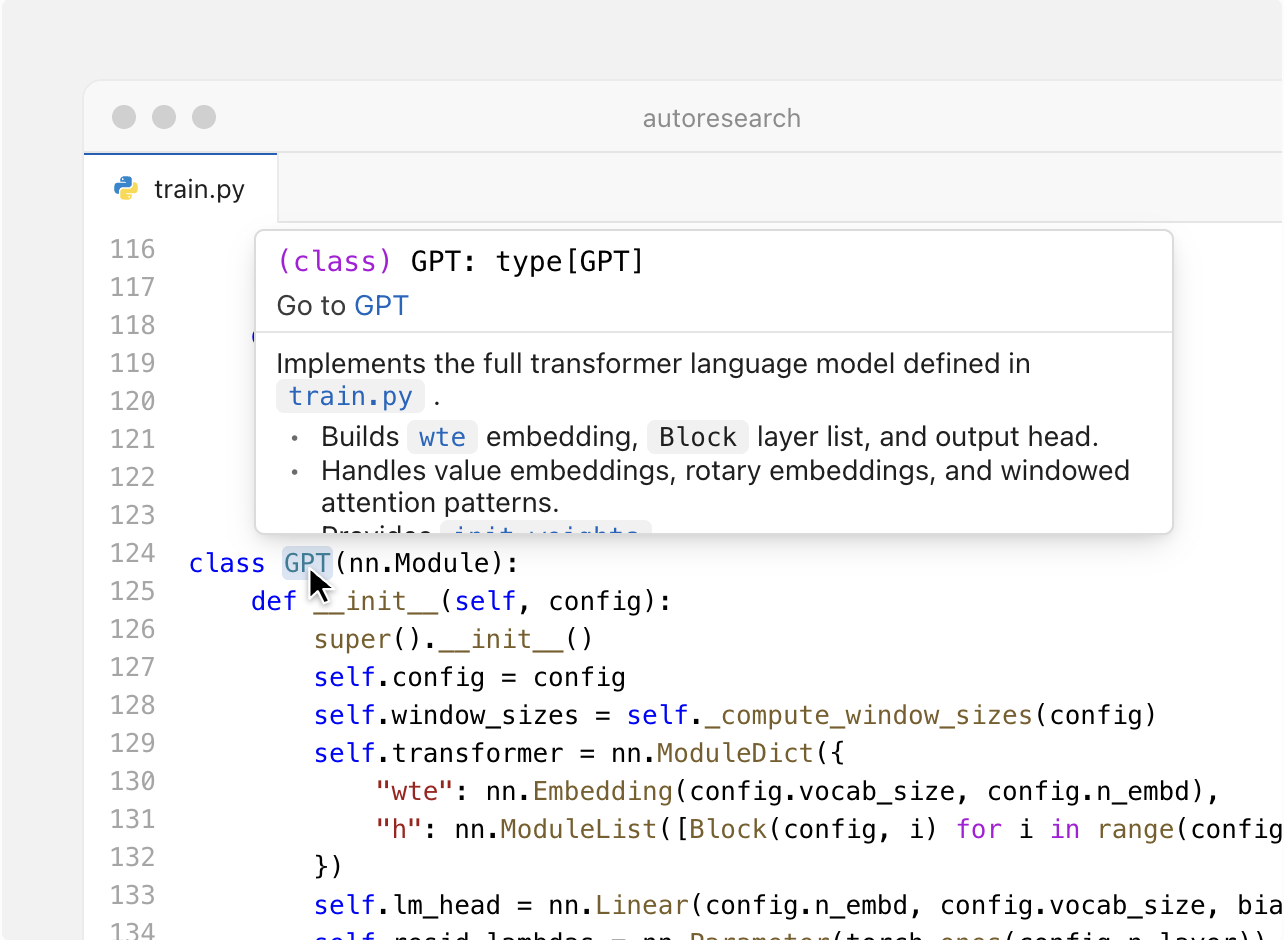
Windsurf is where the "agentic" category really shows itself. Its Cascade agent holds memory of your codebase across a session, so you can describe a feature once and let it plan and execute the multi-file work.
Key features:
- Cascade AI agent with codebase memory
- MCP server support for connecting external tools
- Auto lint fixing during generation
- Drag-and-drop image-to-code for turning a screenshot into a component
Pricing: a free tier to start, with paid plans for heavier day-to-day agent usage.
Best for: builders who want to describe a feature in plain English and get a working implementation across files.
Not ideal for: readers who want to stay in their current editor instead of switching.
4. TRAE — Best Free Agentic Companion for Beginners
TRAE is the easiest on-ramp into agentic coding on this list. Its TRAE SOLO agent can go from a single prompt to a working, scaffolded project, and the free tier is generous enough to actually get a feel for what an agentic companion can do before spending anything.
Key features:
- Autonomous code generation from a natural-language prompt
- Project scaffolding and architecture planning
- Both desktop and web-based IDE
- Task decomposition for multi-step builds
Pricing: a genuinely usable free tier.
Best for: trying your first agentic companion without committing money.
Not ideal for: developers who already have a strong editor preference and just want inline autocomplete.
5. Claude Code — Best Terminal-Based Companion
Claude Code breaks from the rest of this list by skipping the editor entirely. It runs from your terminal, reads through your existing codebase, and executes multi-step tasks from plain-language instructions — closer to a very capable command-line collaborator than an IDE plugin.

Key features:
- Natural-language terminal commands
- Multi-step task execution across a codebase
- Strong reasoning through existing, unfamiliar code
- Works alongside whatever editor you already use
Pricing: usage-based, tied to a Claude subscription or API access.
Best for: developers who prefer the terminal over a GUI editor.
Not ideal for: beginners who want a visual, point-and-click experience.
Two More Worth a Mention
- Kiro — a genuinely free, spec-driven agentic companion, good if TRAE or Windsurf feel like more than you need right now. See Kiro on YourAiFinder.
- Augment Code — an enterprise-grade agentic companion built for deep codebase context on larger teams. See Augment Code on YourAiFinder.
How to Choose Your First Coding Companion
Start with how much control you want. If you'd rather approve every suggestion yourself, pick an autocomplete companion like Tabnine or Copilot. If you'd rather describe a task and let the tool handle the steps, go agentic with TRAE or Windsurf. Still not sure? Browse the full AI Coding category on YourAiFinder to compare more options side by side before you commit to one.
Budget shouldn't be the deciding factor — every category on this list has a workable free tier. The real question is environment: are you staying in your current editor, willing to switch to a new one, or happiest working from the terminal? Match the tool to that answer first, and the pricing tier second — see our full pricing breakdown across 5 tools once you've narrowed it down.
Frequently Asked Questions
What is an AI coding companion? It's an AI tool that assists you while you write code, ranging from simple autocomplete to a fully autonomous agent that can plan and execute multi-file changes on its own.
Is GitHub Copilot a coding companion? Yes — it's the most mainstream example of the autocomplete-first flavor, though its newer agent mode adds agentic capability on top.
What's the difference between a coding companion and an AI pair programmer? Nothing, really — they describe the same idea. "AI pair programmer" is the more formal, enterprise-leaning term; "coding companion" is the more casual, product-marketing version.
Do I need to pay for a coding companion? No. Tabnine, Windsurf, TRAE, and Kiro all have real free tiers, and GitHub Copilot's free tier covers a capped number of monthly completions. Paid tiers mainly buy higher usage limits and access to stronger models — see our roundup of free AI coding tools with no credit card required for the full list.
Which coding companion is best for beginners? TRAE is the easiest starting point if you want to try agentic coding for free. If you'd rather ease in with plain autocomplete first, Tabnine's free tier is the gentler option.
Final Verdict — Where to Go Next
If you're not sure which type fits you, start with TRAE's free tier for agentic coding or Tabnine's free tier for autocomplete — both cost nothing to try, and trying one is the fastest way to figure out which flavor of "coding companion" actually matches how you like to work.
Once you've got the vocabulary down, the next natural step is comparing these tools against the one that started the category. Our full breakdown of GitHub Copilot alternatives goes deeper into pricing, agentic power, and which tool to switch to and why. Still torn between two or three options? Our interactive guide to picking the right AI coding assistant walks through it step by step.