Veo 2 vs Veo 3: What Changed (And What Replaced Both)

On this page9 sections
- Veo 2 vs Veo 3: Head-to-Head
- What Was Veo 2?
- What Was Veo 3?
- Feature-by-Feature: Veo 2 vs Veo 3 Compared
- Native Audio
- Resolution and Clip Length
- Motion Coherence and Prompt Adherence
- Reference Images and Object Editing
- What Happened to Veo 2 and Veo 3 And What Replaced Them
- Pricing: What Each Cost And What Runs Now
- Who Should Care About This Comparison Now
- Frequently Asked Questions
- Our Verdict
Neither is actually selectable anymore — Google shut down both Veo 2 and Veo 3 in the Gemini API on June 30, 2026, and folded everything both models did into Veo 3.1. The upgrade from Veo 2 to Veo 3 was real (native audio, better physics, stronger prompt adherence), and understanding it explains what you're getting in Veo 3.1 today.
- Veo 2 generated silent video only, up to 720p; Veo 3 added native dialogue, sound effects, and ambient audio in the same generation
- Veo 3 also improved physics simulation, motion coherence, and prompt adherence over Veo 2's stiffer output
- Google shut down both Veo 2 and Veo 3 (including Veo 3 Fast) in the Gemini API on June 30, 2026 — neither can be selected for new generations anymore
- Everything both models introduced now lives inside Veo 3.1, the current default in Gemini, Flow, and the Gemini API
- Some articles still ranking for this comparison were written before the shutdown and describe both as currently available — that's no longer accurate
If you're searching "Veo 2 vs Veo 3" to decide which one to use, here's the answer up front: you can't pick either one anymore. Google shut both down in the Gemini API on June 30, 2026, and rolled everything they introduced into Veo 3.1.
That doesn't make the comparison pointless, though. Understanding what actually changed between Veo 2 and Veo 3 — native audio, sharper motion, better prompt handling — tells you exactly what you're getting when you open Veo 3.1 today, and why it feels like such a jump from whatever you used a year ago.
This piece walks through what each generation actually did, where the real upgrade was, and where to go now that both are gone.
Veo 2 vs Veo 3: Head-to-Head
| Criteria | Veo 2 | Veo 3 |
|---|---|---|
| Audio | Silent output only | Native dialogue, sound effects, and ambient audio generated with the video |
| Max resolution | 720p | 1080p |
| Clip length | 5-8 seconds | 4, 6, or 8 seconds (with native audio) |
| Motion & physics | Stiffer movement, more visible artifacts on complex scenes | More fluid motion, better physics simulation, stronger prompt adherence |
| Reference images | Style/asset references, object add and remove supported | Not supported at launch |
| Current availability (Sept 2026) | Shut down June 30, 2026 | Shut down June 30, 2026 — both replaced by Veo 3.1 |
For everything else running in AI video right now, browse the full AI video generation category on YourAiFinder.
What Was Veo 2?
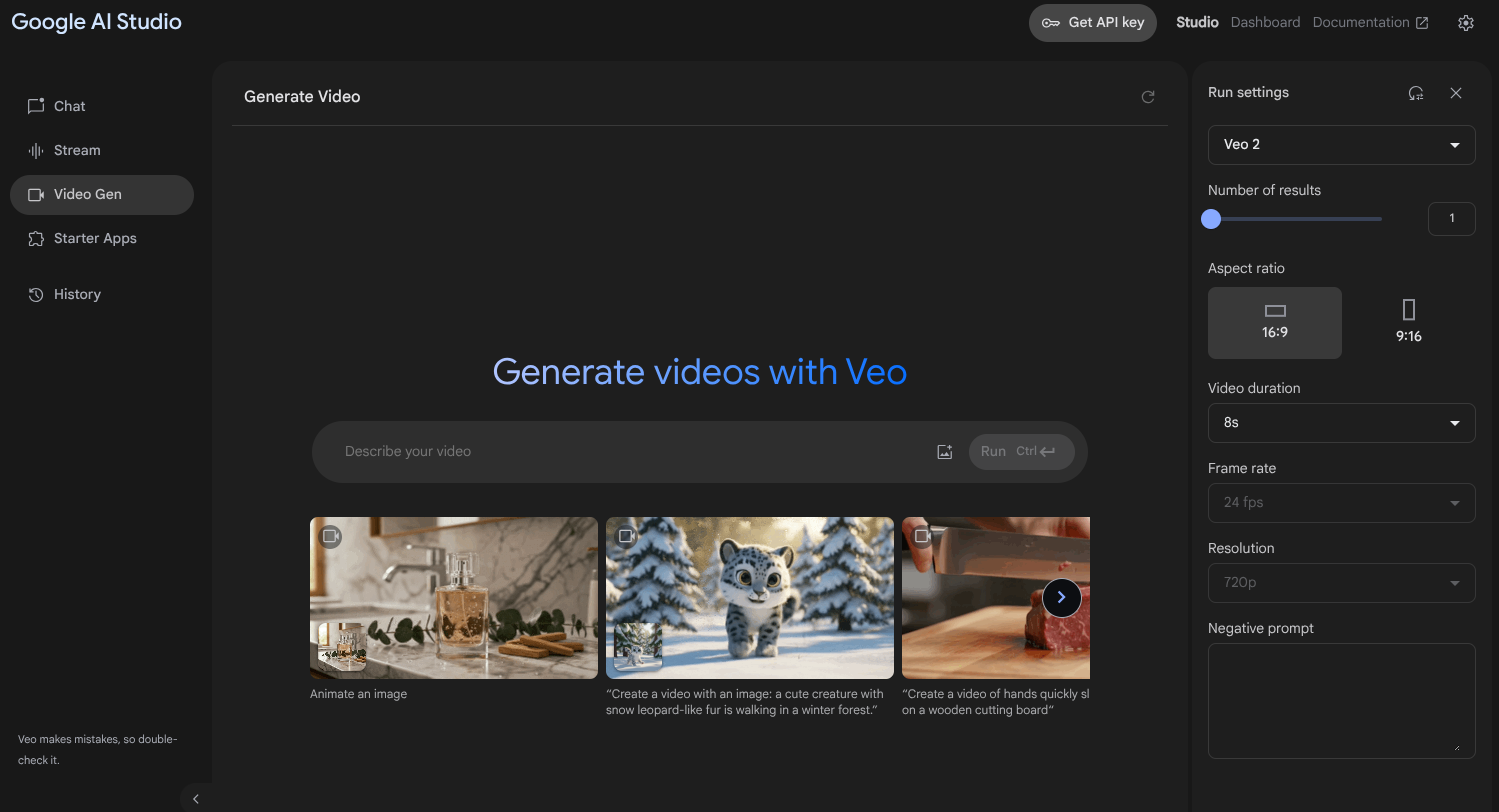
Veo 2 was Google's earlier text- and image-to-video model — silent 720p output in 5-8 second clips. It's easy to undersell in hindsight, but it had one genuinely useful feature Veo 3 didn't launch with: reference images, letting you feed it a style or asset reference and add or remove objects from a generated clip. As of June 30, 2026, it's shut down — you can't select it for new generations in Gemini, Flow, or the Gemini API anymore.
What Was Veo 3?
Veo 3 was the generation that added native audio — dialogue, sound effects, and ambient sound generated in the same call as the video, a first for the Veo line. It also handled physics and prompt adherence more convincingly than Veo 2, with less of the stiff, slightly-off motion that gave Veo 2 clips away. Veo 3 (and Veo 3 Fast) shut down on the same date as Veo 2, folded into Veo 3.1.

Feature-by-Feature: Veo 2 vs Veo 3 Compared
Native Audio
Veo 2 produced silent video, full stop — any dialogue, sound effects, or ambient sound had to be added afterward in an editor. Veo 3 generated all of that in the same pass as the video itself.
Verdict: Veo 3, decisively — for any social clip, ad, or dialogue-driven shot meant to be watched with sound on, this alone was worth the upgrade.
Resolution and Clip Length
Veo 2 topped out at 720p across 5-8 second clips. Veo 3 pushed to 1080p and offered 4, 6, or 8 second options, giving you a bit more control over pacing without sacrificing resolution.
Verdict: Veo 3.
Motion Coherence and Prompt Adherence
Veo 2's motion could look stiff, especially on anything with complex camera movement or a crowded scene — the kind of shot where physics inconsistencies are easiest to spot. Veo 3 handled the same prompts with noticeably more fluid movement and followed detailed instructions more accurately.
Verdict: Veo 3.
Reference Images and Object Editing
This is the one place the "upgrade" wasn't a straight upgrade. Veo 2 supported feeding in style and asset references and could add or remove objects from a generated clip — genuinely useful control that Veo 3 didn't carry forward at launch.
Verdict: Veo 2, for this one specific capability. If reference-image control mattered to your workflow, Veo 3 asked you to give something up to get the audio and motion improvements.
What Happened to Veo 2 and Veo 3 (And What Replaced Them)
Google's own Veo 2.0 model page now states plainly that the model "was shut down on June 30, 2026," directing users to migrate to Veo 3.1. The same shutdown date applies to Veo 3 and Veo 3 Fast — confirmed in Google's Gemini API deprecations documentation, which lists all three GA models retiring on the same day and rolling every feature they introduced, including Veo 3's native audio, into Veo 3.1.
That's now the default model behind Gemini, Flow, and the Gemini API. If you've generated a video recently and it looked better than you remembered Veo 3 being, that's why — you were already using Veo 3.1 without necessarily being told the version number changed.
Worth flagging: a few articles still ranking for "Veo 2 vs Veo 3" were written before this shutdown and still describe both as currently selectable products. That stopped being accurate on June 30, 2026 — if you're reading a comparison that doesn't mention the shutdown, assume it predates it.
Pricing: What Each Cost (And What Runs Now)
Veo 2 was commonly cited at around $0.50 per second of generated video — Google never itemized this as precisely as its current documentation itemizes Veo 3.1 pricing, so treat that figure as directional rather than exact. [VERIFY: confirm Veo 2's historical per-second Gemini API rate against an archived Google pricing page before publishing.]
What actually matters now is what Veo 3.1 costs, since that's the only option left. Fast and Standard (Quality) tiers are priced differently per second on the Gemini API, and the Flow app uses a separate credit system for subscribers. See the full Veo 3 Fast vs Quality breakdown for the exact current numbers on both.
Who Should Care About This Comparison Now
- Anyone who used Veo 2 before and is confused why it's no longer available in Gemini or Flow
- Anyone deciding whether native audio — Veo 3's headline addition — is worth switching workflows for; it now comes standard in Veo 3.1
- Anyone who valued Veo 2's reference-image controls and wants to know what Veo 3.1 currently supports — check Veo 3 Fast vs Quality and Google AI Studio vs Gemini for the current feature set and where to access it
- Anyone frustrated by how quickly Google retires model names and wants a workflow that isn't tied to Google's release cycle — Runway and Kling AI are worth a look
Frequently Asked Questions
Is Veo 2 still available? No. Google shut down Veo 2 in the Gemini API on June 30, 2026. It's no longer selectable for new generations, and Google's own documentation points users to Veo 3.1 instead.
What's the difference between Veo 2 and Veo 3? Veo 3 added native audio — dialogue, sound effects, and ambient sound — that Veo 2 never had, plus better physics simulation, more coherent motion, and stronger prompt adherence. Veo 2's output was silent and capped around 720p.
Is Veo 3 worth it over Veo 2? For anything meant to be watched with sound on — social clips, dialogue-driven shots, ads — yes, decisively. Veo 2's silent-only output always meant adding audio as a separate manual step afterward.
What replaced Veo 2 and Veo 3? Veo 3.1, which carries forward everything both older models introduced, including Veo 3's native audio, in improved form. It's now the default in Gemini, Flow, and the Gemini API.
Our Verdict
The jump from Veo 2 to Veo 3 was a real upgrade, and native audio alone justified it — but the honest answer for anyone reading this today is simpler than picking between two models that no longer exist. Both are gone. Veo 3.1 already includes what each of them offered, minus the one Veo 2 feature (reference images) that didn't carry forward cleanly.
In my experience, the mistake people make here is chasing a specific model name instead of the capability they actually need. Don't go looking for "Veo 3" in Gemini expecting to find it — ask whether the current model gives you native audio, the resolution you need, and motion quality good enough for the shot, and use whatever Google currently calls it.
Veo is only one piece of the production chain, though — if you want to see where it fits against every other generation, editing, and voice tool a real workflow uses, the full AI filmmaking tool landscape covers the rest.