Which AI Image Generator Should You Use in 2026? (Interactive Guide)

On this page8 sections
- Take the Quiz: Which AI Image Generator Should You Use?
- The 6 Factors That Decide Which AI Image Generator You Should Use
- How the Pick Is Scored
- Quick Comparison: Popular AI Image Generators at a Glance
- Who the Advisor Usually Recommends — and Why
- Midjourney — Best for Pure Artistic Quality
- ChatGPT Images GPT Image 2 — Best for the Easiest Starting Point
- Stable Diffusion / Flux — Best for Maximum Control and Lowest Cost
- Ideogram — Best for Readable Text in Images
- Adobe Firefly — Best for Commercially-Safe Brand and Product Work
- Leonardo.ai — Best for Game Assets and Consistent Characters
- Common Mistakes When Picking an AI Image Generator
- Frequently Asked Questions
- Final Verdict
- There's no single "best" AI image generator in 2026 — the right one depends on what you're making, not a fixed ranking.
- Answer 6 questions in the free tool below and get one clear pick, its real cost, the one catch to watch for, and a runner-up.
- The full ranking of every tool considered is shown too, including which ones got filtered out and why.
- The right AI image generator depends on what you're making, how much control you want, your skill level, volume, and budget — not a generic ranking.
- Getting one usable "keeper" image often takes several generations, so your real cost per finished image runs higher than any tool's sticker price.
- Hard dealbreakers — readable text in images, consistent characters, true vector output, running locally — should filter out tools before you even compare quality.
- Midjourney still leads for pure artistic quality, Adobe Firefly for commercially-safe brand work, and Ideogram for anything that needs legible text.
- The interactive advisor below gives you a transparent, personalized answer instead of another 10-tool ranked list.
Which AI Image Generator Should You Use in 2026?
Every "best AI image generator" list on the internet crowns the same universal winner — Nano Banana 2 or GPT Image 2 (ChatGPT Images), depending on which site you land on — and hands that pick to every reader, whether you're designing a product catalogue, generating concept art for a game, or just need a logo that scales without blurring. That's not useful. The right tool depends on what you're actually making.
This guide does it differently. Answer six plain questions in the interactive tool below and get one direct answer: your best-fit generator, what it really costs once you account for how many attempts it takes to get a keeper, the one catch nobody puts in the marketing copy, and a runner-up in case the top pick doesn't land. After that, we'll walk through the six factors driving the recommendation and profile the tools it most often points to, so you can sanity-check the answer against real detail.
Take the Quiz: Which AI Image Generator Should You Use?
That's it — one pick, a real cost estimate, the catch, your runner-up, and the full ranking if you want to see how everything else compared. If you'd rather understand the reasoning first, here's exactly what those six questions are weighing.
The 6 Factors That Decide Which AI Image Generator You Should Use
These are the same six questions the tool above just asked you, and why each one changes the answer:
- What you're making — marketing and social content, product shots, art and concept work, logos and vectors, game and character assets, or photorealistic images. This is the single biggest factor in which tool fits.
- How much control you want — just describe it, some editing, or full control over the process. This decides whether a simple prompt box suits you or you need a tool built for fine-tuning and inpainting.
- How experienced you are — some tools reward plain-language descriptions, others expect you to manage models, seeds, and sampling settings.
- Monthly finished-image volume — under 30, 30-200, or 200+. This is what actually drives your real monthly cost, not the sticker price on a pricing page.
- Budget — free only, up to $20, up to $60, or whatever works. A hard filter, not a soft preference.
- Must-haves — readable text in images, the same character across a series, vector/SVG output, running on your own machine, or having a free tier at all. These are dealbreakers that eliminate tools outright, not tiebreakers.
How the Pick Is Scored
The tool above scores every generator on fit first — what you said you're making, how much control you want, and your experience level — then filters that shortlist by your budget and any must-haves you flagged. If you said vector output is non-negotiable, tools that only produce pixels are removed before ranking even starts, rather than just scored lower.
Every cost figure shown is a planning range, not a quote. It's built around a simple reality competitor articles skip: you don't generate one image and keep it — you generate several to get one you'll actually use, and that ratio gets worse the newer you are to a tool. The full ranking underneath the top pick is visible too, including every tool that got filtered out and why, so nothing about the recommendation is hidden.
Quick Comparison: Popular AI Image Generators at a Glance
| Tool | Best For | Free Plan | Starting Price (USD/mo) | Works Locally |
|---|---|---|---|---|
| Midjourney | Pure artistic quality | No | $10 | No |
| ChatGPT Images (GPT Image 2) | Easiest starting point | Yes (limited) | $0 (Plus ~$20 for full access) | No |
| Stable Diffusion / Flux | Maximum control, lowest cost | Yes | $0 local / ~$10 hosted | Yes |
| Ideogram | Readable text in images | Yes | $8 | No |
| Adobe Firefly | Commercially-safe brand work | Yes | $10 | No |
| Leonardo.ai | Game assets, consistent characters | Yes | $12 | No |
| Canva | Fastest finished social post | Yes | $15 (Pro) | No |
Every price here is a starting point, not a ceiling — see the tool above for a cost range scaled to your actual volume and skill level. Here's who each tool actually fits.
Who the Advisor Usually Recommends — and Why
Midjourney — Best for Pure Artistic Quality
Midjourney is still the benchmark most people reach for when the goal is beautiful, stylised output with the least prompting effort. It runs entirely through Discord or its own web app, and the look — moody, painterly, art-directed — is hard to replicate on other tools without real prompt-engineering skill.

The catch: there's no real free tier, and it's noticeably weaker at clean product-catalogue shots and readable in-image text than more literal, photorealistic models. Best for concept art, mood pieces, and marketing visuals where "striking" matters more than "accurate." Not ideal if you need predictable, literal renders of a specific product or a lot of legible text.
ChatGPT Images (GPT Image 2) — Best for the Easiest Starting Point
ChatGPT's built-in image generator is the lowest-friction option on this list — describe a scene in a normal sentence and it understands you without keyword-stuffed prompts. According to OpenAI's official announcement of ChatGPT Images 2.0 [OPEN IN NEW TAB], it replaced DALL·E 3 in April 2026, and the upgrade shows most in text rendering and in generating a consistent character across a batch of up to 8 images, both weak spots for the model it replaced.
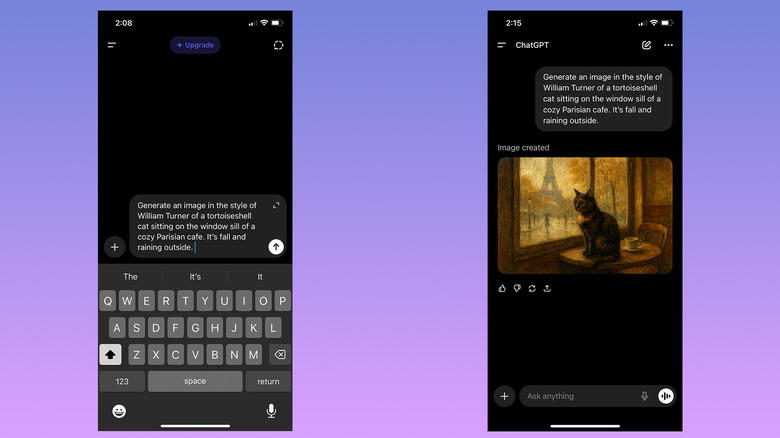
The catch: the free tier caps you to a handful of generations a day, and Thinking Mode — the higher-quality mode that plans out complex scenes before rendering — is reserved for ChatGPT Plus at $20/month. Best for beginners who want a usable result on the first try without learning any settings. Not ideal if you need dedicated fine-tuning or inpainting controls beyond what a chat interface offers.
Stable Diffusion / Flux — Best for Maximum Control and Lowest Cost
Stable Diffusion and Flux-based models offer the deepest control of anything on this list — inpainting, fine-tuning, custom LoRAs, and full control over every generation parameter, all for close to $0 if you run it on your own hardware. Stable Diffusion Web is the closest listing to this category on YourAiFinder if you'd rather run a hosted version than set one up yourself — or see our full Stable Diffusion vs Leonardo AI free-plan comparison if you're weighing it against a lower-effort alternative.

The catch: real local use needs a capable GPU and a setup process that will intimidate anyone who just wants to type a prompt and get a picture. Best for tinkerers and anyone optimizing for rock-bottom marginal cost per image over hundreds of generations. Not ideal for someone who wants a finished image in the next two minutes with zero setup.
Ideogram — Best for Readable Text in Images
If the image needs actual legible words in it — a poster, a YouTube thumbnail, an ad with a headline baked in — Ideogram is the specialist. Most other generators still treat letters as shapes and mangle anything longer than a couple of words; Ideogram's own text-rendering page [OPEN IN NEW TAB] claims 95% text accuracy against 30-50% for most other AI image generators, and the model is trained specifically to render legible type. If thumbnails specifically are your use case, our full roundup of free AI image generators for YouTube thumbnails tests four tools against the exact 1280×720 format YouTube requires.
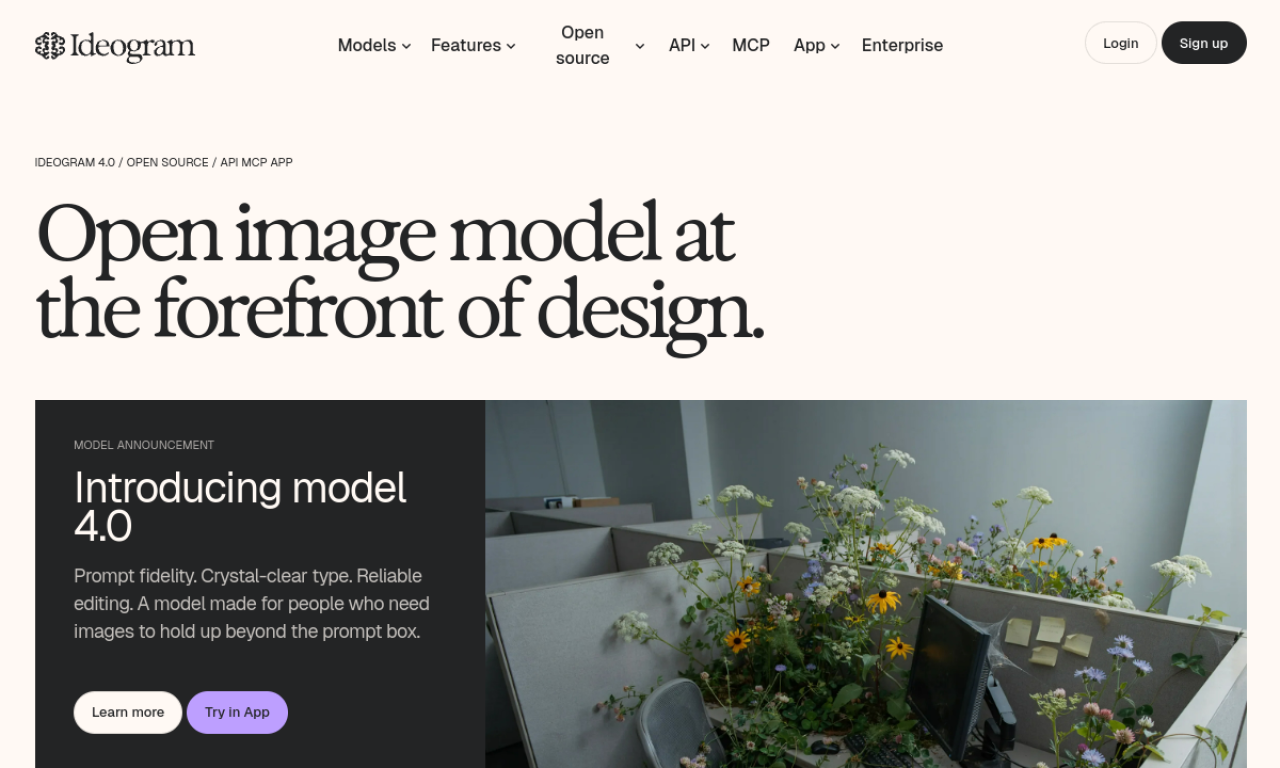
The catch: general image quality trails the top art-focused models, so it's not the tool to reach for on pure aesthetic work. Best for anything text-heavy.
Pair it with Midjourney or a photorealistic model for the visuals and swap in Ideogram just for the type-heavy pieces. Ideogram isn't in the YourAiFinder tools database yet either — no internal listing to point you to.
Adobe Firefly — Best for Commercially-Safe Brand and Product Work
Adobe Firefly is the tool most enterprise and brand teams default to specifically because it's trained only on licensed and public-domain content, which makes its commercial-use terms the cleanest on this list. It's strongest when used inside Photoshop or Illustrator, where generative fill and vector tools plug directly into an existing workflow — see Adobe Firefly's free plan in full detail for exactly what the free credits cover.

The catch: on raw image quality alone, outside the Adobe ecosystem, it trails the leading art models. Best for teams that already pay for Creative Cloud — check your existing plan for included credits before buying anything separate. Not ideal if you want Midjourney-level artistic flair and don't care about licensing provenance.
Leonardo.ai — Best for Game Assets and Consistent Characters
Leonardo.ai is built specifically for the problem most generators handle badly: keeping the same character, style, or asset set consistent across dozens of images. Trained elements and reference-image workflows are the main reason game developers and illustrators pick it over more generalist tools.

The catch: the interface has a lot of knobs, and it takes real time to learn which settings actually matter. Best for anyone building a character sheet, a game asset library, or a consistent illustrated series — its generous daily free credits make it worth testing properly before you subscribe. If speed to a single finished, correctly-sized social post matters more than character consistency, Canva's AI image tools inside its existing design templates will get you there faster.
Common Mistakes When Picking an AI Image Generator
- Picking the #1 tool from a generic ranked list without checking it fits what you're actually making — art, product shots, and text-heavy graphics are different problems with different best tools.
- Judging cost by the sticker price alone — the real number is sticker price times however many generations it takes you to land one keeper, and that ratio is worse for beginners than experienced prompters.
- Assuming a free tier means no future cost — most freemium image tools are built to nudge you toward a paid plan once your real volume shows up.
- Skipping the commercial-use check before selling anything you generate — licensing terms vary tool by tool and plan by plan, and they're easy to get wrong; our freelancer guide to selling AI-generated images legally breaks down the rights per tool.
- Ignoring a hard dealbreaker until after paying — readable text, consistent characters, vector output, and local-only use each quietly eliminate most of the field, but only if you check before you commit.
Once you've got a shortlist, browse the full AI image generator tools category on YourAiFinder to compare features and alternatives side by side before committing.
Frequently Asked Questions
What is the best AI image generator overall in 2026? There isn't a single universal winner. Different 2026 guides converge on different picks — Nano Banana 2/Gemini, GPT Image 2, or Midjourney for pure art direction — depending on what's being measured. The right answer depends on what you're actually making, which is exactly what the tool above is built to answer.
What's the best free AI image generator with no watermark? Leonardo.ai's daily free credits and Adobe Firefly's free tier are the most generous no-watermark starting points among mainstream tools. Stable Diffusion run locally on your own hardware is the only fully free, unlimited option if you have a capable GPU.
What's the easiest AI image generator for beginners? Canva AI and ChatGPT Images (GPT Image 2) are consistently the easiest starting points, since both reward plain-language prompts with no technical settings to learn. Canva's advantage is that generation happens inside templates you can immediately resize and publish.
Which AI image generator is best for readable text in images? Ideogram is the clear specialist. Most other models still struggle to render legible words and letters reliably, which makes Ideogram the go-to for posters, thumbnails, and ads with a headline baked into the image.
Can I use AI-generated images commercially? It depends entirely on the tool and plan, so check before you sell anything. Adobe Firefly is the most consistently cited as commercially safe since it trains only on licensed content, while Midjourney's free tier explicitly excludes commercial use.
What AI image generator keeps the same character consistent across multiple images? Leonardo.ai and Stable Diffusion-based workflows using trained elements or LoRAs are the most reliable options for keeping a character consistent across a series of images.
Final Verdict
There's genuinely no universal winner here — that's the whole point of the tool at the top of this page. If you haven't run it yet, that's the fastest way to get an answer built around what you're actually making instead of someone else's top pick.
If you want a rule of thumb without answering six questions: Midjourney for pure art direction, ChatGPT Images or Canva for the easiest possible start, Stable Diffusion for maximum control at the lowest cost, Ideogram the moment text needs to be legible, and Adobe Firefly when commercial safety isn't optional. This is honest guidance, not a paid placement — the pick changes with what you're making, not with who's paying for the placement.
Fit is only half the decision. Once you've narrowed it down, see what each tool actually costs per usable image before you commit to a plan.