
Open Source Image Generation Models: Hardware and Licensing

Among open source image generation models, Flux Klein 4B is the best all-round pick — Apache 2.0 licensed, so it's genuinely free for commercial use, and it runs on a consumer GPU like an RTX 3090/4070. Stable Diffusion (SDXL and SD3.5) still has the biggest fine-tuning ecosystem and community model library. And if you don't own a GPU at all, cloud GPU rental lets you run either model without buying hardware.
- "Open source" doesn't automatically mean "free to sell" — license terms vary by model, and sometimes by variant within the same model family
- The model (what generates the image) and the interface (what you click through to use it) are two separate pieces of software — most beginners conflate the two
- A genuinely usable local setup needs a GPU with at least 8GB of VRAM; the newest models like Flux Klein 4B want closer to 13GB for comfortable speed
- Not owning a GPU doesn't rule out open source models — cloud GPU rental is a real middle ground between buying hardware and paying for a closed SaaS tool
Two questions actually matter if you're considering self-hosting an image generator: can your hardware run it, and are you legally allowed to sell what it makes? Most roundups answer neither.
Here's the short version: Stable Diffusion (SDXL and SD3.5) still has the deepest fine-tuning and community-model ecosystem of any open weight image generator. Flux Klein 4B is the newer, leaner pick — Apache 2.0 licensed, so it's free for commercial use with no revenue cap, and it runs on a single consumer GPU. Below is what each model actually needs to run, and — because most comparisons skip this part entirely — whether you're allowed to sell what comes out of it. If you want the fuller picture of how these models compare against closed options too, our comparison of the best image generation models in 2026 covers the whole field; this article goes deeper specifically on the self-hosting route.
Open Source Image Generation Models at a Glance
| Model | Best For | Min VRAM | License | Free for Commercial Use |
|---|---|---|---|---|
| Stable Diffusion SDXL | Widest fine-tuning ecosystem | 8GB | CreativeML Open RAIL-M | Yes, no revenue cap |
| Stable Diffusion 3.5 | Sharper output than SDXL | 8-12GB | Stability AI Community License | Yes, under $1M annual revenue |
| Flux Klein 4B | Best overall — speed + license | ~13GB | Apache 2.0 | Yes, no revenue cap |
| Flux Dev / 9B | Highest Flux output quality | 16GB+ | Non-commercial (paid license required to sell) | No — commercial use requires a separate paid license |
| PixArt-Σ | Lower-VRAM hardware | 8GB | CreativeML Open RAIL++-M | [VERIFY: model card states "intended for research purposes only" with no explicit commercial clause — confirm directly with the license text before commercial use] |
If licensing is the deciding factor for you, jump to the licensing section below before picking a model — it matters more than which one looks sharpest in a demo image.
Model vs Interface — The Distinction Most Guides Skip
The model is the AI itself — the thing that turns a text prompt into pixels. The interface is the software you actually click through to use it: ComfyUI, AUTOMATIC1111 (and its faster fork, Forge), and Draw Things on Mac are the most common ones. Every model in this article can be run through more than one of these interfaces — the model doesn't lock you into a specific front end, and switching interfaces later doesn't mean switching models.
The Open Source Image Generation Models Worth Running — Compared
1. Stable Diffusion (SDXL / SD3.5) — Best Ecosystem and Community Support
Stable Diffusion is Stability AI's open-weight model family, and it's still the most widely self-hosted image generator that exists — not because it's the newest, but because nothing else comes close to its library of community fine-tunes.
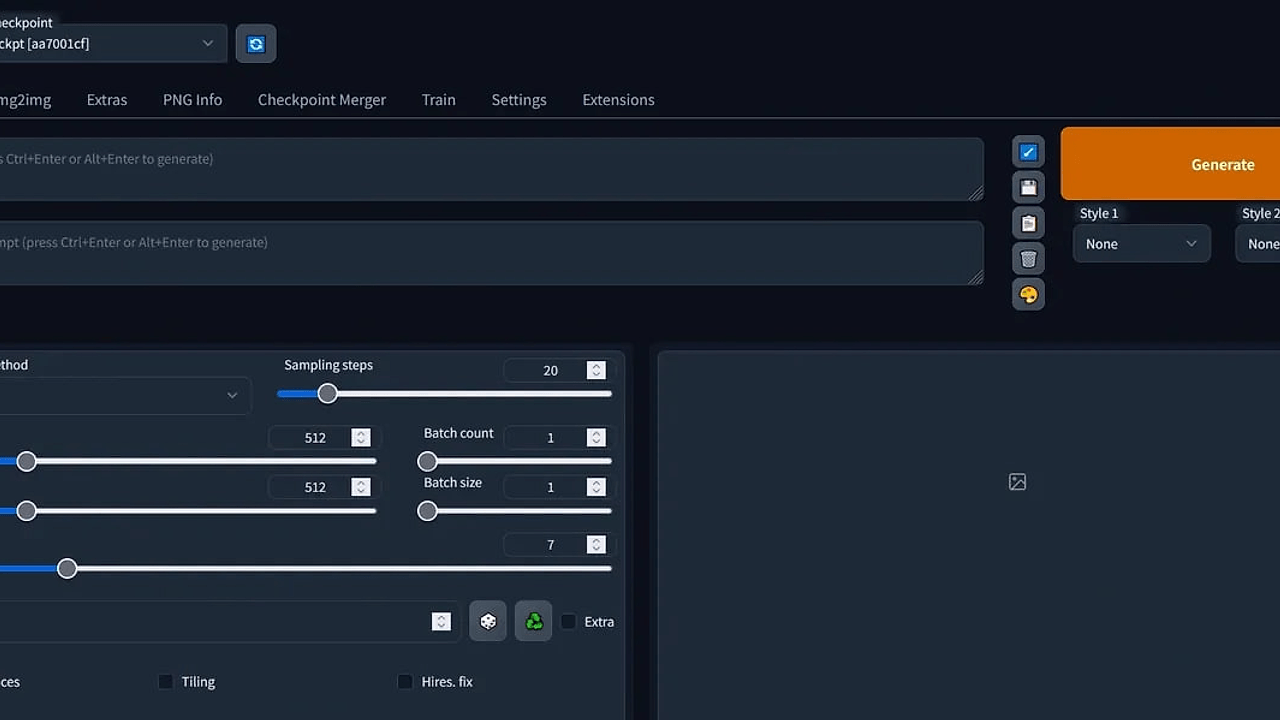
- Massive LoRA and fine-tune ecosystem via community model hubs
- Runs through any major interface (ComfyUI, AUTOMATIC1111, Forge, Draw Things)
- SDXL: CreativeML Open RAIL-M license, no revenue cap
- SD3.5: Stability AI Community License, free commercially under $1M annual revenue
- Full offline capability once installed — no ongoing per-image fee
Hardware: SDXL runs on 8GB of VRAM; SD3.5 wants 8-12GB for reasonable generation speed. Below that, expect CPU fallback and multi-minute generation times that aren't practical for real work.
Pricing: free, self-hosted (GPU compute is the only ongoing cost). Stable Diffusion also has a browser-based option if you want to test it before committing to local setup — see Stable Diffusion Web.
Best for: readers who want the deepest customization — fine-tuning a model on their own style or subject — and don't mind the largest of the three setups covered here.
Not ideal for: readers who want the newest model architecture; SD3.5 (October 2024) is now the older of the two current-generation options in this comparison.
2. Flux Klein — Best for Speed and a Clean Commercial License
Flux is Black Forest Labs' model family, built by former Stability AI researchers, and Klein is the newer, lighter variant designed for fast local generation rather than server-scale deployment.

- Sub-second generation on well-matched hardware
- Runs on a single consumer GPU (RTX 3090/4070-class)
- Quantized FP8 and NVFP4 versions cut VRAM needs further — up to roughly 55% less memory than the standard version
- Apache 2.0 license on the 4B variant, confirmed on Black Forest Labs' own announcement — no revenue cap, no separate commercial agreement needed
- Compatible with ComfyUI
Hardware: roughly 13GB of VRAM for the standard 4B model; the quantized variants bring that down meaningfully for lower-end GPUs.
Pricing: free to download and run (Apache 2.0). The larger Flux Dev and 9B Klein models are also free to download and experiment with, but Black Forest Labs requires a separate paid agreement before their output can be used commercially — the 4B Klein model is the one that's actually free for commercial use without that extra step.
Best for: readers who want the cleanest commercial license of any model in this comparison and a GPU that isn't top-of-the-line.
Not ideal for: readers chasing the absolute highest output quality Flux can produce — that ceiling belongs to the larger Dev and 9B models, which come with the licensing catch above.
3. PixArt-Σ — Best for Lower-VRAM Hardware
PixArt-Σ is a lighter-weight diffusion transformer model built specifically to be efficient — it's the option worth knowing about if your GPU doesn't clear the 12-13GB threshold the other two models are most comfortable at.

- Efficient architecture designed for lower VRAM footprints
- Supports up to 4K resolution output
- Runs through community-built ComfyUI and Docker setups
- Openly published weights and training code
Hardware: roughly 8GB of VRAM — the most accessible entry point of the three models here.
Pricing: free to download and run. [VERIFY: PixArt-Σ's own model card describes it as "intended for research purposes only" under the CreativeML Open RAIL++-M license, with no explicit commercial-use clause in the documentation — confirm directly against the license file before using output commercially. Note the code repository itself is separately Apache 2.0 licensed, which covers the code but not necessarily the trained model weights.]
Best for: readers with an older or lower-VRAM GPU who still want a genuinely open model rather than a cloud-only option.
Not ideal for: readers who need clear, unambiguous commercial licensing without reading the fine print themselves — Flux Klein 4B is the safer pick on that specific point.
Hardware Reality Check — What You Actually Need
8GB of VRAM is the realistic floor for any of these models at usable speed. 12-13GB is the comfort zone where newer models like SD3.5 and Flux Klein run without compromise. Below 8GB, or on integrated graphics with no dedicated GPU, generation either fails outright or falls back to CPU mode — where a single image can take several minutes, which isn't practical for real work.
If you don't own a capable GPU, that doesn't rule out these models. Cloud GPU rental services let you run the exact same open weights on someone else's hardware for a per-hour or per-generation fee — no upfront hardware purchase, though the ongoing cost adds up differently than a one-time GPU buy. If a hosted tool sounds easier than any of this, the full list of AI image generation tools on YourAiFinder covers the paid and free-tier alternatives side by side.
Licensing — Can You Actually Sell What You Make?
This is the detail most "open source AI image generator" roundups skip entirely, and it's the one that actually matters if you plan to use the output professionally. "Open source" or "open weight" describes how the model is distributed — publicly downloadable — not whether you're allowed to sell what you generate with it. Those are two separate questions with two separate answers per model.
SDXL and Flux Klein 4B are both genuinely free for commercial use with no revenue cap. SD3.5 is free commercially only under Stability AI's Community License, which sets the threshold at $1M annual revenue. Flux's larger Dev and 9B models are non-commercial by default and require a separate paid license from Black Forest Labs before you can sell anything made with them. If you're a freelancer or business figuring out the broader legal picture beyond just these models, our full guide to selling AI-generated images legally covers the platform-by-platform breakdown in more depth than fits here.
Frequently Asked Questions
Is Stable Diffusion still free to use commercially? Yes. SDXL uses the CreativeML Open RAIL-M license with no revenue cap. SD3.5 falls under the Stability AI Community License, which is free for commercial use as long as you or your organization earn under $1M in annual revenue — above that, an Enterprise License is required.
What GPU do I need to run Stable Diffusion or Flux locally? 8GB of VRAM is the practical minimum for SDXL or PixArt-Σ. Flux Klein 4B is more comfortable around 13GB, though its quantized FP8 and NVFP4 versions reduce that requirement meaningfully. Below 8GB, expect CPU fallback and generation times measured in minutes rather than seconds.
Can I use open-source AI images for commercial projects? It depends on the specific model, not the fact that it's open source. SDXL and Flux Klein 4B are commercially clear with no extra steps. SD3.5 requires staying under the $1M revenue threshold. Flux's larger Dev and 9B models require a separate paid commercial license from Black Forest Labs even though the weights are publicly downloadable.
Is there a way to run open source image models without buying a GPU? Yes. Cloud GPU rental services let you run the same open-weight models — Stable Diffusion, Flux, or PixArt-Σ — on rented hardware for a per-use fee, which removes the upfront GPU cost entirely in exchange for an ongoing per-session charge.
Final Verdict
If you're starting from zero today, Flux Klein 4B is the one to try first — it's fast, runs on a single consumer GPU, and the Apache 2.0 license means you don't need to think about commercial rights again once you're running it. If you want the deepest fine-tuning ecosystem and don't mind a bigger setup, Stable Diffusion is still unmatched on community models and LoRAs. And if the GPU is the blocker, not the model, cloud rental gets you generating today without a hardware purchase.
Self-hosting isn't free in the way "open source" makes it sound — the GPU is a real cost, and the license terms genuinely differ by model. Match the model to what you actually need it to do, not to which one shows up first in a search result.
Self-hosting is just one of several reasons people move off Midjourney — if cost, licensing, or the Discord-first workflow are also part of your decision, our full Midjourney alternatives roundup organizes every option by the specific reason you're switching.