Tableau vs Power BI for Small Business: Worth It in 2026?

On this page9 sections
- Tableau vs Power BI: Head-to-Head
- What Is Power BI?
- What Is Tableau?
- Feature-by-Feature Breakdown
- Pricing and the Real Cost of Seats
- Free Tier vs Free Trial
- Ease of Setup for a Small, Non-Technical Team
- Visualization and Customization Depth
- Tableau vs Power BI Pricing Breakdown for Small Business
- Who Should Choose Power BI
- Who Should Choose Tableau
- Frequently Asked Questions
- Our Verdict
Winner overall: Microsoft Power BI — about 5x cheaper per seat, no permanent minimum seat cost, and a genuine free tier to start on. Winner for budget: Power BI, hands down. Winner for beginners: Power BI, thanks to its Excel-like learning curve. Tableau only pulls ahead if advanced, highly custom visualization is a hard requirement for your team.
- Power BI Pro costs $14/user/month (raised from $10 on April 1, 2025); Tableau Creator costs about $75/user/month — roughly 5x more per seat
- Tableau has no permanent free tier, only a 14-day trial; Power BI has a genuine free tier for solo use
- Every Tableau deployment requires at least one Creator license before cheaper Explorer or Viewer seats can be added, per Tableau's own licensing documentation
- Power BI wins on cost and ease of adoption, especially for teams already on Microsoft 365
- Tableau still wins when advanced, highly custom visualizations are a genuine business requirement, not a nice-to-have
Tableau vs Power BI for Small Business: Worth It in 2026?
If you're a small business trying to decide between Tableau and Microsoft Power BI, the honest answer is: for most small teams, Power BI wins on price by a wide margin, and that's usually the deciding factor.
Power BI Pro runs $14/user/month. Tableau Creator runs about $75/user/month — roughly 5x more per seat. For a 5-person team, that's the difference between $70/month and $375/month, before you even factor in Tableau's licensing structure for viewers and explorers.
This isn't a "it depends" situation for most readers. It's a straight budget call — and this guide walks through exactly where the money goes for each tool, so you can see if there's a reason to pay Tableau's premium.
Tableau vs Power BI: Head-to-Head
| Criteria | Power BI | Tableau |
|---|---|---|
| Starting paid price | $14/user/mo (Pro) | $75/user/mo (Creator) |
| Free plan | Yes — permanent, solo use | No — 14-day trial only |
| Seat minimums | None | At least 1 Creator license required per deployment |
| Ease of use for non-technical teams | Excel-like, gentle learning curve | Steeper, more powerful builder |
| Visualization depth | Solid, more rigid | Advanced, highly customizable |
| Microsoft/Excel integration | Native — Excel, Teams, Azure | Third-party connectors only |
Power BI wins on cost and accessibility across the board. Tableau's one clear edge is visualization depth — which matters a lot if your business genuinely needs it, and not at all if it doesn't.
What Is Power BI?
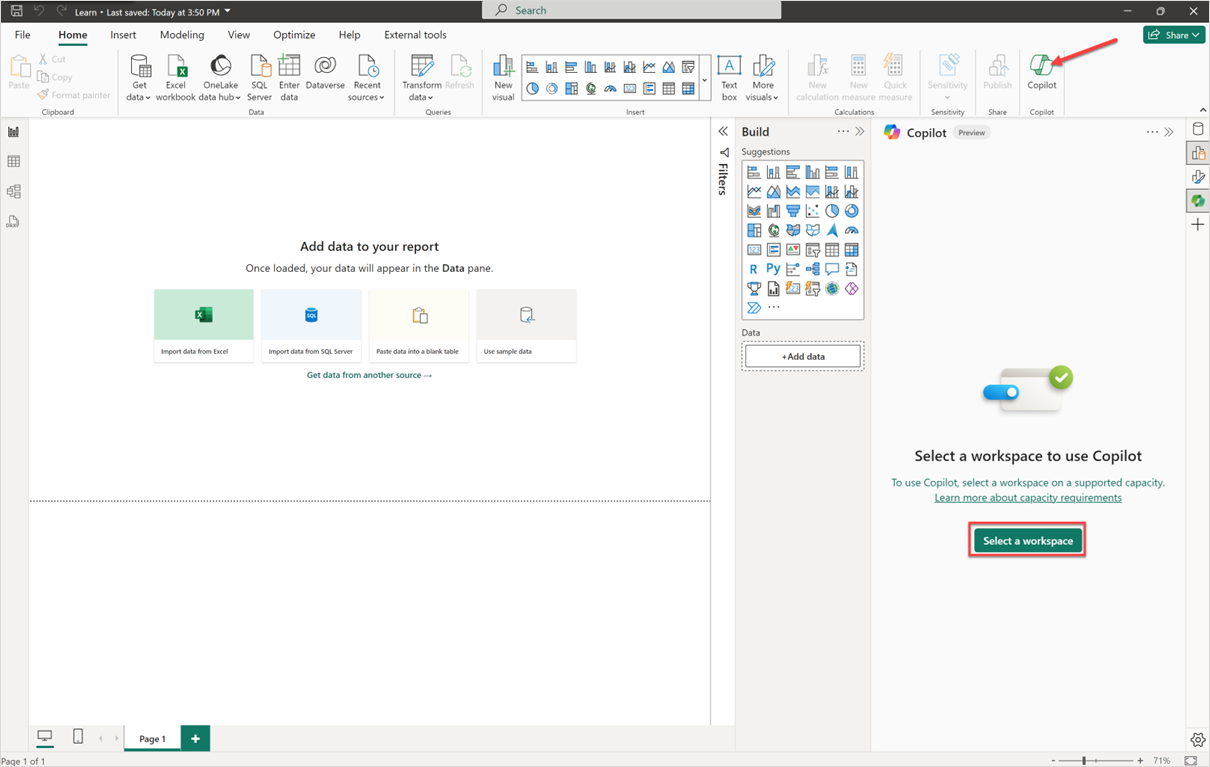
Power BI is Microsoft's business intelligence platform for turning spreadsheets and databases into interactive dashboards. It plugs directly into Excel, Teams, and Azure, and now ships Copilot AI features for generating report narratives and answering questions in plain English.
What Is Tableau?
Tableau is an enterprise-grade visualization platform built for drag-and-drop dashboard creation, live data connections, and Salesforce integration. Its AI layer, Tableau Pulse, pushes automated performance summaries to Salesforce-heavy sales and revenue teams.

Feature-by-Feature Breakdown
Pricing and the Real Cost of Seats
Power BI Pro is $14/user/month with no minimum seat count — you can license exactly the number of people who need access, confirmed on Microsoft's own Power BI pricing page [OPEN IN NEW TAB]. Tableau Creator is about $75/user/month, and every deployment needs at least one Creator license before you can add cheaper Explorer or Viewer seats, per Tableau's own licensing documentation [OPEN IN NEW TAB].
Verdict: Power BI. Even before you factor in seat minimums, Power BI is roughly 5x cheaper per license.
Free Tier vs Free Trial
Power BI's free tier is permanent — you can build and use reports for yourself indefinitely at no cost, though private sharing requires a Pro seat. Tableau offers a 14-day free trial and nothing beyond that; once it ends, you're paying or you're locked out.
Verdict: Power BI. A real free tier beats a trial clock every time you're testing a tool on a limited budget.
Ease of Setup for a Small, Non-Technical Team
Power BI's interface leans on concepts Excel users already know — rows, columns, formulas (DAX instead of Excel formulas, but conceptually similar). Tableau's drag-and-drop builder is genuinely well designed, but it's built for people who'll spend real time mastering it, not for someone squeezing dashboard-building between other jobs.
Verdict: Power BI, with a caveat — Tableau isn't hard to use, it's just more tool than most 3-10 person teams need.
Visualization and Customization Depth
This is where Tableau earns its price tag. Its chart library and customization options go deeper than Power BI's, and it's the reason data teams at larger companies keep choosing it. Power BI's visuals are solid and cover the vast majority of small-business reporting needs, but they're comparatively more rigid.
Verdict: Tableau.
Tableau vs Power BI Pricing Breakdown for Small Business
| Tool | Plan | Price | What You Get |
|---|---|---|---|
| Power BI | Free | $0 | Solo report building, public "Publish to Web" sharing only |
| Power BI | Pro | $14/user/mo | Private sharing, collaboration, 1 GB datasets |
| Power BI | Premium Per User | $24/user/mo | Larger datasets, AI features, paginated reports |
| Tableau | Viewer | $15/user/mo | View and interact with published dashboards only |
| Tableau | Explorer | $42/user/mo | Web authoring and dashboard editing |
| Tableau | Creator | $75/user/mo | Full desktop authoring, data prep, and publishing |
For a 5-person small business where everyone needs to both build and view dashboards, Power BI Pro runs about $70/month total. The equivalent Tableau setup — assuming at least one Creator plus a mix of Explorer and Viewer seats — typically lands well over $200/month once the required Creator license and any seat minimums are factored in.
Who Should Choose Power BI
- Your team already runs on Microsoft 365 or lives in Excel daily
- You're budget-constrained and have 3-15 people who need access
- You want to get a dashboard running without hiring a dedicated analyst
- You want a real free tier to test before committing any budget
If even Power BI's $14/seat feels like more than you want to commit to right now, Zoho Analytics' free plan allows 2 users to collaborate privately at no cost — something neither Power BI nor Tableau offers for free.
Who Should Choose Tableau
- Polished, highly custom visualization is a client-facing or leadership requirement, not a preference
- Your team is split across Mac and Windows and needs one tool that works well on both
- Your budget genuinely supports $75+/user/month without strain
- You already run Salesforce data and want native Tableau Pulse integration
If neither profile fits cleanly, browse the rest of the AI Data and Analytics category for other BI options.
Frequently Asked Questions
Is Power BI or Tableau better for small business?
Power BI, for most small teams — it's roughly 5x cheaper per seat, has no seat minimums, and includes a genuine free tier. Tableau only makes sense when advanced custom visualization is a hard requirement.
Does Tableau have a free plan?
No. Tableau offers a 14-day free trial only — there's no permanent free tier the way Power BI has one.
How much does Power BI cost per month?
Power BI Pro is $14/user/month as of the April 2025 price increase (up from $10). A permanent free tier also exists for solo use with public-sharing-only limits.
Why is Tableau so expensive for small business?
Tableau Creator runs about $75/user/month, roughly 5x Power BI Pro's price, and every deployment requires at least one Creator license before cheaper Explorer or Viewer seats can be added — which adds cost on top of the per-seat price for a team just starting out.
Our Verdict
For the vast majority of small businesses reading this, Power BI is the right call — it's dramatically cheaper, easier for a non-technical team to pick up, and has a free tier that lets you test the waters before spending anything. Tableau earns its price tag only when visualization quality is a genuine, non-negotiable requirement — a client-facing agency, for instance, where the dashboard itself is part of the product.
If you land on Power BI, don't stop here — our breakdown of Power BI's free vs Pro plan limits covers exactly what you get at each tier before you commit budget. And if you want to see how both tools stack up against the rest of the field, our full comparison of the best AI data analytics tools breaks down where each one fits.