Best AI Data Analytics Tools in 2026 (Free & Paid)

On this page6 sections
- Quick Comparison of the Best AI Data Analytics Tools
- No-Code AI Analysts — Ask Your Data Questions in Plain English
- 1. Julius AI — Best for Non-Coders and Freelancers
- 2. Anomaly AI — Best for Freelancers and Consultants Doing Client Reporting
- Traditional BI Platforms — Built for Dashboards and Teams
- 3. Microsoft Power BI — Best for the Microsoft Ecosystem
- 4. Metabase — Best Fully Free Option
- 5. Zoho Analytics — Best Value for Small Business
- 6. Tableau — Best for Enterprise-Grade Dashboards
- How to Choose the Right AI Data Analytics Tool
- Frequently Asked Questions
- Final Verdict
Julius AI is the best overall pick if you want to ask your data a question in plain English with zero coding. Want something completely free? Metabase is open-source and self-hosted with no user cap. Anomaly AI is the easiest starting point if you're a freelancer or consultant producing recurring client reports. Zoho Analytics gives you the most for free if you want an AI assistant baked in.
- There are two completely different kinds of "AI data analytics tool" — no-code AI analysts you chat with, and traditional BI platforms with AI features added on top
- Six tools are worth trying in 2026, each ranked by who actually fits them, not by who paid to be listed
- Real free-plan numbers matter more than the words "free plan" — this article lists exact credits, row caps, and seat limits
- Solo freelancers and small teams need very different tools than enterprises, and pretending otherwise wastes your time and money
- Every pick includes an honest "not ideal for" line, which most vendor-written roundups leave out about their own product
Best AI Data Analytics Tools in 2026 (Free & Paid)
Search "best AI data analytics tools" right now and nearly every result on page one is written by a company ranking its own product first. Domo's list puts Domo on top. camelAI's list puts camelAI on top.
Tellius, Zerve, Zoho — same pattern, every time. None of them are wrong exactly, but none of them are neutral either.
Here's the honest version. If you just want to ask your spreadsheet a question in plain English, Julius AI is the best starting point. If you want a real dashboard and your budget is zero, Metabase does the job with no catch.
Everything below is split into two groups — no-code AI analysts you talk to, and traditional BI platforms you build dashboards in — because lumping them together is exactly what makes most "best of" lists useless.
Quick Comparison of the Best AI Data Analytics Tools
| Tool | Best For | Free Plan | Price (USD/mo) | Rating |
|---|---|---|---|---|
| Julius AI | Non-coders, freelancers | Yes — 15 msgs/mo | $35–$45 | 4.5/5 |
| Anomaly AI | Freelancers, consultants, client reporting | Yes — 60 credits/mo | $0–$25+ | 4.2/5 |
| Microsoft Power BI | Microsoft 365 teams | Yes — Desktop app | $14–$24/user | 4.4/5 |
| Metabase | Fully free, self-hosted | Yes — unlimited users | $0–$90+ | 4.3/5 |
| Zoho Analytics | Small business value | Yes — 2 users, 10K rows | $30–$145 | 4.2/5 |
| Tableau | Enterprise dashboards | No | $15–$75/user | 4.5/5 |
Start with Julius AI if the table above already answered your question — here's exactly what it does and where it falls short.
No-Code AI Analysts — Ask Your Data Questions in Plain English
These tools skip dashboards entirely. You upload a file or connect a data source, type a question the way you'd ask a coworker, and get a chart, table, or number back.
1. Julius AI — Best for Non-Coders and Freelancers
Julius AI is an AI-powered data analyst that answers questions about your data in plain English — no SQL, no Python, no dashboard-building required.
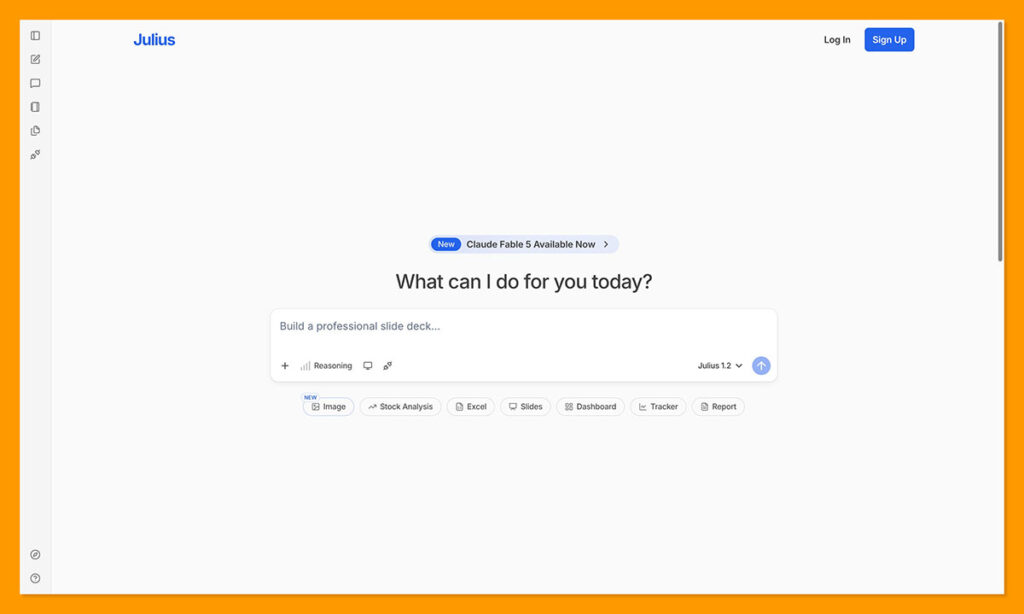
What makes it stand out is how little setup it needs. Upload a CSV or connect a database, type "which product had the highest churn last quarter," and it hands back a chart with the reasoning attached instead of a black-box number. For a freelancer juggling client spreadsheets, that's the entire point — speed over configuration. For the exact process from export to first answer, see our step-by-step guide to analyzing a CSV file with AI.
Key features:
- Natural language queries
- Automated chart generation
- Database integration (Snowflake, BigQuery)
- Statistical testing
- Google Sheets sync
Pricing: Free (15 messages/month) | Plus $35/month (250 messages) | Pro $45/month (unlimited messages, 32GB RAM)
Best for: Freelancers and solo analysts who want fast answers from a spreadsheet without writing a single line of code.
Not ideal for: Data scientists who need custom ML pipelines, hyperparameter tuning, or full statistical modeling control — Julius is built for descriptive answers, not model building.
Explore Julius AI's full feature set and pricing on the Julius AI tool page.
2. Anomaly AI — Best for Freelancers and Consultants Doing Client Reporting
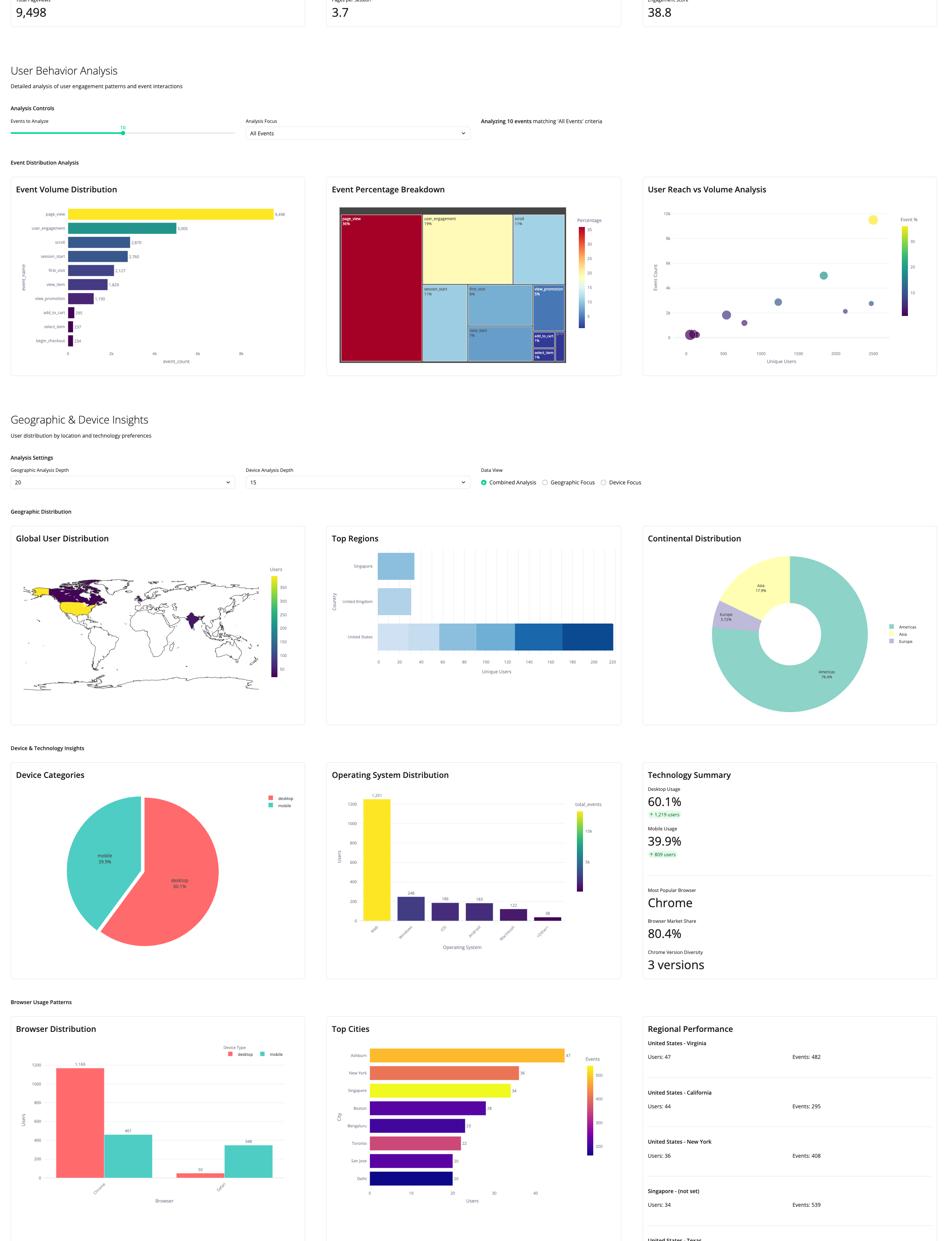
Anomaly AI is an AI data analyst workspace that turns Excel, CSV, GA4, ad platform, and warehouse data into traceable dashboards, Excel reports, PowerPoint slides, and scheduled reports.
The standout feature is that every number it produces is source-traceable — you can see exactly which rows and calculations built a chart, instead of trusting a black box. For a consultant billing clients for recurring deliverables, that auditability is what makes the output defensible.
Key features:
- Natural language data queries
- Automated data cleaning and outlier detection
- Excel, PowerPoint, and PDF report generation
- Scheduled automated reporting
- GA4 and ad account reporting (Google, Meta, TikTok)
Pricing: Free (60 credits/month, about 8 dashboards, all data sources included) | Pro $25/month (1,000 credits/month, shareable dashboards, auto scheduling) | Team $45/seat/month (2,000 credits/seat, minimum 2 seats)
Best for: Marketing analysts, consultants, and freelancers who need to turn client data into presentable, recurring reports without manual spreadsheet work.
Not ideal for: Teams needing real-time streaming or sub-minute alerting — Anomaly AI is built for batch and scheduled analysis, not live monitoring.
See how Anomaly AI compares on the Anomaly AI tool page. For the exact process, see our step-by-step guide to building a dashboard with AI.
Traditional BI Platforms — Built for Dashboards and Teams
These platforms exist to build and distribute dashboards, not just answer one-off questions. AI features sit on top of a real reporting layer.
3. Microsoft Power BI — Best for the Microsoft Ecosystem
Power BI is Microsoft's business intelligence platform for turning raw data into interactive reports, with Copilot AI layered in for natural-language report building.
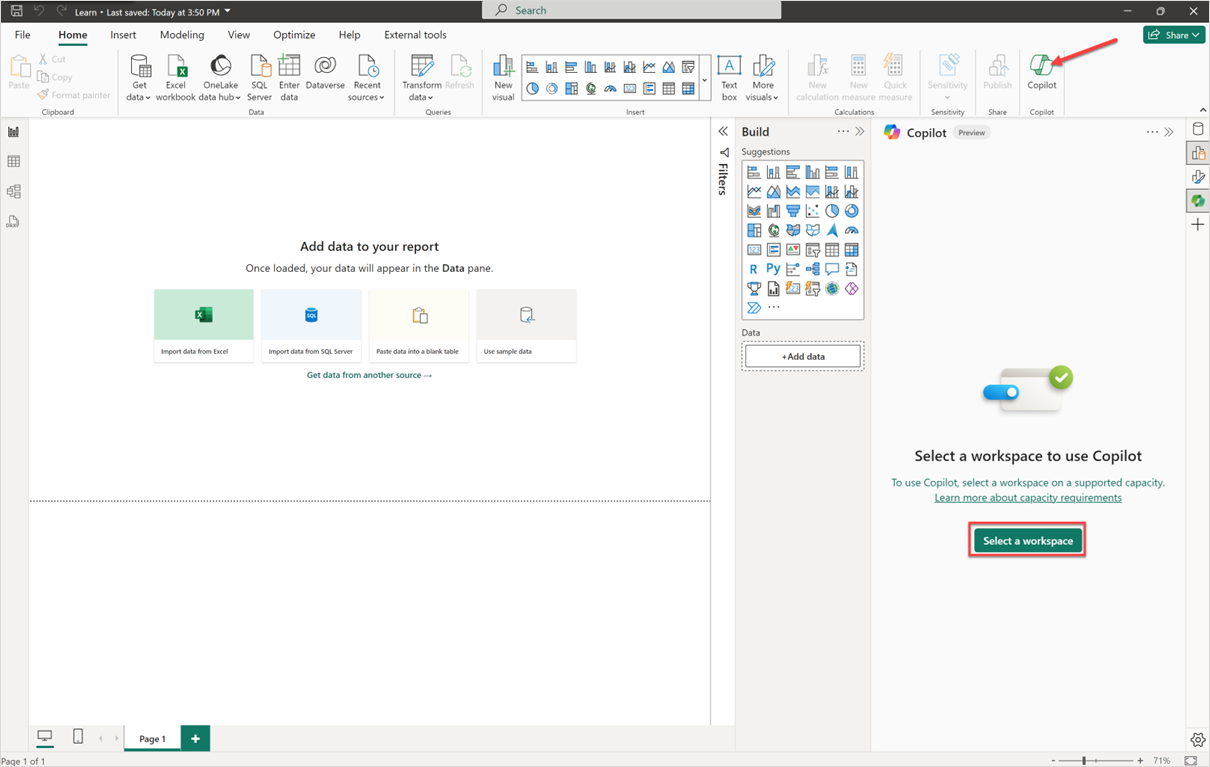
If your company already runs on Microsoft 365, Power BI's advantage isn't really its AI — it's that it plugs directly into Excel, Teams, and SharePoint without adding a new vendor relationship or a separate login for your team to manage.
Key features:
- Copilot AI for reports
- Natural language Q&A
- Excel connectivity
- Teams-embedded reports
- Scheduled refresh
Pricing: Free (Desktop app, personal use, limited sharing) | Pro $14/user/month, billed yearly (full collaboration) | Premium Per User $24/user/month, billed yearly (AI features, larger datasets). According to Microsoft's own Power BI pricing page [OPEN IN NEW TAB], Power BI Desktop remains free to download for individual report-building with no monthly fee.
Best for: Teams already inside the Microsoft ecosystem who want dashboards without onboarding another platform.
Not ideal for: Freelancers outside Microsoft's world who don't want to learn DAX just to build a report — the learning curve is real.
Full pricing breakdown on the Power BI tool page.
4. Metabase — Best Fully Free Option
Metabase is an open-source business intelligence platform built so anyone can ask questions of data without knowing SQL — and its self-hosted edition costs nothing, with no user limit.
The catch with most "free" BI tools is a hidden seat cap. Metabase's open-source tier has none — the whole company can explore data at once, provided someone is willing to self-host it.
Key features:
- No-code visual query builder
- Metabot AI natural language
- Open-source self-hosting
- 20+ database connectors
- Interactive dashboards
Pricing: Open Source $0 (self-hosted, unlimited users) | Starter $90/month (managed cloud, first 5 users included, +$6/user after) | Pro $517.50/month (first 10 users included, +$12/user after, SSO and audit logs). Metabase's own pricing page [OPEN IN NEW TAB] confirms the Open Source plan has no user cap — "Free unlimited users" is the platform's own wording.
Best for: Startups and small teams that want the whole company exploring data without submitting tickets to a data team.
Not ideal for: Large enterprises needing heavy governance, fine-grained role hierarchies, or enterprise SSO — those live behind the paid tiers.
Compare Metabase's tiers on the Metabase tool page.
5. Zoho Analytics — Best Value for Small Business
Zoho Analytics is a GenAI-powered self-service BI platform with over 500 data source integrations and a built-in AI assistant called Ask Zia, aimed at small and mid-market teams.
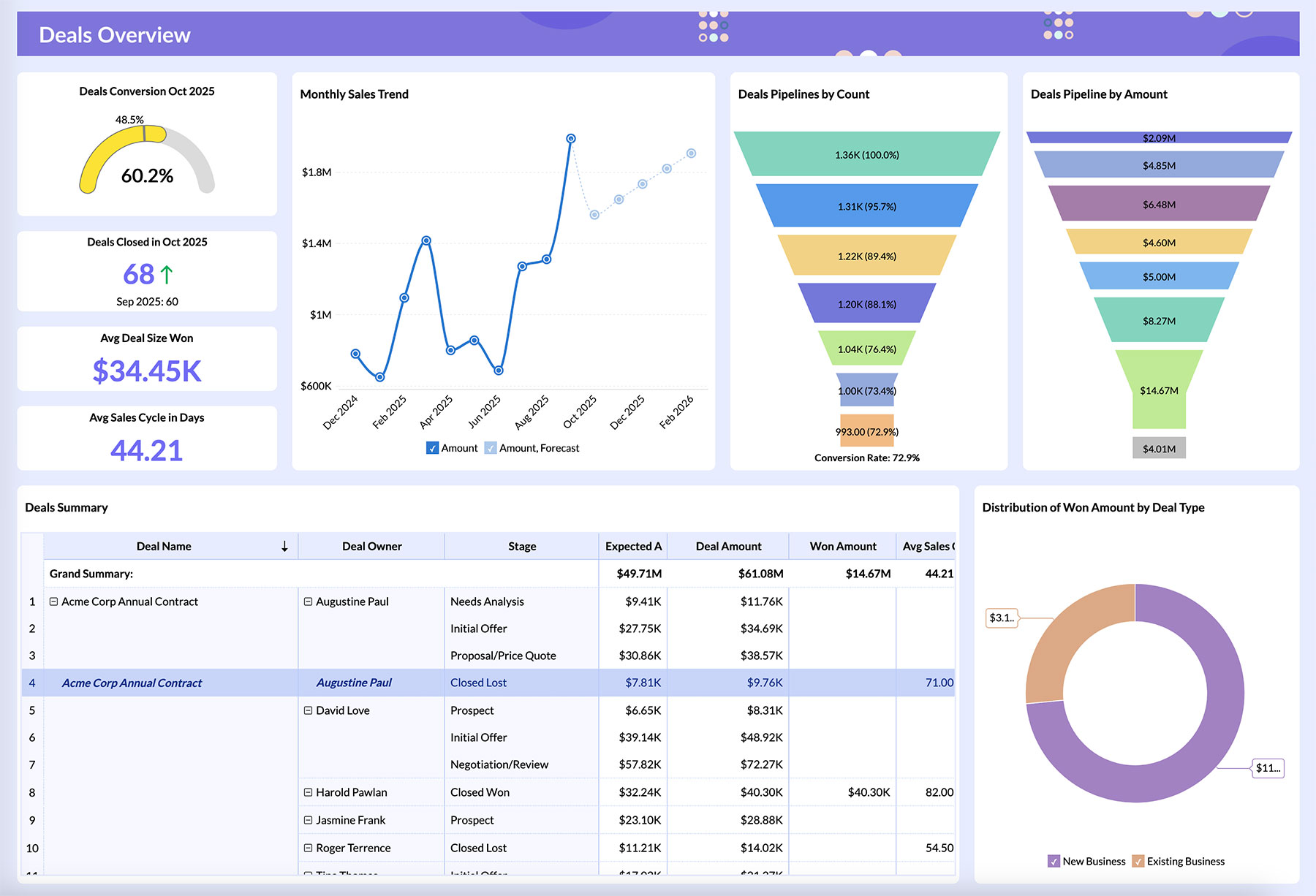
What makes it worth a look is how much sits inside the free tier — two users and 10,000 rows with unlimited dashboards, plus the AI assistant included rather than gated behind a higher plan. For anyone already running Zoho CRM or Zoho Books, setup is close to instant.
Key features:
- Ask Zia AI assistant
- 500+ data source connectors
- AI data preparation
- Predictive analytics
- Anomaly detection
Pricing: Free (2 users, 10,000 rows) | Basic $30/month | Standard $60/month | Premium $145/month
Best for: Small businesses already inside the Zoho ecosystem who want affordable, self-service dashboards without per-seat pricing shock.
Not ideal for: Teams with datasets above 10 million rows — performance drops noticeably at that scale, even on the Enterprise plan.
Full breakdown on the Zoho Analytics tool page, or see our full Zoho Analytics free plan limits explained for the exact row and user caps.
6. Tableau — Best for Enterprise-Grade Dashboards
Tableau is the enterprise-grade data visualization platform most people picture when they hear "BI tool" — interactive dashboards built for distribution across hundreds of users, with AI-powered Tableau Pulse layered in for automated summaries.

Tableau earns its reputation on visualization depth and live-data handling, not on being cheap or quick to learn. Teams that have outgrown Metabase or Power BI's ceiling tend to land here next.
Key features:
- Drag-and-drop dashboard builder
- AI-powered Tableau Pulse
- Live data connections
- Salesforce integration
- Row-level security
Pricing: Viewer $15/user/month | Explorer $42/user/month | Creator $75/user/month
Best for: Teams that have outgrown no-code tools and need governed, org-wide dashboard distribution.
Not ideal for: Solo freelancers or small teams on a tight budget — per-seat pricing adds up fast, and there's no meaningful free tier. For the full small-business cost breakdown against Power BI, see our Tableau vs Power BI for small business comparison.
Check current pricing on the Tableau tool page.
How to Choose the Right AI Data Analytics Tool
If you're a solo freelancer with no technical background, start with Julius AI for fast plain-English answers, or Anomaly AI if you need to turn that analysis into a recurring client report. If your budget is genuinely zero and you're comfortable self-hosting, Metabase gives you everything without a seat cap.
Already paying for Microsoft 365? Power BI is the path of least resistance. Running a small business on Zoho's other apps? Zoho Analytics is the obvious add-on. Only reach for Tableau once you've actually outgrown the no-code options — most freelancers and small teams never do. If free is the only budget you have to work with, see our roundup of the best free AI tools to analyze Excel data without coding for a narrower, Excel-specific shortlist.
Whatever you pick, it's one piece of a broader stack — pair it with the right AI productivity tools for scheduling, docs, and reporting, and the analysis work stops being the bottleneck.
Frequently Asked Questions
What is the best AI tool for data analysis? It depends on who's asking. Julius AI is the best pick for non-coders who want plain-English answers, Power BI is best for teams already on Microsoft 365, and Tableau is best once you need enterprise-grade, org-wide dashboards.
Can I do data analysis with AI for free? Yes. Power BI Desktop, Metabase's open-source edition, and Julius AI's free tier (15 messages/month) all offer genuine free usage with no credit card required.
What AI tool is best for non-coders to analyze data? Julius AI is built specifically for plain-English queries — type a question, get a chart or number back, with zero SQL or Python involved. Anomaly AI works the same way but is aimed at turning those answers into shareable client reports.
Is Power BI actually free to use? The Power BI Desktop app is free for individual use and report-building. The paid Pro tier ($14/user/month, billed yearly) is required once you need to share reports or collaborate with a team. See our full breakdown of Power BI's free vs Pro plan limits for the complete picture.
What's the difference between a BI tool and an AI data analyst tool? BI tools like Tableau, Power BI, and Looker are dashboard-building platforms — you design and publish reports. AI data analyst tools like Julius AI skip the dashboard step entirely: you type a question in plain English and get an instant answer. Tools like Anomaly AI sit in between — they still produce a dashboard or report, but generate it automatically instead of requiring manual configuration.
Final Verdict
If you're starting from a spreadsheet with no technical background, Julius AI is the fastest path to a real answer — it's the tool I'd point a freelancer to first. If the budget has to be zero and someone on the team can self-host, Metabase is the honest free option, not a trial dressed up as one. And if you're already paying for Microsoft 365, don't add another vendor — Power BI's free desktop app already covers most solo and small-team needs.