Best AI Sprite Generator for Pixel Art Games in 2026

PixelLab is the pick if you want a tool built specifically for pixel art with real Aseprite support. Sprixen wins if you're generating a full cast of characters that need to look related. Scenario has the most usable free tier — 50 daily credits, no card required. And Sprite Fusion is the one to grab if you need output sized correctly for Godot, Unity, or GameMaker without a cleanup step.
- General-purpose generators like Leonardo AI can produce pixel-art-style images, but only tools with a reference-lock or style-lock feature reliably keep a character consistent across a full walk cycle or sprite sheet
- Free-tier credits aren't comparable at face value — Scenario's 50 daily credits and a 15-total-generation free plan sound similar but aren't even close; know the real number before you commit
- Steam now requires disclosure of AI-generated content, and fully AI-generated assets carry no copyright protection of their own — worth knowing before you build a commercial game around one
- Most of these tools export plain PNGs only. If you need native Godot, Unity, or GameMaker sprite sheet formats, that narrows the field fast
Most "best AI sprite generator" roundups right now are published by one of the tools they're ranking — a little like asking a car salesman to compare cars. None lead with the thing that actually breaks AI sprite generation: a character that looks different from frame to frame of its own walk cycle.
Here's the honest version. PixelLab wins if pixel art specifically is your thing and you want a real Aseprite plugin. Sprixen wins if you're managing a full cast of characters that need to visually belong together.
Scenario has the best free tier of the group, and every price below is checked against the vendor's own live pricing page, not recycled from another blog.
Quick Comparison at a Glance
| Tool | Best For | Free Plan | Price (USD/mo) | Rating |
|---|---|---|---|---|
| PixelLab | Pixel art specialist + Aseprite integration | Yes (free trial, no card) | Free / $12-50 | — |
| Sprixen | Style-locked consistency across a full cast | Yes (6 free credits) | Free / $10+ | — |
| Scenario | Most usable free tier + custom-trained studio style | Yes (50 daily credits, no card) | Free / $15-75 | — |
| Ludo | All-in-one — sprites plus every other game asset | Yes (30 credits, no card) | Free / $20+ | — |
| Sprite Fusion | Native Godot/Unity/GameMaker export | Yes (free tier) | Free / paid tiers [VERIFY: exact price not published at research time] | — |
None of these five tools have a dedicated listing page on this site yet, so there's no user rating to show — we're not going to invent one.
If you only care about one thing, jump to the consistency question below. It's the deciding factor for most people picking a sprite tool, more than style options or price.
The Best AI Sprite Generators — Our Picks
1. PixelLab — Best for Pixel Art Specifically
PixelLab is built only for pixel art game assets — not general image generation with a pixel filter slapped on top.

What makes it stand out: it adapts to reference images to hold a character's proportions and palette consistent across animations, and its Aseprite plugin means output drops straight into the editor most pixel artists already use for cleanup and tile work. That second part matters more than it sounds — a lot of "AI sprite" output from general tools needs manual re-editing before it's usable, and PixelLab is built to skip that step.
- Text-prompt and skeleton-based animation
- Reference-image style matching for consistency
- Walking, running, attacking animation presets
- Aseprite plugin
- API access for pipeline automation
Pricing: free trial with no card required, then $12/mo for 2,000 images up to a $50/mo Architect tier for 10,000 images.
Best for: solo pixel artists and small teams who want output that goes directly into Aseprite.
Not ideal for: readers who need native game-engine sprite-sheet export formats beyond PNG — that's Sprite Fusion's job.
2. Sprixen — Best for a Consistent Cast of Characters
Sprixen's whole pitch is a feature called Style Lock, applied per project, that enforces palette, resolution, and proportions across everything you generate in it.

Generate a hero character, then enemies, items, and tilesets, and Style Lock keeps them visually related instead of each one looking like it came from a different artist. That's the specific failure point most competing tools don't actually solve — a lot of "AI sprite generators" nail a single great character and then drift the moment you ask for a second one.
- Style Lock per project (palette, resolution, proportions)
- Native Godot, Unity, GameMaker, and RPG Maker export
- Batch generation
- Tileset generation
Pricing: 6 free credits, then $10+/mo.
Best for: developers building a full game with multiple characters and enemy types that need to look like they belong in the same world.
Not ideal for: one-off, single-character projects where project-wide style enforcement isn't really needed.
3. Scenario — Best Free Tier and Custom-Trained Studio Style
Scenario started as a game-dev tool and has since broadened into general creative production — but the game-dev roots still show in its Unity and Unreal-oriented workflows.

Two things make it worth a look here: 50 free daily credits with no card required is the most usable free tier of any tool in this list, and its Pro-tier custom model (LoRA) training lets a studio match generated output to an existing house style instead of fighting a generic model every time.
- 50 daily free credits
- Custom LoRA model training (Pro tier)
- Unity and Unreal-oriented workflows
- Supports images, video, 3D, and audio
- Team seats up to 25 on the Max tier
Pricing: free (50 credits/day), Starter $15/mo (1,500 credits), Pro $45/mo (5,000 credits, custom training), Max $75/mo (10,000 credits, 25 seats) — per Scenario's official pricing page. One competing comparison article has this listed at $45-125/mo, which is off by a meaningful margin.
Best for: readers who want to seriously test sprite generation before paying anything, or studios that want a trained house style.
Not ideal for: readers who specifically want a pixel-art-only tool — Scenario's scope has grown well past just game sprites.
4. Ludo — Best All-in-One for Sprites Plus Every Other Game Asset
Ludo covers 30+ art styles, including 8-bit through Hi-Bit pixel art, with a dedicated low-res animation model built for exactly this use case.
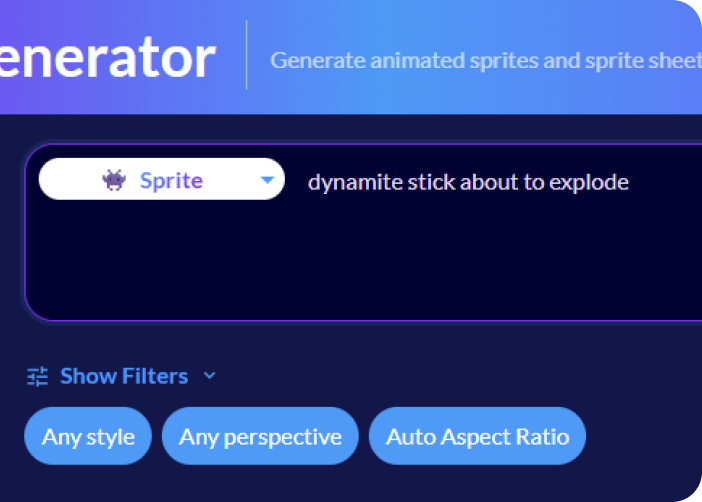
Its Quick Sprites feature turns a text prompt into a 4-direction walk cycle or VFX loop in roughly 30 seconds, and Auto-Sprite turns an existing image or video into a clean sprite sheet — handy if you already have concept art and just need it turned into usable frames.
- Quick Sprites (prompt-to-walk-cycle)
- Auto-Sprite (image or video to sprite sheet)
- 30+ art styles
- Pixel Art export mode that scales frames without blurring edges
Pricing: 30 free credits with no card required, then $20+/mo.
Best for: readers who'd rather have one subscription covering sprites and other game assets than juggle a single-purpose tool.
Not ideal for: readers who want a pixel-art specialist first — Ludo's breadth across styles means less pixel-art-specific depth than PixelLab or Sprixen.
5. Sprite Fusion — Best for Direct Game Engine Export
Sprite Fusion generates pixel art at the exact native size your target engine expects, which sounds minor until you've spent an hour resizing and cleaning up AI output that came out at the wrong dimensions.
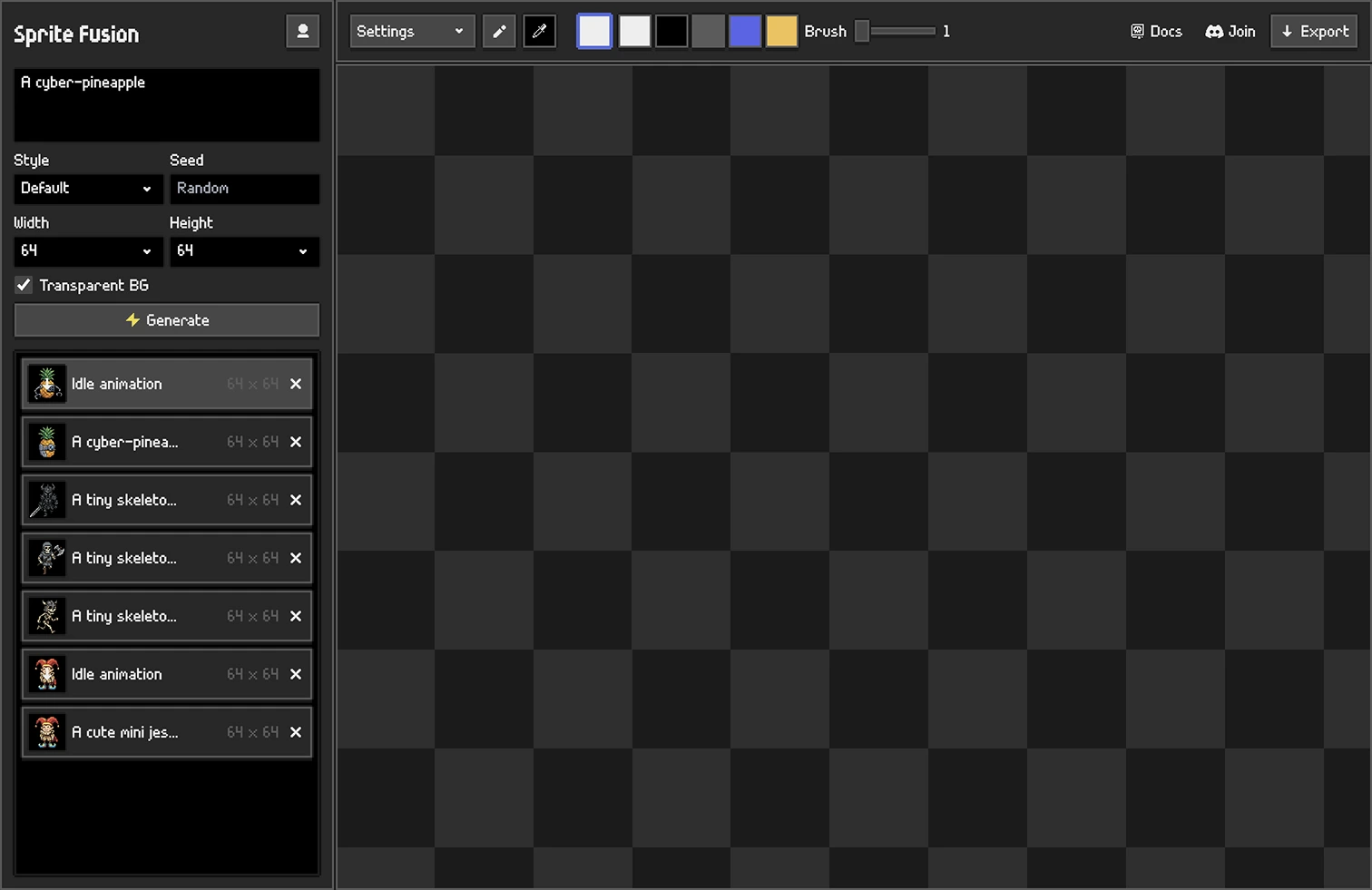
- Native-size pixel art generation
- In-browser editor
- Free tier for prototyping
- Paid tiers for high-res and commercial export
- API access on paid plans
Pricing: free tier for prototyping; paid tiers unlock high-res and commercial export [VERIFY: Sprite Fusion's exact paid pricing wasn't published on its site at research time].
Best for: developers who want to skip the resize-and-cleanup step between generation and import.
Not ideal for: readers prioritizing multi-character style consistency over export convenience — that's Sprixen's strength, not this tool's.
Already Using Leonardo AI or a Full Game Platform?
Coming from our Midjourney alternatives guide? Leonardo AI can produce pixel-art-style images with the right prompt, but it wasn't built to hold a character consistent across a sprite sheet — treat it as a fallback, not a sprite-generation tool.
Need a broader game-creation platform instead of a standalone sprite generator? Layer AI handles studio-scale batch asset generation, and Rosebud AI builds the whole game — assets included — in one place.
How to Choose the Right AI Sprite Generator
- Pixel art and Aseprite integration → PixelLab
- A full cast of characters that need to look related → Sprixen
- Want to try before you pay → Scenario's free tier
- One tool for sprites and every other game asset → Ludo
- Output sized correctly for your engine with no cleanup → Sprite Fusion
One honest caveat: none of these five have a dedicated listing page on this site yet, so double-check pricing against each vendor's live page before you commit — prices in this space change often.
Frequently Asked Questions
Can AI generate consistent sprites across animation frames? Only reliably with tools that have a reference-lock or style-lock feature. PixelLab adapts to reference images to hold proportions and palette steady, and Sprixen's Style Lock does the same across an entire project. General-purpose image generators tend to drift — a character's colors, proportions, or details shift slightly frame to frame, which is the single most common complaint about AI-generated pixel art.
Is AI-generated pixel art good enough to sell in a commercial game? Technically, yes. Legally, there are two things to know: Steam's Content Survey documentation now requires you to disclose AI-generated content on your store page, and fully AI-generated assets don't get copyright protection on their own — meaning a competitor could technically copy them without recourse. Our freelancer guide to selling AI images legally covers the full commercial-rights breakdown worth checking before building a whole game's art around one tool.
What's the best free AI sprite generator? Scenario's 50-daily-credit free tier is the most usable free entry point in this comparison — no card required, and the daily reset means it doesn't run out the way a flat one-time credit allowance does. PixelLab and Ludo also offer no-card free trials.
Do AI sprite generators export sprite sheets that work in Unity or Godot? Most default to plain PNG exports that need manual slicing. Sprixen specifically supports native Godot, Unity, GameMaker, and RPG Maker export formats, and Sprite Fusion generates at the exact native size your engine expects — those two are the ones to check first if direct engine compatibility matters to you.
Final Verdict
If you're a solo dev or pixel artist, start with PixelLab — it's the closest thing to a specialist tool built for exactly this job. Once your project grows past one or two characters, Sprixen's Style Lock earns its place. And if you just want to see whether AI-generated sprites are even good enough for your art style before spending anything, Scenario's free tier is the easiest way to find out.
The tool that matters here isn't the one with the most style presets — it's the one that keeps your character looking like your character on frame 40 of a walk cycle.