
Best Free AI Tools to Analyze Excel Data Without Coding

On this page5 sections
- Quick Comparison at a Glance
- The Best Free AI Tools for Excel Data Analysis — Our Picks
- 1. Julius AI — Best for Quick, No-Code Questions
- 2. Anomaly AI — Best for Larger, Messier Excel Files
- 3. Microsoft Power BI — Best Genuinely Free Dashboard Option
- 4. Metabase — Best Fully Free, No Row or User Limits
- 5. Zoho Analytics — Best Beginner-Friendly Free Tier
- How to Choose the Right Free AI Tool for Your Excel Data
- Frequently Asked Questions
- Our Verdict
For most people, Julius AI is the fastest free way to ask an Excel file a plain-English question with zero setup. Want a permanent free dashboard instead of a one-off answer? Microsoft Power BI Desktop or Metabase cost nothing and don't expire.
- 5 tools that genuinely analyze Excel data for free, no credit card and no code required
- Real free-tier numbers for each — messages per month, row caps, seat limits — not vague "has a free plan" claims
- Which pick fits a one-off spreadsheet question versus a report you'll run every month
- Honest "not ideal for" notes most vendor blogs won't say about their own product
Best Free AI Tools to Analyze Excel Data Without Coding
Searching for the best free AI tools to analyze Excel data without coding usually turns up lists that quietly mix in tools that need a paid subscription — Copilot requires Microsoft 365, ChatGPT Plus is $20/month, Claude Pro is another $20/month. If you searched for free, half of that list doesn't actually apply to you.
Here's the short version: Julius AI is the quickest way to upload a spreadsheet and ask it a question in plain English, free, no signup friction. If you want an ongoing dashboard instead of a one-time answer, Power BI Desktop and Metabase are genuinely free with no expiration date. Below are five tools that actually deliver on "free," with the real numbers behind each free tier.
Quick Comparison at a Glance
| Tool | Best For | Free Plan | Price (USD/mo) | Rating |
|---|---|---|---|---|
| Julius AI | Quick, no-code questions | 15 messages/month | $35 (Plus) | 4.5/5 |
| Anomaly AI | Larger, messier Excel files | 60 credits/month (~8 dashboards) | $25 (Pro) | 4.3/5 |
| Microsoft Power BI | Free ongoing dashboards | Desktop app, personal use | $14/user (Pro) | 4.4/5 |
| Metabase | Zero cost, no row/user caps | Self-hosted, unlimited | $500/mo (managed cloud) | 4.2/5 |
| Zoho Analytics | Beginner-friendly free tier | 2 users, 10,000 rows | $30 (Basic) | 4.1/5 |
Julius AI is the fastest to start with — see the full breakdown below.
The Best Free AI Tools for Excel Data Analysis — Our Picks
1. Julius AI — Best for Quick, No-Code Questions
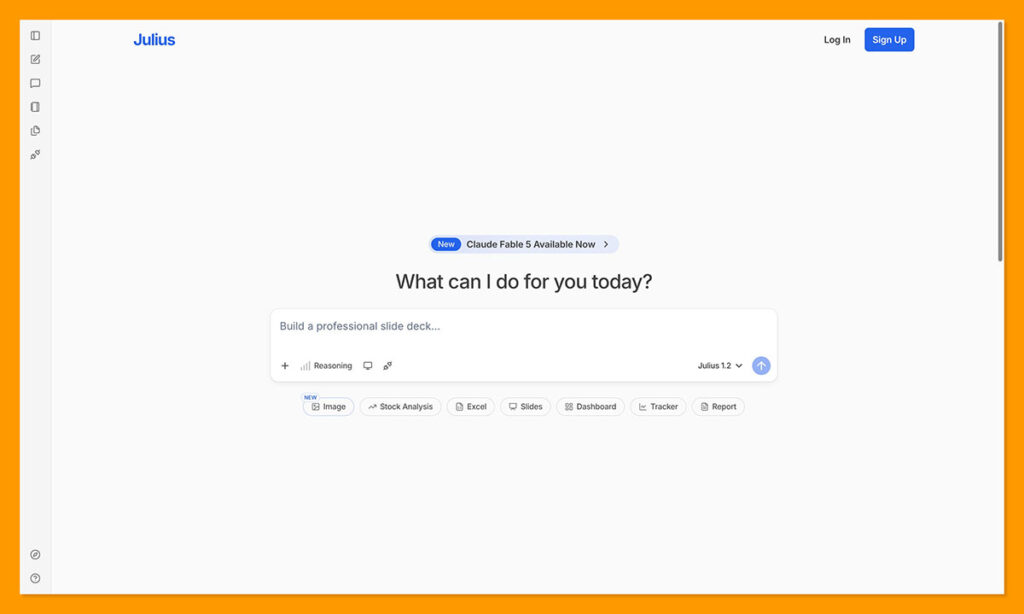
Julius AI is an AI data analyst you talk to — upload an Excel file, ask a question in plain English, and it writes the analysis code behind the scenes and hands you a chart or a straight answer.
What makes it stand out is how little friction there is: no formulas, no pivot tables, no learning curve. You ask "which region had the highest returns last quarter" and get an answer with a chart, not a tutorial on how to build one yourself.
- Natural Language Queries
- Automated Chart Generation
- CSV/Excel Upload
- Statistical Testing
- Google Sheets Sync
Pricing: Free (15 messages/month) | Plus $35/mo (250 messages) | Pro $45/mo (unlimited)
Best for: Anyone who wants to upload an Excel file and ask a plain-English question with zero setup.
Not ideal for: Recurring monthly reporting — 15 messages/month runs out fast if you're using it every week. If you already pay for ChatGPT Plus and are wondering whether Julius is worth adding on top for spreadsheet work specifically, see our comparison of Julius AI vs ChatGPT for spreadsheets.
2. Anomaly AI — Best for Larger, Messier Excel Files
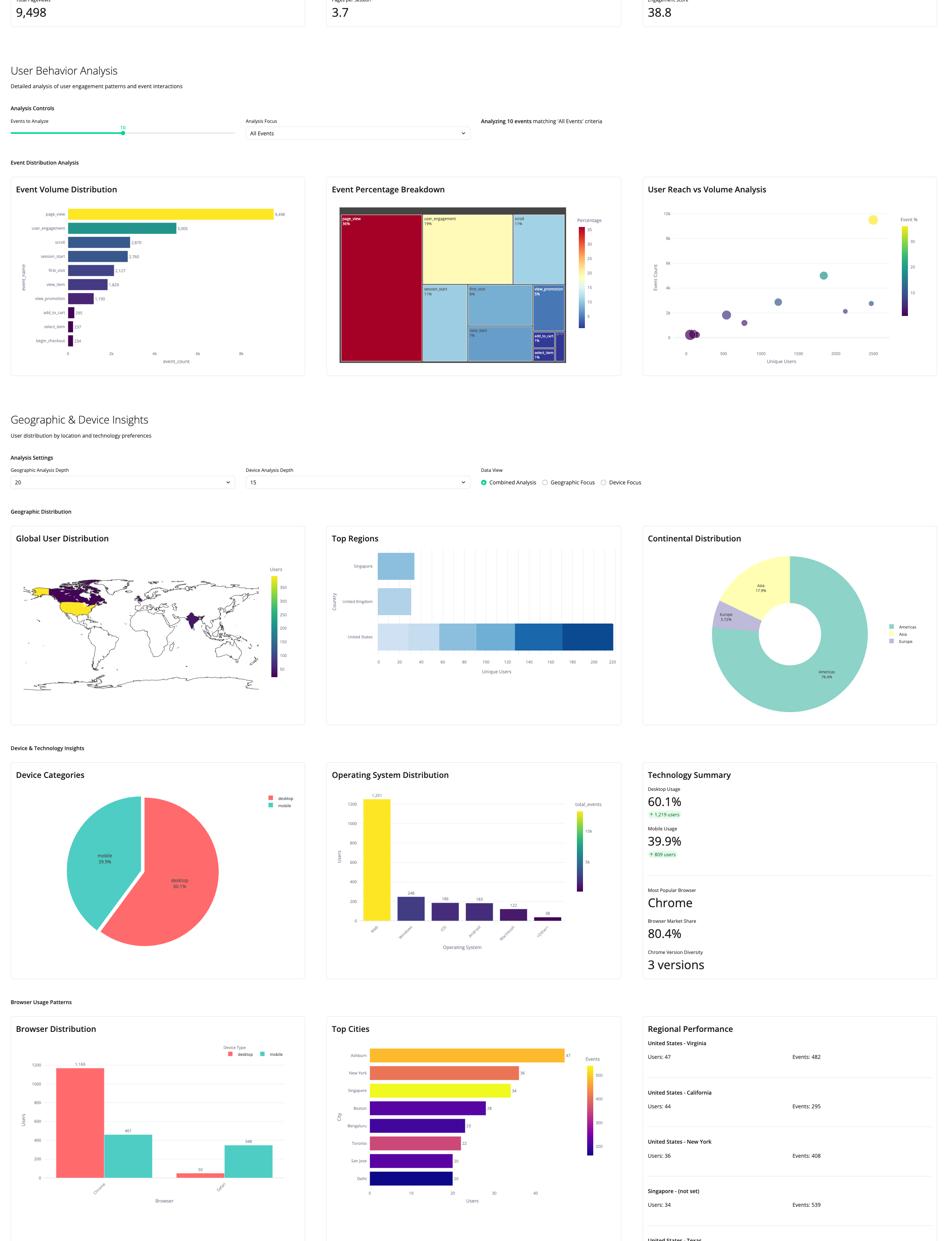
Anomaly AI is built for the Excel files that make other tools choke — large exports with inconsistent formatting, duplicate rows, and mismatched date formats. It cleans the data automatically before analyzing it, then turns the result into a dashboard, Excel report, or PDF you can hand to a client.
Where it stands out is traceability: every number it produces links back to the source row, so you're not stuck trusting a black-box output.
- Natural Language Data Queries
- Automated Data Cleaning and Outlier Detection
- Excel/PowerPoint/PDF Report Generation
- Scheduled Automated Reporting
- Cross-Source Data Merging
Pricing: Free (60 credits/month, ~8 dashboards) | Pro $25/mo (1,000 credits) | Team $45/seat/mo
Best for: Freelancers and consultants who need recurring reports from large, messy Excel exports.
Not ideal for: Real-time or sub-minute alerting — it's built for batch and scheduled analysis, not live monitoring.
3. Microsoft Power BI — Best Genuinely Free Dashboard Option
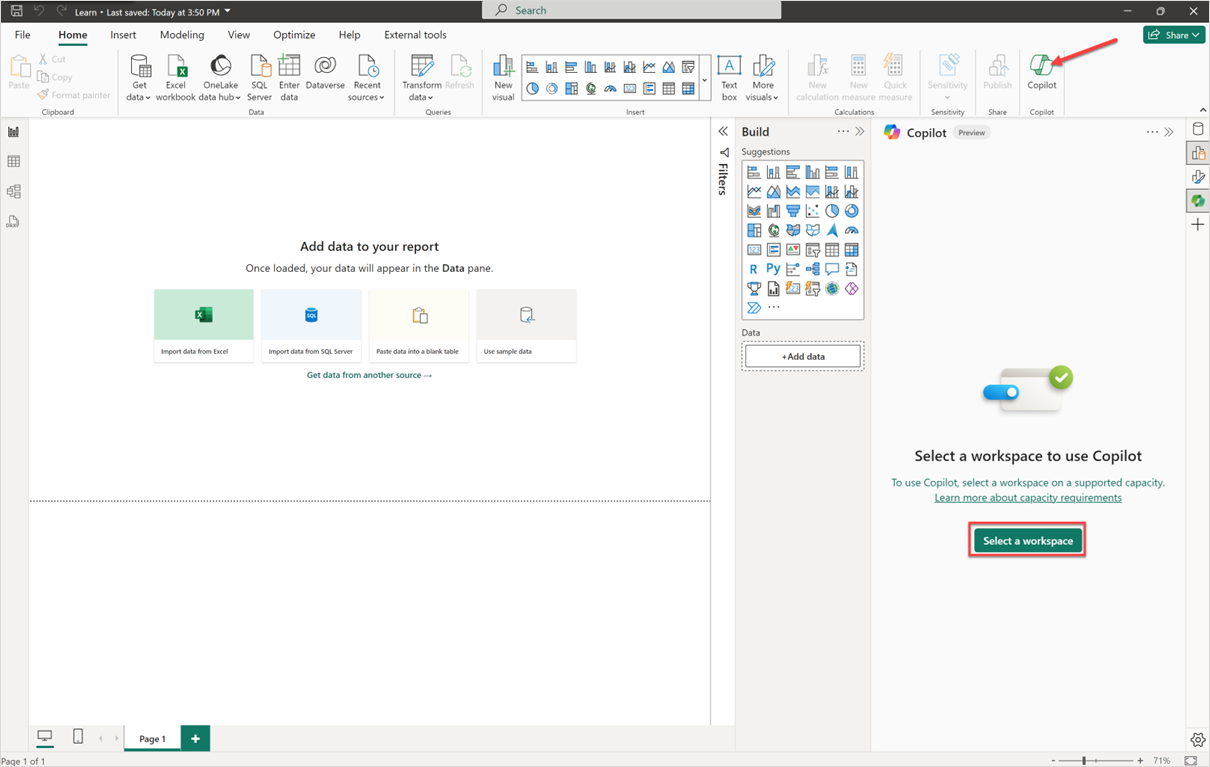
Microsoft Power BI's Desktop app is free for individual use, no trial clock, no credit card. Connect it to an Excel file and it builds interactive reports and dashboards you keep coming back to — not a one-time chat answer.
The AI layer (Copilot, natural-language Q&A) works right alongside standard features like Power Query for cleaning messy Excel data before you visualize it.
- Copilot AI for Reports
- Natural Language Q&A
- Excel Connectivity
- Power Query Data Transformation
- Real-Time Dashboards
Pricing: Free (Desktop app, personal use) | Pro $14/user/mo | Premium Per User $24/user/mo
Best for: Anyone who wants a free, permanent dashboard built from an Excel file, not just a one-off answer.
Not ideal for: Sharing dashboards with anyone else — Microsoft's own pricing page [OPEN IN NEW TAB] confirms publishing and collaboration require the paid Pro tier at $14/user/month. For the full free-vs-paid breakdown, see our deep dive on whether Power BI is actually free.
4. Metabase — Best Fully Free, No Row or User Limits
Metabase's open-source edition is completely free, with no row cap, no user limit, and no expiration — provided you're willing to self-host it. Upload a CSV export of your Excel data and its no-code query builder plus AI assistant (Metabot) let you ask questions without writing SQL.
The tradeoff for zero ongoing cost is a short initial setup — you're running the software yourself rather than clicking a sign-up link.
- No-Code Visual Query Builder
- Metabot AI Natural Language
- Open-Source Self-Hosting
- CSV Upload
- Interactive Dashboards
Pricing: Open Source $0 (self-hosted, unlimited users) | Starter (managed cloud) Custom
Best for: Anyone comfortable with a short self-hosting setup who wants zero ongoing cost or usage cap.
Not ideal for: Anyone who wants something that works instantly with no setup — self-hosting takes some initial effort most other tools on this list skip.
5. Zoho Analytics — Best Beginner-Friendly Free Tier
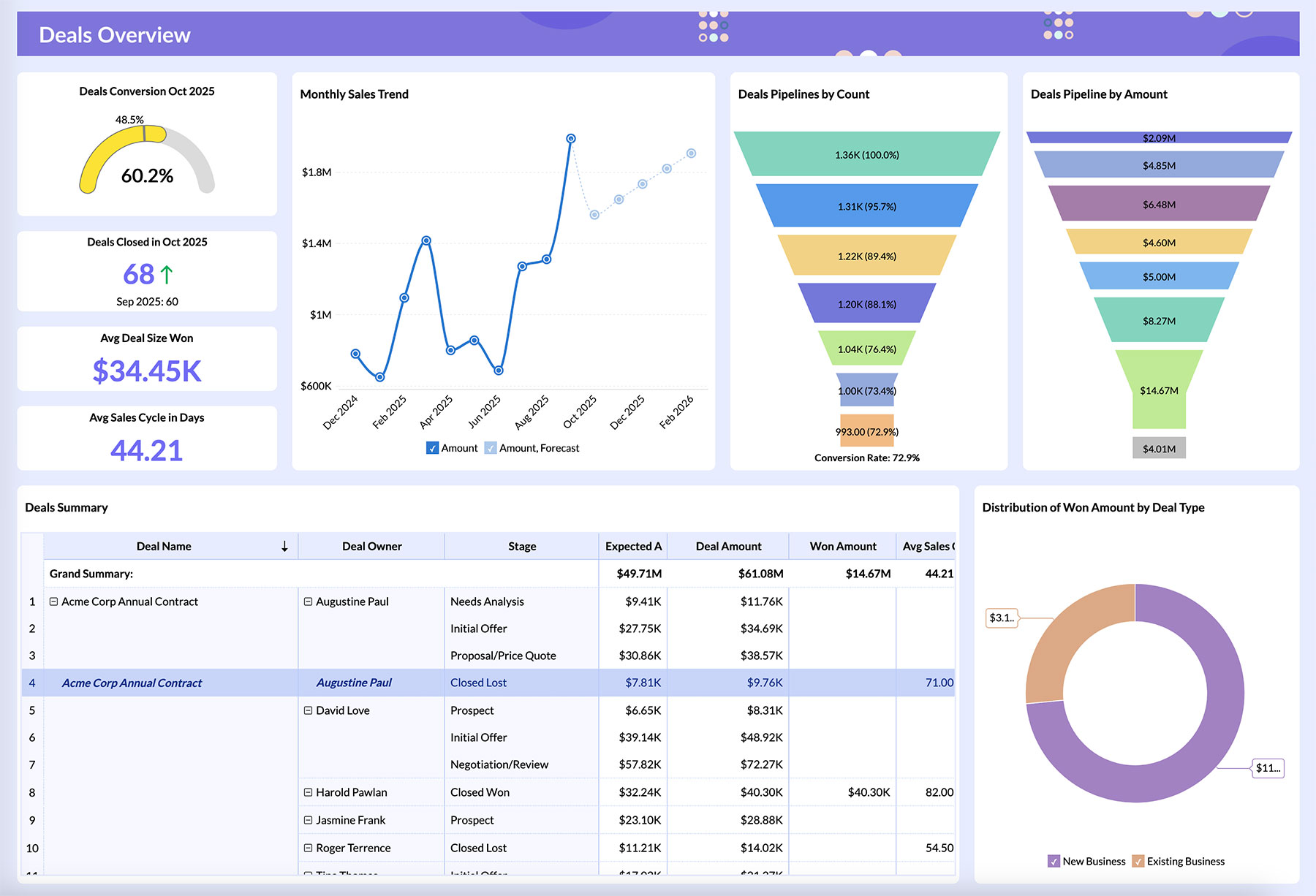
Zoho Analytics pairs a genuinely free tier with Ask Zia, its natural-language AI assistant, making it one of the more approachable options for someone who's never touched a BI tool. Upload an Excel file, and its AI data preparation cleans it up before you start building.
- Ask Zia AI Assistant
- AI Data Preparation
- Drag-and-Drop Dashboard Builder
- Predictive Analytics
- Anomaly Detection
Pricing: Free (2 users, 10,000 rows) | Basic $30/mo | Standard $60/mo
Best for: Beginners who want a guided AI assistant alongside a genuinely free tier, no setup required.
Not ideal for: Datasets larger than 10,000 rows — the free plan's row cap gets hit quickly on any real business dataset. See our full breakdown of Zoho Analytics' free plan limits for exactly what that cap includes and when it's worth upgrading.
How to Choose the Right Free AI Tool for Your Excel Data
Match the tool to what you're actually trying to do, not the longest feature list:
- One-off question about a spreadsheet → Julius AI
- Recurring client or team report from messy data → Anomaly AI
- Want a permanent free dashboard and already use Microsoft → Power BI Desktop
- Want zero cost forever and can handle a short setup → Metabase
- First time using a BI tool and want a guided AI assistant → Zoho Analytics
None of these require a credit card to start, so there's little risk in trying two before committing. If you also want to weigh paid options alongside these free picks, see our full roundup of the best AI data analytics tools.
Frequently Asked Questions
Can I analyze Excel data with AI for free?
Yes. Julius AI, Microsoft Power BI Desktop, Metabase (self-hosted), and Zoho Analytics all offer real, usable free tiers for Excel/CSV analysis with no credit card required. Browse the full AI Data and Analytics category on YourAiFinder for more options beyond this list.
What is the best free AI tool for Excel without coding?
Julius AI is the strongest pick for plain-English Excel questions with zero code involved; Power BI Desktop is the strongest pick if you want a free, ongoing dashboard rather than a single answer.
Does ChatGPT's free plan analyze Excel files?
No — Advanced Data Analysis, the code-interpreter feature that reads and analyzes Excel and CSV files, requires ChatGPT Plus at $20/month. The free tier doesn't include it, which is exactly why a dedicated tool with a real free tier, like Julius AI or Anomaly AI, is the better free option for spreadsheet work specifically.
Is there a completely free, no-signup way to analyze an Excel file with AI?
Not entirely no-signup, but several tools here — Julius AI, Zoho Analytics — have real free tiers with no credit card required, so the barrier to trying them is minimal.
What's the difference between an AI data analyst tool and Excel's built-in Copilot?
AI data analyst tools like Julius AI and Anomaly AI are standalone platforms — you upload a file and ask questions in a chat window. Excel's own Copilot works inside the spreadsheet app itself, but it requires a paid Microsoft 365 subscription rather than a standalone free tier.
Our Verdict
If you just have one Excel file and one question, Julius AI gets you an answer in minutes with nothing to set up. If you're going to come back to the same data every month, don't waste Julius AI's 15 free messages on it — build a free Power BI or Metabase dashboard instead and skip the recurring-usage limit entirely.