
Open-Source AI Video Generator: Best Options in 2026

On this page8 sections
- Why Go Open-Source Instead of Kling, Runway, or Veo
- Quick Comparison at a Glance
- The Best Open-Source AI Video Generators — Our Picks
- 1. Wan 2.2 — Best Overall Open-Source Model
- 2. LTX-2.5 — Best for Native Synced Audio
- 3. Mochi 1 Genmo — Easiest On-Ramp, Best License Clarity
- 4. HunyuanVideo 1.5 — Best for Longer, Consistent Shots
- What You Actually Need to Run These Locally
- Open-Source vs. Closed AI Video Generators — Is the Output Actually Good Enough?
- Commercial Licensing — Can You Actually Sell the Output?
- Frequently Asked Questions
- Final Verdict
- Best overall open-source model: Wan 2.2 — closest to closed-model motion quality of anything open right now
- Best for native audio: LTX-2.5 — the only open model generating synced audio and video together
- Easiest to actually run: Mochi 1 by Genmo — Apache 2.0 license, well-documented, lower hardware floor
- Best realistic path for most people: rent cloud GPU compute by the hour instead of buying hardware
- Open-source AI video generation is genuinely usable now, not a hobbyist curiosity — several models close most of the gap with Kling and Runway on motion quality
- Running any of these locally needs real GPU hardware — 8GB VRAM gets you the smallest models, 16-24GB is what "comfortable" actually means
- Renting a cloud GPU by the hour is the realistic middle ground between buying a GPU and paying a monthly subscription
- Commercial licensing varies by model — Mochi 1 and Wan 2.2 ship under permissive licenses, but always confirm the exact model version's terms
- No open model fully matches Veo or Kling's out-of-the-box consistency yet, but the gap is closing fast
Every credit wall on a paid AI video tool eventually raises the same question: could you just run this yourself for free? With an open source AI video generator, the answer is genuinely yes now — models like Wan 2.2, LTX-2.5, HunyuanVideo, and Mochi 1 produce output that gets close to what Kling or Runway charge you monthly for, with no watermark and no credit ceiling.
The catch isn't quality anymore, it's setup. This guide covers which models are actually worth running, the GPU hardware they need, what it costs to rent that hardware instead of buying it, and which ones you can legally use for commercial work.
Why Go Open-Source Instead of Kling, Runway, or Veo
The trade is simple: no monthly fee and full control over the model, in exchange for setup effort and either GPU hardware or rented cloud compute. If you've already burned through a paid tool's free credits and are wondering whether it's worth paying $10-30 a month indefinitely, this is the alternative worth understanding before you commit to a subscription. That calculus changes again if the tool you've hit a wall on is Google's — our Google AI Studio vs Gemini breakdown untangles which of Google's free surfaces actually gets you free Veo access before you assume self-hosting is your only free option. For the wider workflow this fits into — generation, voice, editing, and finishing — see our full breakdown of every AI filmmaking tool by workflow stage.
If stacking free tiers across a few tools sounds like less hassle than self-hosting, a complete workflow for making AI videos without any subscription using closed tools' free plans is worth reading first.
Quick Comparison at a Glance
| Model | Best For | Min VRAM | License | Native Audio |
|---|---|---|---|---|
| Wan 2.2 | Overall quality, closest to closed models | ~8GB (480p) | Permissive, commercial-friendly | No |
| LTX-2.5 | Synced audio + video in one pass | ~16GB | Free for commercial and non-commercial use | Yes |
| Mochi 1 (Genmo) | Easiest on-ramp, clearest license | 16-20GB | Apache 2.0 | No |
| HunyuanVideo 1.5 | Longer, more consistent clips | ~14GB (with offloading) | Check current release terms | No |
The Best Open-Source AI Video Generators — Our Picks
1. Wan 2.2 — Best Overall Open-Source Model
Wan 2.2 is currently the open-source model that comes closest to matching closed platforms like Kling and Veo on motion realism and prompt adherence, which is why it tops most serious 2026 comparisons rather than just the content-farm roundups.

- Strong prompt adherence and motion coherence for a fully open model
- Runs from roughly 8GB VRAM at 480p, with quantized builds fitting even tighter cards
- Active community support through ComfyUI workflows
- Frequent updates since its 2026 release
Hardware: ~8GB VRAM minimum for basic 480p generation; more VRAM unlocks higher resolution and faster runs License: Permissive, commercial-use friendly — verify the exact release you're using Best for: Anyone who wants the closest open alternative to a paid tool's output quality Not ideal for: Readers with no GPU and no interest in renting cloud compute — the setup still assumes some technical comfort
2. LTX-2.5 — Best for Native Synced Audio
LTX-2.5 is the only open-source model generating audio and video together in a single diffusion pass, which matters if you need dialogue or sound effects baked into the clip rather than added afterward in a separate editor.
[IMAGE NEEDED: LTX-2.5]
- Native synchronized audio generation — a real differentiator versus every other model on this list
- Diffusion transformer architecture built for production and research use
- 4K output supported at higher frame rates on capable hardware
Hardware: ~16GB VRAM plus 64GB system RAM recommended for ComfyUI workflows License: Free to use for both commercial and non-commercial projects Best for: Creators who specifically need synced dialogue or sound without a separate audio pipeline Not ideal for: Lower-end GPUs — the RAM and VRAM floor here is higher than Wan 2.2's
3. Mochi 1 (Genmo) — Easiest On-Ramp, Best License Clarity
Mochi 1 is built by Genmo, an open-source AI research lab, and it's the model with the clearest answer to the commercial-licensing question that trips up most of this list — it ships under the Apache 2.0 license, one of the least ambiguous permissive licenses in software.
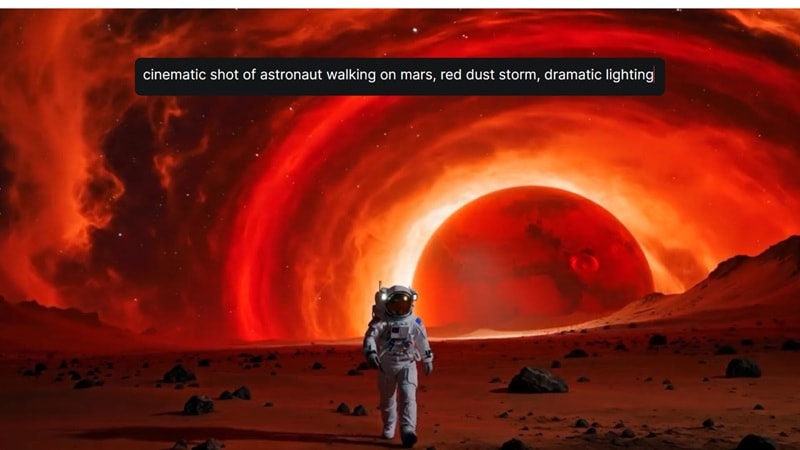
- Smooth, physically believable motion for an open model
- Apache 2.0 license — genuinely commercial-use friendly with no hidden restriction
- Well-documented setup compared to some newer, faster-moving releases
Hardware: Roughly 16-20GB VRAM for a comfortable local run; hosted/cloud access available if you'd rather skip local setup entirely License: Apache 2.0 Best for: Filmmakers who want to avoid recurring subscriptions and want zero doubt about whether they can sell the output Not ideal for: Anyone chasing the absolute newest motion quality — Wan 2.2 and LTX-2.5 push that edge harder
4. HunyuanVideo 1.5 — Best for Longer, Consistent Shots
Tencent's HunyuanVideo 1.5 is a 13B-parameter model built for temporal consistency — characters and scenes hold their visual identity across clips of 10 seconds or more, which is a common weak point for other open models.

- Supports text-to-video, image-to-video, and video-to-video in one unified model
- Standout temporal consistency across longer clips
- Runs on roughly 14GB VRAM with offloading enabled
Hardware: ~14GB VRAM with offloading; more headroom speeds up generation License: Check the current release's license terms before any commercial use — Tencent has adjusted terms across versions Best for: Projects needing longer shots where characters can't visibly drift between frames Not ideal for: Anyone who needs guaranteed commercial rights without reading the license first
What You Actually Need to Run These Locally
VRAM is the number that decides what you can actually run. 8GB gets you into the smallest configurations of Wan 2.2. 16GB is where things get comfortable — most models on this list run cleanly. 24GB (an RTX 3090 or 4090) runs everything here without compromise. Storage adds up fast too: budget at least 100GB if you want more than one model's weights on disk at once, since a single model can run 20-30GB by itself.
If you don't own a capable GPU, buying one isn't the only option. Renting a cloud GPU by the hour is the realistic middle ground most people should actually use: an RTX 4090 runs $0.34-0.74/hour and an A100 runs $1.19-1.59/hour on RunPod's published GPU pricing, billed per second rather than a flat monthly fee. For someone generating a handful of clips a week, that's frequently cheaper than a paid subscription and avoids a hardware purchase entirely — run our AI video generation cost calculator to see how that stacks up against a subscription for your actual output volume.
Open-Source vs. Closed AI Video Generators — Is the Output Actually Good Enough?
Honestly, the gap is closing fast but it isn't fully closed. Wan 2.2 and LTX-2.5 get genuinely close to Kling and Veo on motion realism and prompt adherence in side-by-side comparisons. What open models still lose on is convenience — no guardrails, no polished web interface, and you're responsible for troubleshooting your own setup when a generation fails.
What they win on is real: no subscription, no watermark, no credit ceiling, and full control over the pipeline. If ease of use matters more than cost to you, our head-to-head comparison of Kling AI and Runway covers the closed-model side of this decision, or browse our AI video generation category for other paid options. If cost and control matter more, the open-source route is no longer a compromise — it's a legitimate choice.
Commercial Licensing — Can You Actually Sell the Output?
This is the step most "best open source AI video" roundups skip entirely, and it's the one that actually matters if you're generating client work. License terms vary by model and by specific release version, so never assume permissive just because a model is open-source.
Mochi 1's Apache 2.0 license and Wan 2.2's permissive terms are currently the clearest commercial-use answers on this list — Genmo's own release notes confirm Mochi 1 is licensed under Apache 2.0 and freely available for commercial use. Before selling any generated output, check the exact license file for the model version you're actually running — licenses do change between releases, and "open-source" alone doesn't guarantee you can use the output commercially. If you're weighing the same decision for stills, our breakdown of open source image generation models covers the identical hardware-and-licensing question for images.
Frequently Asked Questions
Is there a truly free AI video generator with no watermark?
Yes. Self-hosted open-source models — Mochi 1, Wan 2.2, LTX-2.5, and HunyuanVideo — produce output with no watermark, since there's no vendor account gating your export. The only real cost is the hardware or cloud compute needed to run them.
What GPU do I need to run AI video generation locally?
Entry-level models like Wan 2.2 run from around 8GB VRAM at lower resolutions. 16GB is where most current models run comfortably, and 24GB (an RTX 3090 or 4090) handles everything on this list without compromise.
Can I use open-source AI video generator output commercially?
It depends on the specific model and release version. Mochi 1 (Apache 2.0) and Wan 2.2 ship under permissive, commercial-friendly licenses, but always confirm the exact license of the model version you're running before selling work made with it.
Is open-source AI video as good as Veo or Kling?
Top 2026 open models close most of the gap on motion realism and prompt adherence, but closed models still generally lead on out-of-the-box consistency and ease of use. For control and cost, open-source now genuinely competes.
Final Verdict
If you want the clearest possible answer on commercial licensing with the least setup headache, start with Mochi 1 — the Apache 2.0 license removes the guesswork entirely. If you're chasing the closest output quality to what Kling or Runway charge you monthly for, Wan 2.2 is currently the strongest open pick. And unless you're generating video every single day, renting a cloud GPU by the hour beats buying one — you get the same models without a hardware commitment sitting idle between projects.
This isn't a decision for everyone. It's more setup than opening a browser tab and typing a prompt, and it assumes some comfort with ComfyUI-style workflows. But for filmmakers and freelancers doing this regularly enough that a monthly subscription adds up, it's no longer a compromise — it's a genuinely competitive option.