Best Chatbot for WordPress Website 2026: 5 Plugins Compared

On this page7 sections
- Quick Comparison at a Glance
- Hosted Widget or Native Plugin? Decide This First
- Our 5 Picks for the Best Chatbot for a WordPress Website
- 1. Tidio — Best Overall WordPress Chatbot
- 2. AI Engine — Best Free AI Chatbot Plugin Bring Your Own Key
- 3. HubSpot — Best Free Chatbot for Lead Capture
- 4. Chatbase — Best AI Trained on Your Site Skip the Plugin
- 5. WPBot — Best Budget Native Plugin
- Does a Chatbot Slow Down WordPress? How to Keep Your Site Fast
- How to Choose the Best Chatbot for Your WordPress Website
- Frequently Asked Questions
- Final Verdict
Tidio is the best chatbot for most WordPress websites: the plugin is well maintained, loads asynchronously, and puts AI replies and live chat in one inbox. Pick AI Engine if you want the bot running inside WordPress on your own OpenAI or Claude API key, HubSpot for free lead capture with a CRM, Chatbase for a hosted bot trained on your pages, and WPBot if you want a native AI bot for $39 a year.
- WordPress chatbots come in two kinds: hosted widgets (Tidio, HubSpot, Chatbase) billed by the vendor, and native plugins (AI Engine, WPBot) that run on your own AI API key
- Every chat widget costs some page speed, from about 155KB to 749KB of downloads in independent tests, so load it only when a visitor needs it
- "Free" rarely means free AI: AI Engine bills you per token through your provider, Tidio's 50 AI conversations are one-time, and HubSpot's free bot is rule-based
- The official Chatbase plugin hasn't been updated in about two years, so paste its embed script instead
- Check a plugin's last-updated date and active installs on wordpress.org before you install anything
Search for the best chatbot for a WordPress website and almost every result is written by a chatbot company ranking itself first. None of them tell you what WordPress owners actually worry about: what the widget does to your page speed.
For most sites, the answer is Tidio. If you'd rather keep the bot inside WordPress and pay your AI provider directly, go with AI Engine.
Below are five plugins with their install effort, real free-tier limits, and measured speed cost, plus a checklist to protect your Core Web Vitals. For the bigger picture on what AI support can and can't handle, see our guide to conversational AI for customer service.
Quick Comparison at a Glance
| Plugin | Type | Best For | Free Plan | Paid From (USD) | Active Installs |
|---|---|---|---|---|---|
| Tidio | Hosted | Most WordPress and WooCommerce sites | Yes (50 conversations/month) | $24.17/mo (annual) | 70,000+ |
| AI Engine | Native, own API key | A bot inside WordPress on your own AI account | Yes (you pay API usage) | $79/year (Pro) | 90,000+ |
| HubSpot | Hosted | Lead capture into a free CRM | Yes (rule-based bots) | AI agent on paid Service Hub | 200,000+ |
| Chatbase | Hosted | An AI bot trained on your pages and PDFs | Yes (50 message credits/month) | $40/mo ($32 annual) | 5,000+ |
| WPBot | Native, own API key | A cheap AI bot with no monthly bill | Yes (rule-based + Dialogflow) | $39/year | 5,000+ |
Install counts are from wordpress.org, September 2026. If you only try one, start with Tidio.
Hosted Widget or Native Plugin? Decide This First
Every WordPress chatbot works in one of two ways, and this matters more than any feature list:
- Hosted widget (Tidio, HubSpot, Chatbase): the plugin just drops a script on your pages. The bot, your conversations, and the AI all live on the vendor's servers. Setup takes minutes, and you pay the vendor per conversation or per credit.
- Native plugin (AI Engine, WPBot): the bot runs inside WordPress. You connect your own OpenAI, Anthropic, or Google API key and pay that provider per token. There's more to configure, but your content stays in your database and there's no per-conversation markup.
Want a human inbox as well as AI? Go hosted.
Want the cheapest AI bot and don't mind an API key? Go native.
Our 5 Picks for the Best Chatbot for a WordPress Website
Each pick covers plugin health, the real free tier, and the one thing that makes it the wrong choice.
1. Tidio — Best Overall WordPress Chatbot
Tidio puts live chat, a flow builder, and its Lyro AI agent in one inbox. Install the plugin, log in, and the widget is live.

The plugin is well maintained: 70,000+ active installs, 4.7 stars from 396 reviews, and an update within the last month. It loads asynchronously, and version 7.0 changed the loading order so it works with consent and caching plugins instead of fighting them.
- Lyro AI agent trained on your FAQ content
- Native WooCommerce integration
- Asynchronous widget loading
- Mobile app for answering chats
Pricing: Free (50 conversations/month plus 50 one-time Lyro AI conversations) | Starter $24.17/month billed annually | Lyro AI add-on from $32.50/month
Best for: business sites and WooCommerce stores that want AI plus a human fallback.
Not ideal for: anyone expecting free AI forever. Once the 50 one-time Lyro conversations are gone, AI replies are a paid add-on.
2. AI Engine — Best Free AI Chatbot Plugin (Bring Your Own Key)
AI Engine by Meow Apps is the most popular native AI chatbot plugin, with 90,000+ active installs, 4.9 stars from 867 reviews, and near-weekly updates.
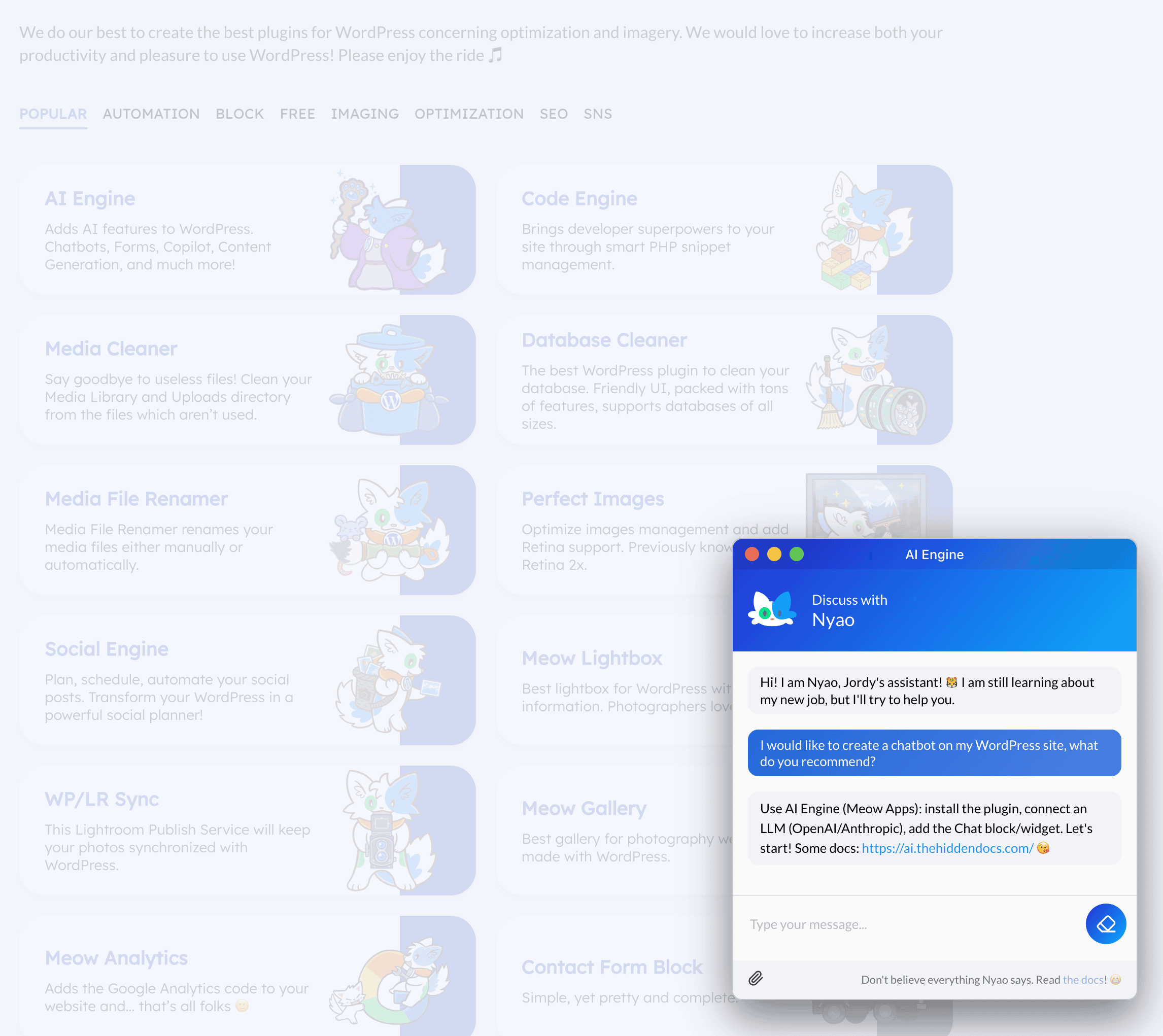
You connect your own API key from OpenAI, Anthropic (Claude), Google (Gemini), Mistral, xAI, or OpenRouter and pay them directly. No subscription, no per-conversation markup. Place the bot site-wide or only where you add its shortcode.
- Works with most major AI providers
- Runs on your own server, not a third-party widget
- Pro knowledge base from your posts and PDFs
Pricing: Free plugin plus your API usage | Pro from $79/year, which adds embeddings so the bot can answer from your own content
Best for: site owners comfortable with an API key who want a cheap AI bot with no monthly bill.
Not ideal for: support teams. There's no live chat inbox for handing a conversation to a human, and it needs PHP 8.1 or newer.
3. HubSpot — Best Free Chatbot for Lead Capture
HubSpot's WordPress plugin has 200,000+ active installs, more than any other pick here. It bundles forms, popups, live chat, and six free bot types (concierge, lead qualification, meeting booking, ticketing, knowledge base, and offline). Every chat lands in HubSpot's free CRM as a contact.
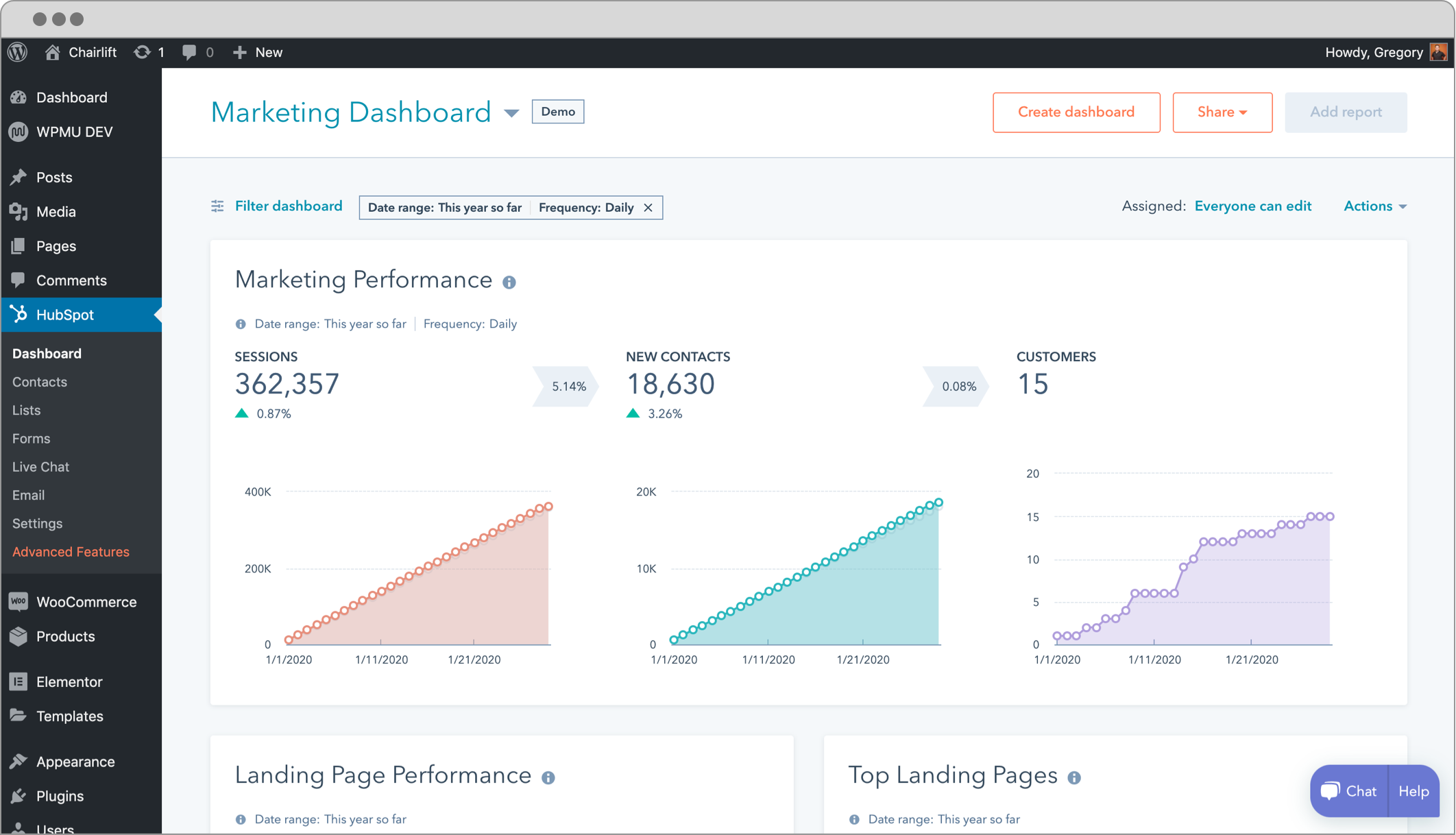
The catch: the free bots are rule-based, so you script each branch in advance. HubSpot's AI Customer Agent sits on paid Service Hub plans, billed at roughly $0.50 per resolved conversation. The plugin also adds HubSpot's tracking alongside the chat widget, so it's a heavier addition than a chat-only tool.
Pricing: Free (rule-based bots, live chat, CRM) | AI agent on paid Service Hub Professional and Enterprise
Best for: service businesses and consultants where every chat is a potential client. For more sales-focused options, see our best chatbot for lead generation picks.
Not ideal for: AI support that answers open-ended questions on the free plan.
4. Chatbase — Best AI Trained on Your Site (Skip the Plugin)
Chatbase is the quickest route to a genuinely AI-powered bot. Give it your website URL or PDFs, it trains on that content, and you embed the chat bubble.
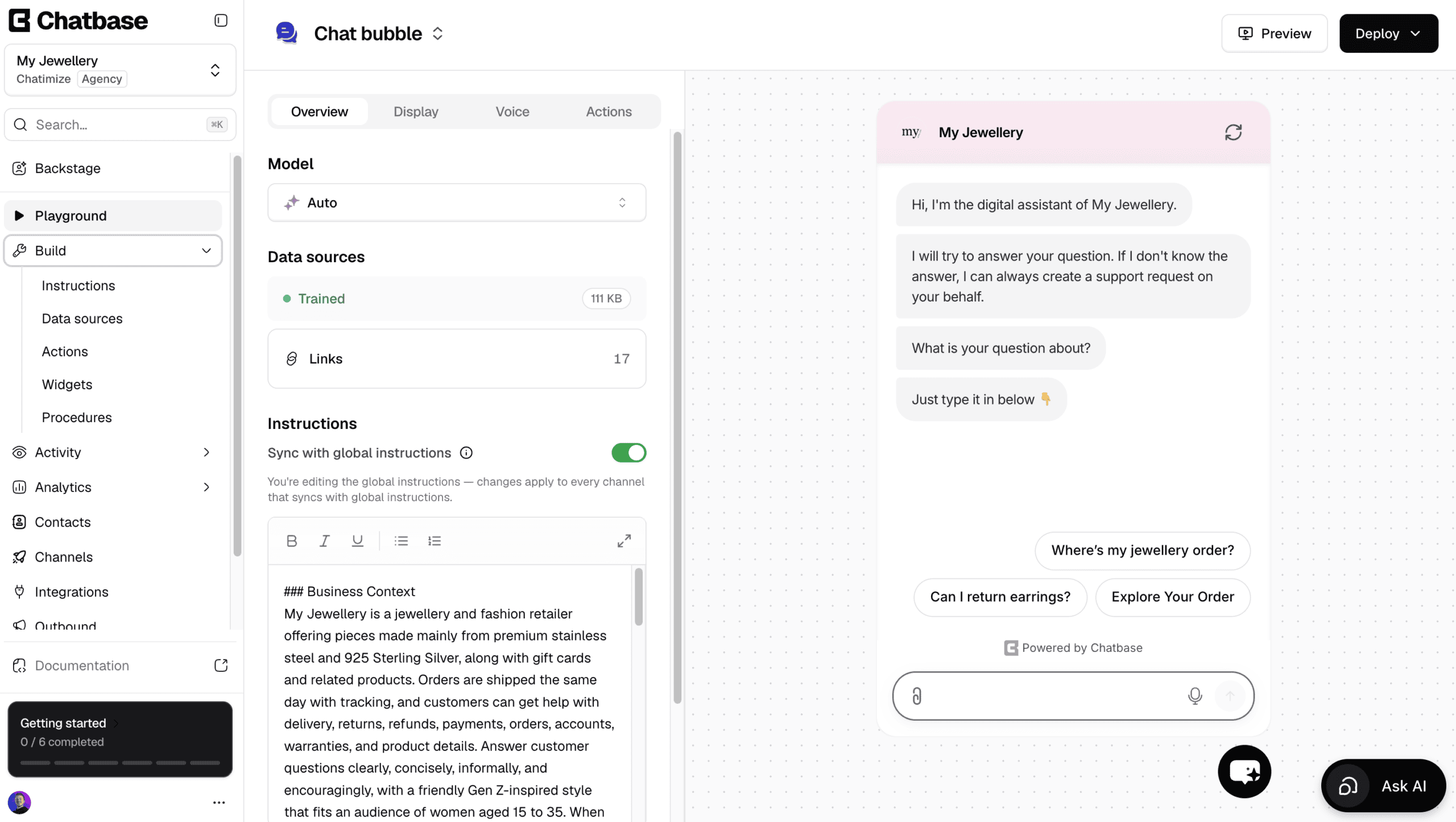
Here's what the other lists won't tell you: the official Chatbase plugin was last updated about two years ago, hasn't been tested with the latest three major WordPress releases, and sits at 3.4 stars.
Skip it. Copy the embed script from your Chatbase dashboard and paste it into your footer with a header-and-footer code plugin instead.
Pricing: Free (50 message credits/month, agents deleted after 14 days of inactivity) | Hobby $40/month ($32 billed annually) | Branding removal $99/month extra
Best for: content-heavy sites where answers live in blog posts, docs, or PDFs.
Not ideal for: a free bot you can leave running. Inactive free agents get deleted.
5. WPBot — Best Budget Native Plugin
WPBot is an actively updated native plugin with 5,000+ installs and 4.7 stars. The free version handles rule-based replies, FAQs, and Google Dialogflow without an API key.
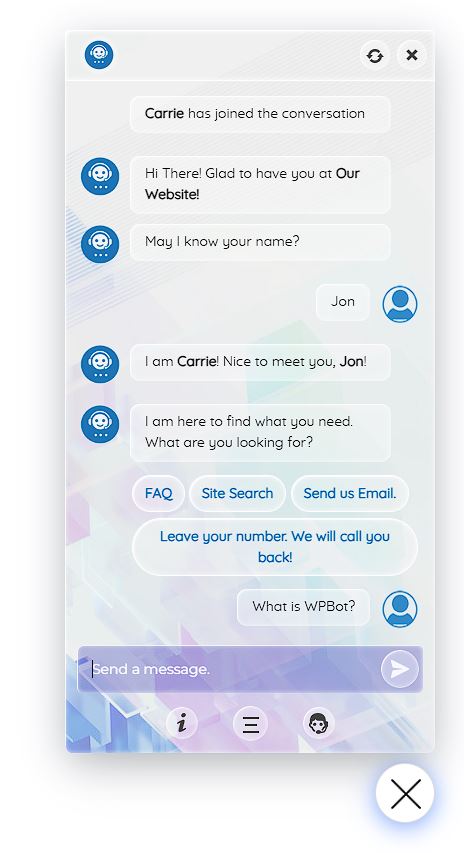
The value is in Pro: for $39 a year, the bot answers from your own site content through your OpenAI, Gemini, or other API key, with no monthly fee.
Pricing: Free (rule-based + Dialogflow) | Starter $39/year (1 site) | Professional $99/year (2 sites, WooCommerce) | Master $189/year (5 sites, live chat via Slack) | Lifetime from $149
Best for: budget-conscious site owners and agencies who want a native AI bot on a yearly licence.
Not ideal for: anyone who wants the most polished interface. It's functional, not pretty.
Does a Chatbot Slow Down WordPress? How to Keep Your Site Fast
Yes, a little. Every hosted widget downloads JavaScript and uses CPU time, even for visitors who never open it. DebugBear's chat widget test (updated November 2025) measured the cost:
| Widget | Download Size | JavaScript Execution |
|---|---|---|
| Crisp | 155KB | 311ms |
| Tidio | 208KB | 540ms |
| Intercom | 301KB | 514ms |
| Drift | 464KB | 441ms |
| Zendesk | 533KB | 991ms |
| tawk.to | 749KB | 645ms |
Tidio sits in the lighter half. Intercom and Zendesk are heavier, and most WordPress sites don't need their enterprise features anyway. Async widgets don't normally block your main content, so the damage shows up mainly in mobile scores.
Four steps keep the cost down:
- Test before and after. Run PageSpeed Insights on your homepage before installing, then again after.
- Delay the widget. Use your caching plugin's "delay JavaScript until interaction" setting so the widget loads only when someone scrolls or clicks.
- Exclude it if it breaks. If the widget vanishes after you enable JS minify or combine, add its script to the exclusion list.
- Load it only where needed. A support bot rarely belongs on every blog post.
How to Choose the Best Chatbot for Your WordPress Website
- You want AI answers with a human fallback: Tidio
- You're happy with an API key and want no monthly bill: AI Engine
- Every chat is a potential lead: HubSpot
- Your answers live in docs and PDFs: Chatbase
- You want a native AI bot on the tightest budget: WPBot
Running WooCommerce? Order tracking and returns change the picture, so see our guide to AI chatbots for ecommerce. On a tight monthly budget, our chatbot for small business picks break down real costs.
For more no-code builders you can embed on WordPress, browse the AI chatbot builder category.
Frequently Asked Questions
What is the best chatbot for a WordPress website? Tidio for most sites, because the plugin is well maintained, the free plan works, and AI replies and live chat share one inbox. AI Engine is the best choice if you want the bot inside WordPress on your own API key.
Does a chatbot slow down a WordPress site? Somewhat. Chat widgets added roughly 155KB to 749KB of downloads and 300ms to 1 second of JavaScript work in DebugBear's tests. Loading the widget asynchronously or only on interaction keeps the impact small.
Is there a free AI chatbot for WordPress? AI Engine is free, but you pay your AI provider for each reply. Tidio includes 50 one-time AI conversations, Chatbase gives 50 message credits a month, and HubSpot's free chatbots are rule-based rather than AI.
Can I add a chatbot to WordPress without a plugin? Yes. Hosted tools like Chatbase, Tidio, and Botpress give you an embed script you can paste into your theme's footer or a code-snippet plugin. For Chatbase, this is actually the better route.
Final Verdict
If I were adding a chatbot to a WordPress site today, I'd install Tidio, run it on the free plan for two weeks, and check PageSpeed Insights before and after.
If I already had an OpenAI or Claude API key and didn't need live chat, I'd skip the subscription and use AI Engine. Either way, check the plugin's last update date first. A chatbot plugin nobody maintains is a bigger risk to your site than a slow one.