Bing Image Creator Alternatives: Fix Its Limits in 2026

On this page7 sections
- Wait — Is It Still Called "Bing Image Creator"?
- What's Actually Changed — Boosts, Filters, and Resolution
- Quick Comparison at a Glance
- The Best Bing Image Creator Alternatives
- 1. Leonardo AI — Best If You Keep Running Out of Boosts
- 2. Adobe Firefly — Best for Real Commercial Licensing
- 3. Freepik AI Suite — Best for Resolution and Aspect Ratio
- 4. Stable Diffusion — Best If the Content Filter Keeps Blocking You
- How to Choose the Right Bing Image Creator Alternative
- Frequently Asked Questions
- Final Verdict
Leonardo AI is the best all-around move if you keep running out of boosts. Adobe Firefly wins if you need a real commercial license. Freepik AI Suite wins if the 1024x1024 cap is the problem. Stable Diffusion wins if the content filter keeps blocking normal prompts.
- Bing Image Creator was rebranded "Image Creator from Designer" back in January 2024 and now lives across Bing, Microsoft Designer, and Microsoft Copilot on the same generation backend
- The free tier has gotten noticeably stricter since 2025 — the old unlimited-plus-daily-boosts model is gone, replaced by a tighter credit cap [VERIFY: sources disagree on the exact current figure — some cite 15 credits/day, others 15/month]
- Microsoft added GPT-4o (August 2025) and its own in-house MAI-Image-1 model (October 2025) alongside DALL-E 3 — switching the model inside the same tool is worth trying before you leave entirely
- Output is hard-capped at 1024x1024 with no aspect-ratio control, which rules it out for print, wide banners, or portrait-format social posts
- The right alternative depends on which specific limit is actually the problem — boosts, resolution, or filter rejections — not a generic "best image generator" ranking
If you typed "ai image creator bing alternative," you've probably just hit a wall: your boosts ran out, the image came out too small for what you needed, or a completely normal prompt got rejected for no obvious reason. Before you switch tools entirely, it's worth knowing that the tool itself has changed more than most people realize — including its name.
Here's what Bing Image Creator is actually called now, what changed about its limits, and which alternative actually fixes the specific problem you're running into.
Wait — Is It Still Called "Bing Image Creator"?
Not exactly. Microsoft rebranded the tool "Image Creator from Designer" back in January 2024, folding it into Microsoft Designer rather than keeping it as a standalone Bing feature. In practice, you can still reach the same generation backend from three places: the Bing search bar, Microsoft Designer directly, and Microsoft Copilot.
All three currently let you pick between three models — OpenAI's DALL-E 3, GPT-4o (added for free in August 2025), and Microsoft's own in-house MAI-Image-1, which began rolling out in October 2025 as Microsoft's first self-built image model.
That last part is worth pausing on: if your actual complaint is output quality rather than boosts, resolution, or filtering, switching the model inside the same tool costs nothing and might solve the problem before you go looking elsewhere.
What's Actually Changed — Boosts, Filters, and Resolution
Three specific limits are what send most people searching for an alternative:
- Boosts and credits. The old model — unlimited slow generations plus a daily or weekly allowance of faster "boosts" — has been replaced by a stricter credit cap over 2025-2026. [VERIFY: the exact current number — reporting conflicts between roughly 15 credits per day and 15 credits per month for free accounts]. Either way, the direction is the same: free-tier generation is tighter than it used to be.
- Resolution. Output is hard-capped at 1024x1024 pixels with no aspect-ratio selection. There's no way to generate a wide banner or a tall mobile wallpaper directly — you'd need to crop or upscale afterward.
- Content filters. Filtering is stricter than most dedicated generators, and false positives are common on real-person names, brand and celebrity references, and even some historical or medical terminology — categories that aren't remotely abusive but still get blocked.
Quick Comparison at a Glance
| Tool | Best For | Free Plan | Price (USD/mo) | Rating |
|---|---|---|---|---|
| Leonardo AI | Boosts running out | Yes, 150 tokens/day | $12/mo | — |
| Adobe Firefly | Real commercial license | Yes, 25 credits/mo, no commercial use | $4.99/mo Premium | — |
| Freepik AI Suite | Resolution and aspect ratio | Yes, limited | Credit packs | — |
| Stable Diffusion | Filter false positives | Yes, hosted demo | Free (self-hosted) | — |
Pricing and free-tier limits shift often — treat these as a starting point and check each tool's own pricing page before committing, or browse the full AI image generation tools category for more options.
The Best Bing Image Creator Alternatives
1. Leonardo AI — Best If You Keep Running Out of Boosts
Leonardo AI is the most direct upgrade if your only real complaint is running dry before you're done experimenting. Its free allowance of 150 tokens a day covers noticeably more generations than Bing/Designer's tightened credit cap, and it adds finer style control than a chat-based prompt box gives you.

- 150 free tokens per day, refreshing daily
- Multiple fine-tuned models (Phoenix and others) instead of one general-purpose engine
- Real style and composition controls beyond a single text prompt
- Upscaling and image-to-image editing built in
- A paid tier ($12/mo) for readers who outgrow the free allowance entirely
Best for: anyone whose main frustration is simply running out of free generations too fast. Not ideal for: readers who specifically want Bing's zero-signup, chat-native workflow — Leonardo requires its own account and has its own interface to learn.
For the full breakdown of exactly how far 150 daily tokens gets you in practice, see our deep dive on Leonardo AI's free plan limits.
2. Adobe Firefly — Best for Real Commercial Licensing
Adobe Firefly is trained only on licensed Adobe Stock content and public domain material, which makes its commercial terms far clearer than Bing/Designer's. Microsoft's own content policy doesn't spell out commercial usage rights the way Firefly's licensing does, which becomes a real problem the moment an image is headed for client or brand work.
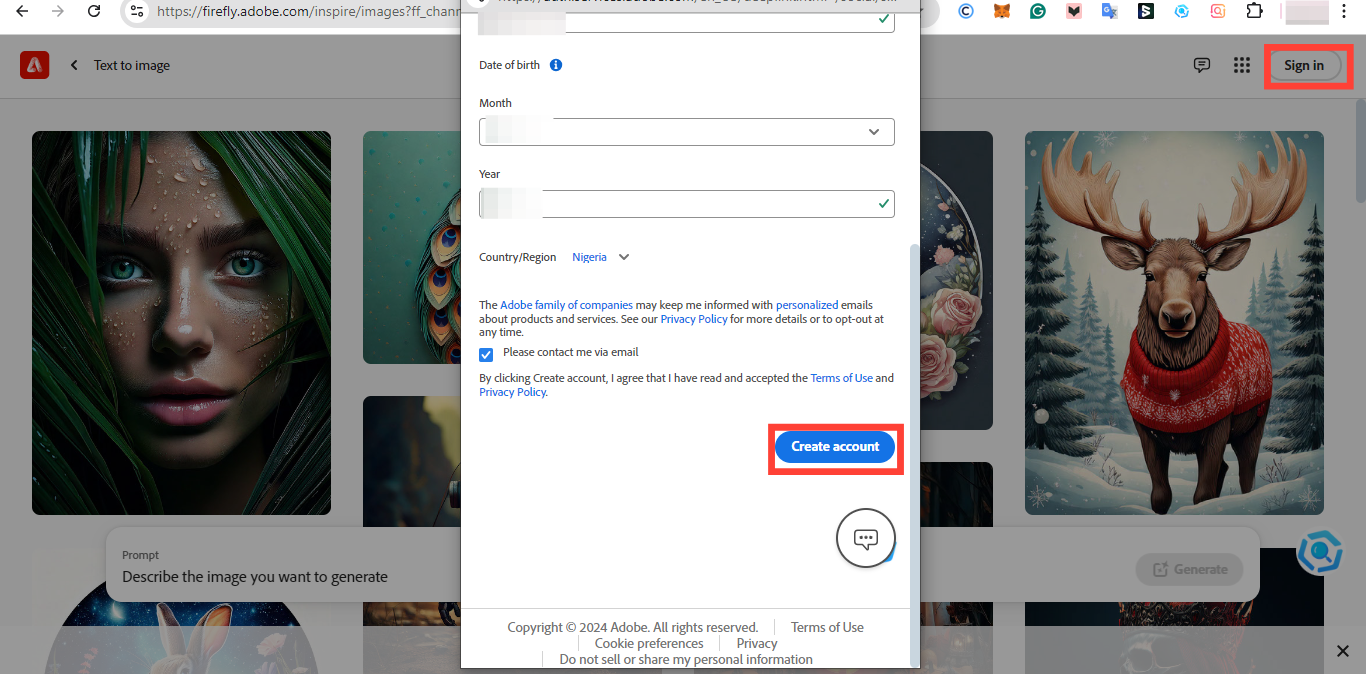
- Trained exclusively on commercially licensed and public-domain data
- Clear, explicit commercial-use terms on the paid tier
- Generative Fill and Generative Match for editing existing images
- Free tier available for testing before committing
- Paid Firefly Premium ($4.99/mo) required for the actual commercial license — the free tier does not include one
Best for: freelancers and small businesses who need a verifiable commercial license, not just a good-looking image. Not ideal for: casual, personal use where paying for a commercial license isn't necessary at all.
See our full breakdown of Adobe Firefly's free plan limits for the complete picture before you commit.
3. Freepik AI Suite — Best for Resolution and Aspect Ratio
Freepik AI Suite removes the fixed-square problem entirely, letting you choose the output dimensions and aspect ratio the job actually calls for instead of cropping a 1024x1024 square after the fact.
- Selectable aspect ratios and higher output resolutions
- Generation sits alongside Freepik's own stock-asset library in one platform
- Useful for print layouts, wide banners, and portrait-format social posts
- Scales on credit packs rather than a flat monthly fee, so cost tracks actual usage
- A limited free tier for testing before buying credits
Best for: anyone whose Bing Image Creator complaint is specifically about size or shape, not boosts or filtering. Not ideal for: high-volume daily use, where credit-pack pricing can add up faster than a flat subscription.
4. Stable Diffusion — Best If the Content Filter Keeps Blocking You
Stable Diffusion applies dramatically looser content filtering than Bing/Designer, which matters if you've been hit by false-positive rejections on ordinary prompts involving real names, brands, or historical references.

- Open-weight models with far less restrictive default filtering
- Hosted demo available with no local setup required
- Self-hostable for readers who want full control and zero ongoing cost
- No arbitrary prompt-category blocks on non-abusive content
- Free for commercial use when self-hosted under the Community License, for organizations under $1M in annual revenue
Best for: readers who've had legitimate prompts rejected repeatedly and want a tool that doesn't second-guess ordinary requests. Not ideal for: readers who want a fully managed, zero-setup experience — the hosted demo is easiest, but the real benefit requires more hands-on setup.
If you're weighing this against the other free-tier favorite on this list, see our head-to-head on Stable Diffusion vs Leonardo AI's free tiers.
How to Choose the Right Bing Image Creator Alternative
Match the tool to the specific limit that's actually bothering you:
- Boosts keep running out → Leonardo AI
- You need a real commercial license → Adobe Firefly Premium
- You need a bigger image or a different aspect ratio → Freepik AI Suite
- The content filter keeps blocking normal prompts → Stable Diffusion
If none of these are the actual issue and you just want better output quality, try switching models inside Bing Image Creator itself first — MAI-Image-1 and GPT-4o are both free options sitting right next to DALL-E 3 in the same picker, alongside other chat-native generators like ChatGPT and Gemini worth comparing against. For a deeper look at how these underlying models actually differ, see our breakdown of the best AI image generation models and which tools run them.
Frequently Asked Questions
Is Bing Image Creator still called that in 2026? Not officially. Microsoft rebranded it "Image Creator from Designer" in January 2024, and the same generation backend is now accessible from Bing, Microsoft Designer, and Copilot.
How many free images can you generate with Bing Image Creator now? Fewer than before. The old unlimited-plus-daily-boosts model has been replaced by a stricter credit cap. [VERIFY: exact current figure — sources disagree on 15 credits/day vs. 15/month as of publication].
Why does Bing Image Creator reject normal prompts? Its content filter is stricter than most dedicated generators and frequently over-blocks real-person names, brand and celebrity references, and some historical or medical terms, even when the prompt isn't abusive.
Can Bing Image Creator generate images larger than 1024x1024? No. Output is hard-capped at 1024x1024 with no aspect-ratio selection, which rules it out for print, wide banners, or portrait-format content.
What AI model does Bing Image Creator use in 2026? You can now choose between OpenAI's DALL-E 3, GPT-4o, and Microsoft's own in-house MAI-Image-1 model, which started rolling out in October 2025.
Final Verdict
Most people searching for a Bing Image Creator alternative are actually running into one of three specific problems, not a general dissatisfaction with the tool. My honest take: start with Leonardo AI if boosts are the issue — it's the closest like-for-like upgrade with a genuinely more generous free tier. Reach for Adobe Firefly the moment commercial use is involved, Freepik AI Suite the moment size or aspect ratio matters, and Stable Diffusion if the content filter is the one blocking you.
Still weighing your options more broadly? Our full roundup of Midjourney alternatives breaks down every option by the actual reason people switch, not just a flat ranked list.